# Asset issuance
Source: https://docs.settlemint.com/docs/architects/flows/asset-issuance
The two-layer flow that takes an instrument configuration through platform setup, factory deployment, role grants, identity claims, and initial operations.
## System context [#system-context]
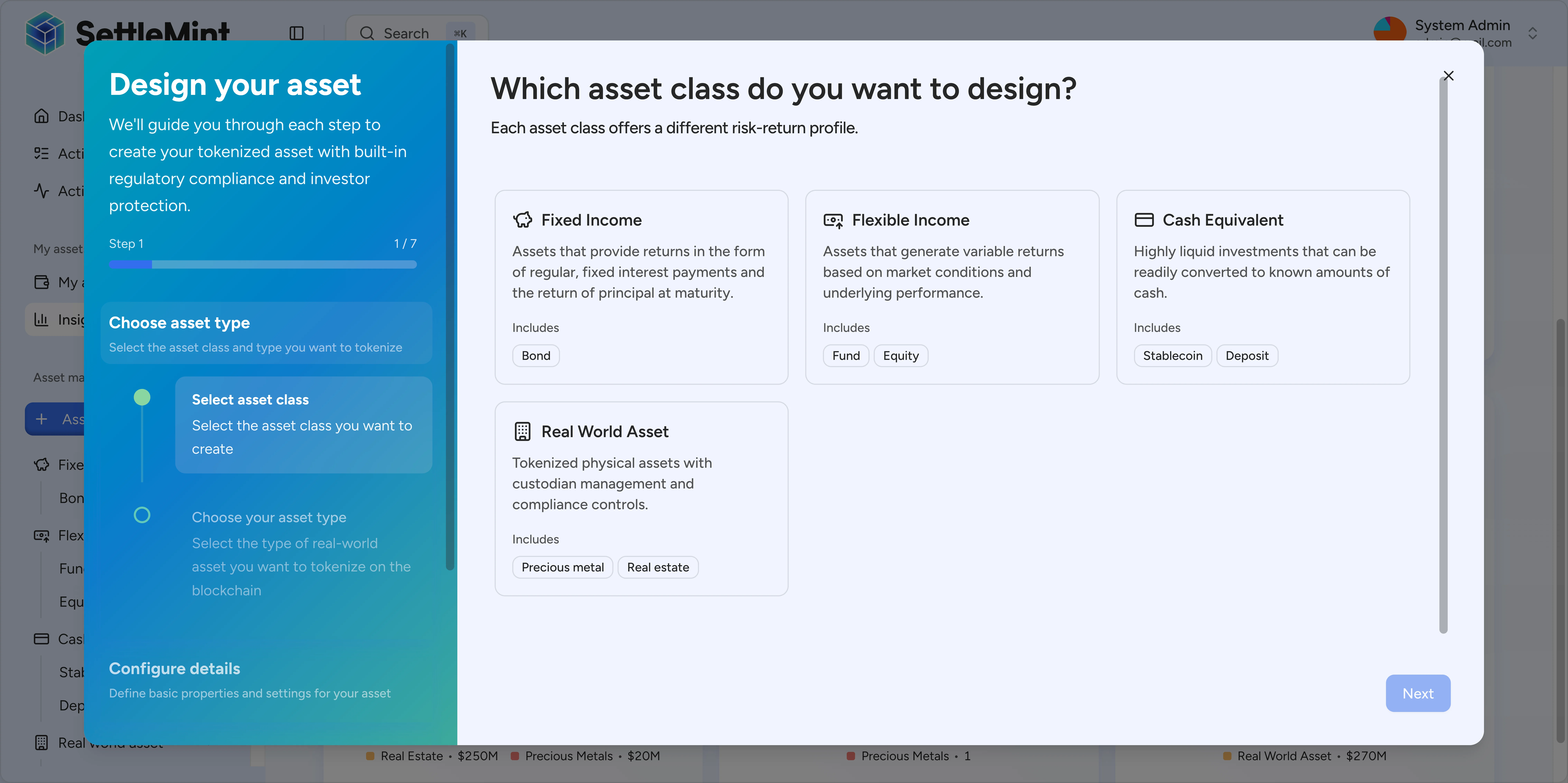
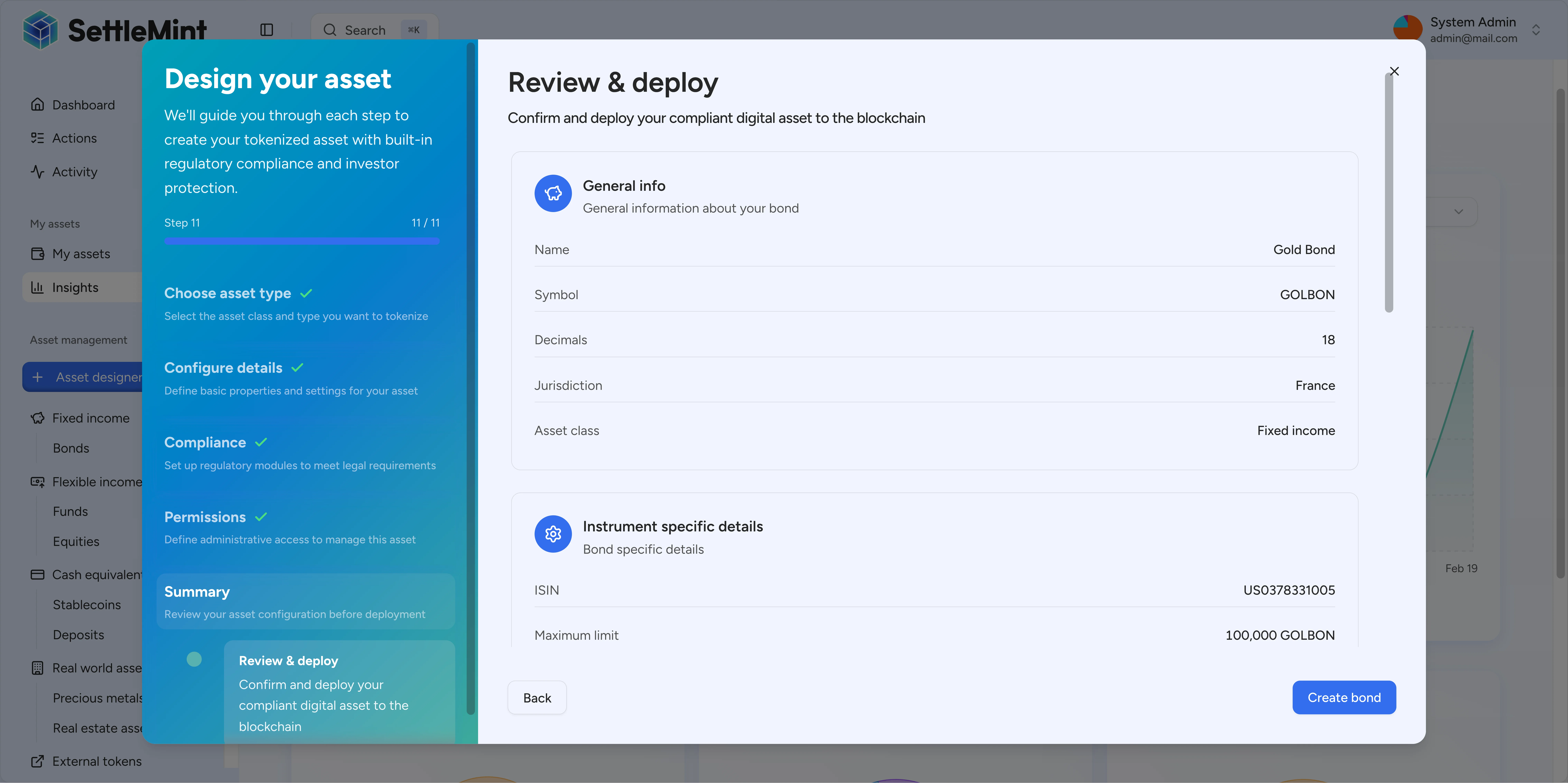
Asset issuance turns an approved instrument configuration into deployed SMART Protocol contracts, registered roles, identity claims, and an initial operating state. If you are an operator, you start from the Asset Designer in the Console. API clients submit the same templated creation flow through `/api/v2/tokens` with `type: "dalp-asset"` and a `templateId`.
This page describes the architecture and state transitions behind asset issuance. For step-by-step operating instructions, use the Console and API guides linked below.
## Related [#related]
* [Create an asset in the console](/docs/operators/asset-creation/create-asset): Asset Designer workflow
* [Create an asset with the API](/docs/developers/asset-creation/create-asset): `/api/v2/tokens` payload and errors
* [Asset Contracts](/docs/architects/components/asset-contracts): token types and configurations
* [Signing Flow](/docs/architects/flows/signing-flow): transaction signing
* [Authorization](/docs/compliance-security/security/authorization): role definitions
***
## Flow boundary [#flow-boundary]
Asset issuance has two layers. Platform setup provisions the organisation-level system once. Each new instrument then uses the registered factories to deploy its own asset.
| Layer | What is created | When it runs | What it controls |
| ----------------------- | ----------------------------------------------------------------------------------------------------------------------- | ------------------------------ | -------------------------------------------------------------------------------------------- |
| Platform setup | System proxy, system access manager, identity registry, compliance contract, token factory registry, and addon registry | Once for a platform deployment | Shared system services and the factories that later create assets |
| Per-instrument creation | Token contract, token identity, per-token access manager, per-token compliance, and token-scoped identity registries | Once per new instrument | The roles, metadata, compliance modules, registry checks, and operating state for that asset |
The two layers are connected, but they do not have the same scope.
The System Factory creates the platform instance and its access manager. System bootstrap creates and wires the registries and shared compliance services. Later, the DALP asset factory uses a selected template to deploy one token: its on-chain identity, its own access manager, its token-scoped compliance contract, and token-scoped identity registries. The per-token access manager controls the asset's roles. That contract is separate from the platform-level access manager created during platform setup.
The current product taxonomy exposes seven deployable base asset types: bond, equity, fund, stablecoin, deposit, real estate, and precious metal. The templated Asset Designer path routes these through the DALP asset factory, where the selected template supplies the asset class, required features, metadata schema, and compliance controls.
***
## Deployment phases [#deployment-phases]
Asset issuance spans seven phases. Phases 1-3 execute once for a platform deployment. Phases 4-7 repeat for each new instrument.
***
## Phase details [#phase-details]
### Infrastructure (Phase 1) [#infrastructure-phase-1]
The platform deploys implementation contracts and the system factory the DALP system needs. On SettleMint networks with genesis allocations, these contracts may already be available, and the process begins at system bootstrap instead.
| Step | Transaction | Sender |
| ---- | ----------------------------------------------------------------------------------- | -------- |
| 1 | Deploy implementation contracts for system, token, addon, and compliance components | Deployer |
| 2 | Deploy the system factory with implementation addresses | Deployer |
**Output:** System factory address.
### System bootstrap (Phase 2) [#system-bootstrap-phase-2]
Bootstrap creates the organisation's platform system and registers the factories used later. The system access manager governs this shared layer. Each token carries its own access manager for asset roles.
| Step | Transaction | Role required |
| ---- | ----------------------------------------------------------------------- | ------------- |
| 1 | `createSystem()` on the system factory | Deployer |
| 2 | `bootstrap()` on the system proxy | Deployer |
| 3 | Register token factories for supported base asset types | Deployer |
| 4 | Register addon factories used by asset features and operating workflows | Deployer |
**Output:** System proxy, access manager, identity registry, compliance contract, and factory registries.
### Identity and compliance setup (Phase 3) [#identity-and-compliance-setup-phase-3]
This phase defines which actors and assets can participate in regulated token operations. The platform registers trusted claim issuers, creates actor identities, registers those identities, and issues KYC or AML claims. It also adds any global compliance modules, such as country or address controls.
| Step | Transaction | Role required |
| ---- | ----------------------------------------------------------------- | -------------------- |
| 1 | Grant identity and compliance administration roles | System admin |
| 2 | Create identities for actors | Each actor |
| 3 | Register identities in the identity registry | Identity manager |
| 4 | Add trusted claim issuers | Claim policy manager |
| 5 | Issue KYC or AML claims to identities | Claim issuer |
| 6 | Add global compliance modules such as country or address controls | Compliance manager |
### Asset configuration (Phase 4) [#asset-configuration-phase-4]
You select an instrument template and submit the asset configuration, whether you are an operator in the Asset Designer or an API client. API clients call `/api/v2/tokens` with `type: "dalp-asset"` and supply the selected `templateId`, identity fields, valuation fields, metadata values, compliance module pairs, optional feature settings, and a wallet for signing.
| Input | What it controls |
| ----------------------- | ----------------------------------------------------------------------------------- |
| Template | Asset class, base asset type, required features, and metadata schema |
| Metadata values | Instrument-specific fields such as issuer, classification, or reference identifiers |
| Compliance module pairs | Per-token compliance controls, including template-expanded controls |
| Feature configuration | Feature-specific settings that the factory encodes for deployment |
| Wallet verification | The signing authorisation used for the on-chain create transaction |
### Phase 5: Factory deployment [#phase-5-factory-deployment]
The Workflow Engine routes the submitted configuration to the matching token-creation workflow. For templated assets, the workflow resolves the template, expands the required feature set, encodes metadata and compliance parameters, and calls the DALP asset factory.
The factory deploys a fresh per-token access manager before it deploys the token. For the templated DALP asset path, it also creates token-scoped compliance and token-scoped identity registries for the deployed token. Two assets in the same platform system can carry different asset-level role assignments and isolated token compliance state. Legacy typed creation paths dispatch to their matching handlers for base types such as bond, equity, fund, stablecoin, deposit, real estate, and precious metal.
| Step | Transaction | Role required |
| ---- | --------------------------------------------------------------------------------------------------- | ------------- |
| 1 | Submit the factory create transaction through the signing flow | Token manager |
| 2 | Factory deploys the token, token identity, per-token access manager, compliance, and registry layer | Automatic |
| 3 | Workflow reads the `TokenAssetCreated` event from the transaction receipt | Automatic |
**Output:** Token address, token identity, per-token access manager, per-token compliance, token-scoped registries, and transaction hash.
### Phase 6: Post-deploy setup [#phase-6-post-deploy-setup]
After the factory transaction confirms, DALP completes setup. The asset becomes manageable and auditable.
| Step | Transaction | Role required |
| ---- | -------------------------------------------------------------------------------------------------------------------- | ---------------------- |
| 1 | Grant initial per-token roles; if no custom permissions are supplied, the submitting wallet receives `governance` | Token admin |
| 2 | Issue asset identity claims to the token identity | Claim issuer |
| 3 | Submit an initial price feed when the organisation has the feed addon installed and the asset input includes a price | Feed submission signer |
| 4 | Optionally unpause the asset when `unpauseOnCreation` is requested | Emergency role |
By default, assets remain paused after creation. You can ask DALP to unpause the asset at creation only when the required role grant is present. A paused asset is visible for review. Issuance and transfers stay disabled until an authorised operator unpauses it.
### Phase 7: Initial operations [#phase-7-initial-operations]
Use these steps to confirm the deployed asset is ready.
| Step | Operation | Role required |
| ---- | ----------------------------------------------------------------------- | ----------------- |
| 1 | Review the asset details, roles, metadata, and compliance configuration | Governance |
| 2 | Unpause the asset if it was intentionally created paused | Emergency |
| 3 | Mint tokens to initial holders | Supply management |
| 4 | Transfer between verified holders | Token holders |
| 5 | Confirm blocked transfers fail when compliance rules reject them | Not applicable |
***
## Key dependencies [#key-dependencies]
* Identity registration must complete before token operations begin.
* Shared compliance services provide the platform-level baseline.
* Templated DALP assets receive token-scoped compliance and token-scoped identity registries during factory deployment.
* Per-token compliance modules are additive to the shared baseline.
* When you use a compliance template, you must submit the matching module pairs; DALP rejects a templated create request that selects a compliance template but submits no controls.
* All on-chain writes execute through the [Signing Flow](/docs/architects/flows/signing-flow).
* The Ledger Index returns the deployed asset state to the Console and API after chain confirmation.
***
## See also [#see-also]
* [Create an asset in the console](/docs/operators/asset-creation/create-asset): operator workflow
* [Create an asset with the API](/docs/developers/asset-creation/create-asset): request payloads and API errors
* [Deployment Architecture](/docs/architects/components/asset-contracts/deployment-architecture): factory deployment patterns
* [Authorization](/docs/compliance-security/security/authorization): role definitions
* [Lifecycle after issuance](/docs/architects/overview/lifecycle-after-issuance): post-deployment operations