# Create and mint a fund token
Source: https://docs.settlemint.com/docs/developer-guides/runbooks/create-mint-funds
Use the DALP TypeScript client to create a fund token, assign the roles
needed for supply operations, unpause the token, and mint units to a
registered holder.
Use this how-to when you already operate a DALP environment and need to mint fund units to registered holders.
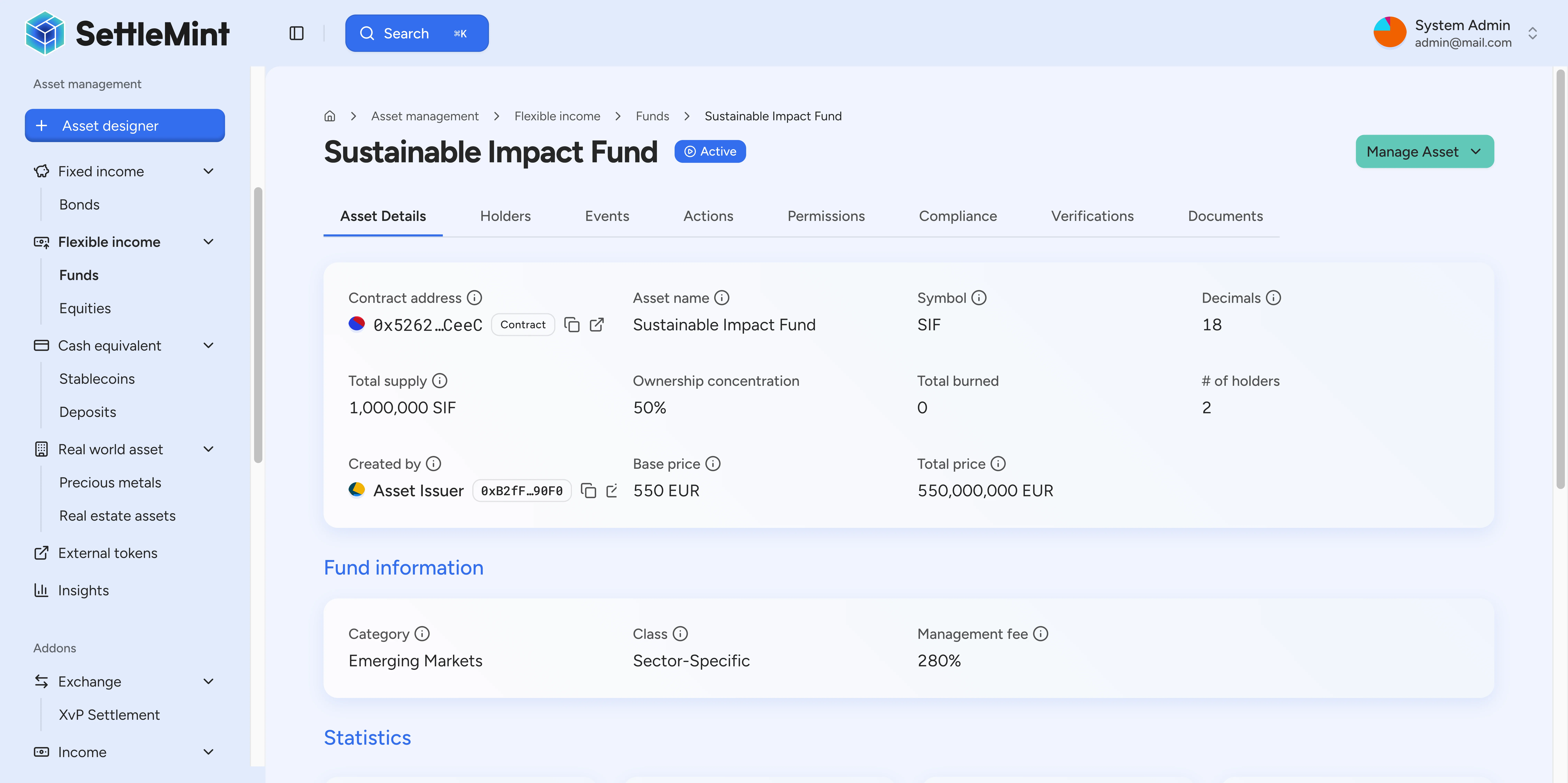
The creation request defines the token, its reference price, optional classification fields, and management-fee metadata. Supply operations and investor records stay separate from the creation payload.
## Prerequisites [#prerequisites]
Before you run the script, confirm that you have:
* A DALP platform URL, such as `https://your-platform.example.com`.
* A running DALP instance.
* A DALP user account with a wallet and PINCODE set from **Account → Wallet**.
* An API key for that account.
* The `admin` system role if you need to grant `tokenManager` or register identities yourself.
Save your wallet address after login. You use it when registering identity, granting token roles, and minting fund units.
## Quick reference [#quick-reference]
| Step | Goal | Method |
| ---- | ---------------------------------- | --------------------------------------------- |
| 1 | Create the client | `createDalpClient` |
| 2 | Read the current user wallet | `user.me` |
| 3 | Prepare system access and identity | `tokenManager` role and identity registration |
| 4 | Create the fund token | `token.create` with `type: "fund"` |
| 5 | Grant token roles | `token.grantRole` |
| 6 | Unpause the token | `token.unpause` |
| 7 | Mint fund units | `token.mint` |
| 8 | Check balances | `token.holders` |
## Fund creation fields [#fund-creation-fields]
The fund creation schema extends the base token fields with fund-specific pricing and metadata.
| Field | Required | Purpose |
| -------------------- | -------- | ----------------------------------------------------------------------------- |
| `type` | Yes | Must be `"fund"`. |
| `priceCurrency` | Yes | Fiat currency code for the fund unit reference price. |
| `basePrice` | Yes | Reference price per unit in `priceCurrency`, such as `"100.00"`. |
| `managementFeeBps` | Yes | Management fee in basis points. Valid range is 0 to 10,000. |
| `class` | No | Fund class value, such as `LONG_SHORT_EQUITY`, when classification is useful. |
| `category` | No | Fund category value, such as `MULTI_STRATEGY`, when classification is useful. |
| `uniqueIdentifier` | No | ISIN or other identifier used for reporting when the fund has one. |
| `initialModulePairs` | Yes | Compliance modules to attach during creation. Use `[]` for a basic setup. |
The creation payload models the token and its metadata. Keep underlying holdings, fee accruals, redemption terms, investor suitability evidence, and off-platform fund administration in the systems that own those records.
## Step-by-step commands [#step-by-step-commands]
### Step 1: create the client [#step-1-create-the-client]
Create the generated DALP client with your platform URL and API key.
```ts file=/src/examples/create-mint-fund.ts#L1-L9
import { createDalpClient } from "@settlemint/dalp-sdk";
async function main() {
// Step 1: Create the SDK client
const dalp = createDalpClient({
url: "https://your-platform.example.com",
apiKey: "YOUR_API_KEY",
});
const pincode = "YOUR_PINCODE";
```
### Step 2: read your wallet address [#step-2-read-your-wallet-address]
Call `user.me` and keep the returned wallet address for identity registration, token-role grants, and minting.
```ts file=/src/examples/create-mint-fund.ts#L11-L17
// Step 2: Get your wallet address
const me = await dalp.user.me({});
const myWallet = me.data.wallet;
if (!myWallet) {
throw new Error("No wallet found. Create a wallet first via the DALP dashboard.");
}
console.log("Wallet:", myWallet);
```
### Step 3: prepare system access and identity [#step-3-prepare-system-access-and-identity]
A fund issuer needs the `tokenManager` system role before creating tokens. The recipient wallet also needs an identity registry entry before minting.
If your account does not have `admin`, ask an administrator to grant `tokenManager` and register the wallet identity before you continue.
### Step 4: create the fund token [#step-4-create-the-fund-token]
Create the fund token with `type: "fund"`. The example uses `LONG_SHORT_EQUITY`, `MULTI_STRATEGY`, a USD 100.00 reference price, and a 150 bps management fee.
```ts file=/src/examples/create-mint-fund.ts#L22-L49
// Step 4: Create fund token
const fund = await dalp.token.create({
body: {
type: "fund",
name: "Global Growth Fund Class A",
symbol: "GGFA",
decimals: 18,
countryCode: "056",
priceCurrency: "USD",
basePrice: "100.00",
class: "LONG_SHORT_EQUITY",
category: "MULTI_STRATEGY",
managementFeeBps: 150,
uniqueIdentifier: "BE0003796134",
initialModulePairs: [],
walletVerification: {
secretVerificationCode: pincode,
verificationType: "PINCODE",
},
},
});
if ("transactionId" in fund) {
console.log("Fund creation queued:", fund.transactionId);
return;
}
const tokenAddress = fund.data.id;
console.log("Fund created:", tokenAddress);
```
The response can be queued. If it returns token data directly, save `fund.data.id` as the token address for the remaining steps.
If the response returns `transactionId`, `status`, and `statusUrl`, poll `transaction.status` with that `transactionId` until the status is `COMPLETED`. The completed status response gives you the confirmed transaction hash.
After the queued create completes, call `token.list` and filter for the fund's unique `symbol`, `uniqueIdentifier`, or other creation fields from this step. Save the returned token `id` as the token address before you continue. Do not grant roles, unpause, or mint until the created fund token appears in the token read model.
### Step 5: grant token roles [#step-5-grant-token-roles]
Grant the wallet the token roles needed for the next actions:
* `supplyManagement` allows minting and redemption-related supply operations.
* `emergency` allows the wallet to unpause the token.
```ts file=/src/examples/create-mint-fund.ts#L51-L74
// Step 5: Grant token roles
await dalp.token.grantRole({
params: { tokenAddress },
body: {
accounts: [myWallet],
role: "supplyManagement",
walletVerification: {
secretVerificationCode: pincode,
verificationType: "PINCODE",
},
},
});
await dalp.token.grantRole({
params: { tokenAddress },
body: {
accounts: [myWallet],
role: "emergency",
walletVerification: {
secretVerificationCode: pincode,
verificationType: "PINCODE",
},
},
});
console.log("Roles granted");
```
Wait for the role-grant transactions to confirm before unpausing or minting. Add `governance` only if the wallet also needs to update valuation or redemption parameters through the API.
### Step 6: unpause the fund [#step-6-unpause-the-fund]
New tokens start paused. Unpause the fund token before you mint or transfer units.
```ts file=/src/examples/create-mint-fund.ts#L76-L86
// Step 6: Unpause the fund
await dalp.token.unpause({
params: { tokenAddress },
body: {
walletVerification: {
secretVerificationCode: pincode,
verificationType: "PINCODE",
},
},
});
console.log("Fund unpaused");
```
### Step 7: mint fund units [#step-7-mint-fund-units]
Mint only to wallets registered in the identity registry. The example mints 100 fund units to the current user's wallet.
```ts file=/src/examples/create-mint-fund.ts#L88-L100
// Step 7: Mint fund units — 100 units
await dalp.token.mint({
params: { tokenAddress },
body: {
recipients: [myWallet],
amounts: [100_000_000_000_000_000_000n],
walletVerification: {
secretVerificationCode: pincode,
verificationType: "PINCODE",
},
},
});
console.log("Minted fund units");
```
The mint request returns when the transaction has been submitted. If you receive `RecipientNotVerified`, register the recipient wallet with `systemIdentityCreate` and retry.
### Step 8: verify holders [#step-8-verify-holders]
Read the holder list and confirm the minted unit balance before you continue with valuation, reporting, or fund administration.
```ts file=/src/examples/create-mint-fund.ts#L102-L104
// Step 8: Verify holders
const holders = await dalp.token.holders({ params: { tokenAddress }, query: { limit: 200 } });
console.log("Holders:", holders.data);
```
## Full script [#full-script]
```ts file=/src/examples/create-mint-fund.ts
import { createDalpClient } from "@settlemint/dalp-sdk";
async function main() {
// Step 1: Create the SDK client
const dalp = createDalpClient({
url: "https://your-platform.example.com",
apiKey: "YOUR_API_KEY",
});
const pincode = "YOUR_PINCODE";
// Step 2: Get your wallet address
const me = await dalp.user.me({});
const myWallet = me.data.wallet;
if (!myWallet) {
throw new Error("No wallet found. Create a wallet first via the DALP dashboard.");
}
console.log("Wallet:", myWallet);
// Step 3: Set up system roles
// Grant yourself 'tokenManager' and register your identity
// Step 4: Create fund token
const fund = await dalp.token.create({
body: {
type: "fund",
name: "Global Growth Fund Class A",
symbol: "GGFA",
decimals: 18,
countryCode: "056",
priceCurrency: "USD",
basePrice: "100.00",
class: "LONG_SHORT_EQUITY",
category: "MULTI_STRATEGY",
managementFeeBps: 150,
uniqueIdentifier: "BE0003796134",
initialModulePairs: [],
walletVerification: {
secretVerificationCode: pincode,
verificationType: "PINCODE",
},
},
});
if ("transactionId" in fund) {
console.log("Fund creation queued:", fund.transactionId);
return;
}
const tokenAddress = fund.data.id;
console.log("Fund created:", tokenAddress);
// Step 5: Grant token roles
await dalp.token.grantRole({
params: { tokenAddress },
body: {
accounts: [myWallet],
role: "supplyManagement",
walletVerification: {
secretVerificationCode: pincode,
verificationType: "PINCODE",
},
},
});
await dalp.token.grantRole({
params: { tokenAddress },
body: {
accounts: [myWallet],
role: "emergency",
walletVerification: {
secretVerificationCode: pincode,
verificationType: "PINCODE",
},
},
});
console.log("Roles granted");
// Step 6: Unpause the fund
await dalp.token.unpause({
params: { tokenAddress },
body: {
walletVerification: {
secretVerificationCode: pincode,
verificationType: "PINCODE",
},
},
});
console.log("Fund unpaused");
// Step 7: Mint fund units — 100 units
await dalp.token.mint({
params: { tokenAddress },
body: {
recipients: [myWallet],
amounts: [100_000_000_000_000_000_000n],
walletVerification: {
secretVerificationCode: pincode,
verificationType: "PINCODE",
},
},
});
console.log("Minted fund units");
// Step 8: Verify holders
const holders = await dalp.token.holders({ params: { tokenAddress }, query: { limit: 200 } });
console.log("Holders:", holders.data);
}
await main();
```
## Troubleshooting [#troubleshooting]
| Error or symptom | Fix |
| -------------------------------------------- | --------------------------------------------------------------------------------------------------- |
| `Authentication missing` | Check the API key passed to `createDalpClient`. |
| `PINCODE_INVALID` | Reset or re-enter PINCODE from **Account → Wallet**. |
| `tokenManager required` | Grant the `tokenManager` system role. This requires admin access. |
| `Basis points cannot exceed 10000` | Keep `managementFeeBps` between 0 and 10,000. |
| Invalid enum value for `class` or `category` | Use values from the fund class and category enums, such as `LONG_SHORT_EQUITY` or `MULTI_STRATEGY`. |
| `Token is paused` | Run the unpause step after the `emergency` role grant has confirmed. |
| Permission denied during mint | Confirm the wallet has the `supplyManagement` token role. |
| `RecipientNotVerified` | Register the recipient wallet in the identity registry with `systemIdentityCreate`. |
## Related [#related]
* [Developer runbooks](/docs/developer-guides)
* [Private equity use case](/docs/executive-overview/use-cases/private-equity)