# Pause and unpause assets
Source: https://docs.settlemint.com/docs/operators/asset-servicing/pause-unpause-asset
Pause or reactivate one asset after launch checks, maintenance, or an incident response hold.
Pause state is the asset-level control that stops or resumes token movement for one asset. New assets start paused so operators can finish the required configuration before holders can transact.
An Emergency role holder can pause an active asset during maintenance, investigation, or incident response. The same pause-control surface reactivates the asset when the hold is cleared.
Use this page for the web console workflow. API operators can use the [pause and unpause assets API guide](/docs/developers/asset-servicing/pause-unpause-asset).
## Prerequisites [#prerequisites]
* You have the Emergency role on the asset.
* The asset supports pause controls.
* You know whether the asset is currently Paused or Active.
* Before unpausing a newly created asset, complete all required configuration for the asset.
## Pause or unpause: when to use each [#pause-or-unpause-when-to-use-each]
| Current state | Operation | Use when |
| ------------- | ------------- | ------------------------------------------------------------------------------------------------ |
| Paused | Unpause Asset | The asset is ready for launch, maintenance is complete, or an incident response hold is cleared. |
| Active | Pause Asset | You need to stop token movement for maintenance, an investigation, or an operational hold. |
Example: a bond is active and a maintenance window needs to stop holder movement. An Emergency role holder pauses the bond and verifies that the workspace shows Paused. Servicing teams complete the required checks before token operations resume. Once the work is done, the same role holder chooses Unpause Asset and verifies that the workspace shows Active again.
Pausing an asset blocks token movements for that asset. Coordinate the pause with the operators who handle holder support, downstream reporting, and settlement workflows.
## Pause or unpause an asset [#pause-or-unpause-an-asset]
Before you unpause a newly created or held asset, confirm that the teams responsible for roles, holder identity, compliance rules, and downstream reporting have finished their checks. The confirmation sheet shows the current state and the target state before you sign.
### Open the asset [#open-the-asset]
Go to Asset Management, select the asset type, then open the asset you want to manage.
### Locate the control [#locate-the-control]
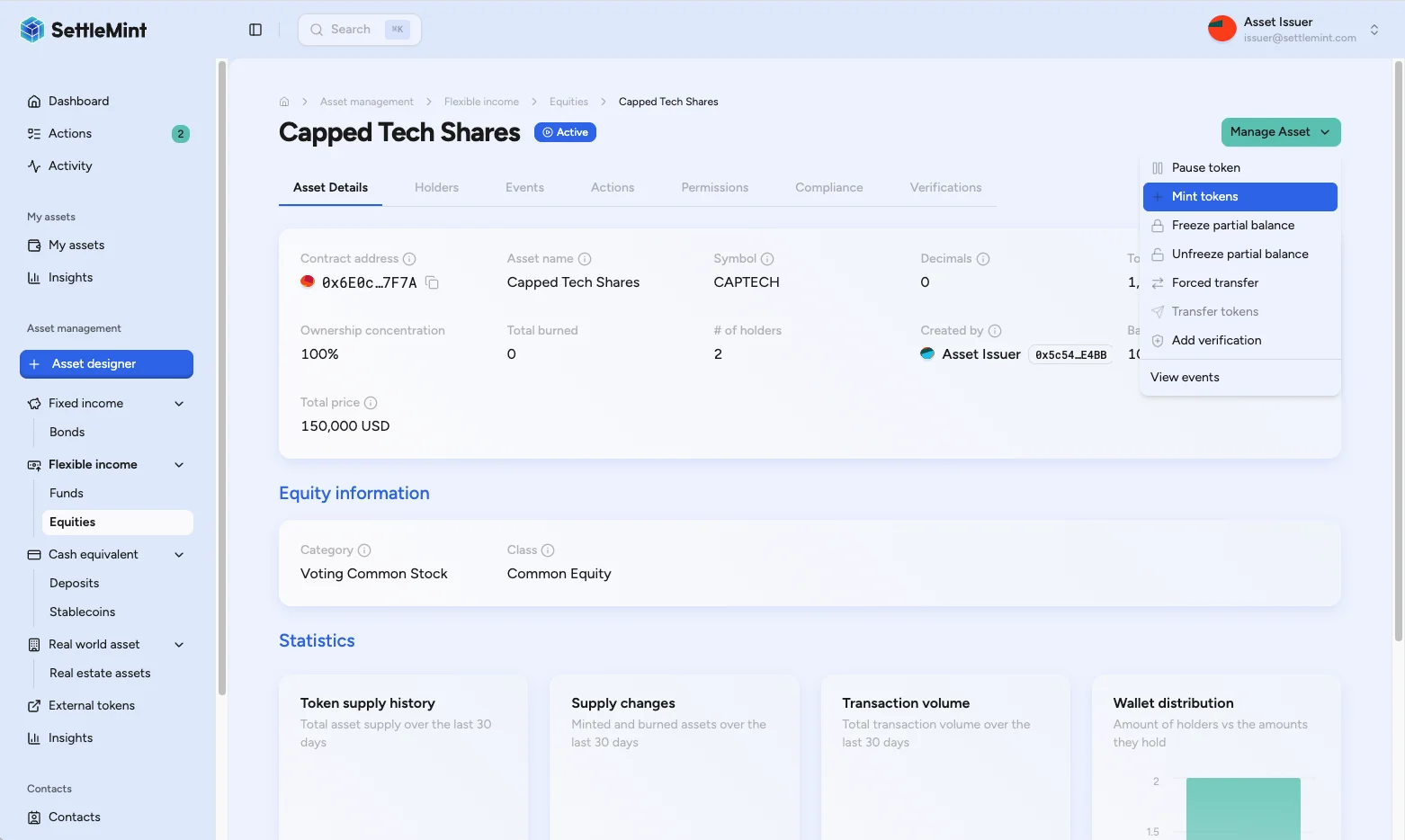
On the asset detail page, open Manage Asset or the asset's shortcut card. The shortcut card appears only when the asset state and your permissions allow the operation. In Manage Asset, pause or unpause can appear unavailable when the asset state or your role does not allow it.
### Choose pause or unpause [#choose-pause-or-unpause]
Choose Pause Asset when the asset is active, or Unpause Asset when the asset is paused. If neither option appears, confirm that you hold the Emergency role for this asset.
### Review and sign [#review-and-sign]
Review the asset name, current state, and requested operation. Confirm, then enter your PIN to sign the blockchain transaction.
| Before signing | Why it matters |
| ---------------------------------------------------- | ------------------------------------------------------------------------------------------------ |
| Asset name and symbol match the intended asset | Pause affects every holder of that asset. |
| Current state matches the operation | Pause applies to active assets; unpause applies to paused assets. |
| Support and servicing teams know the operating state | Settlement workflows, downstream reporting, and holder support teams may all depend on the hold. |
### Check the updated state [#check-the-updated-state]
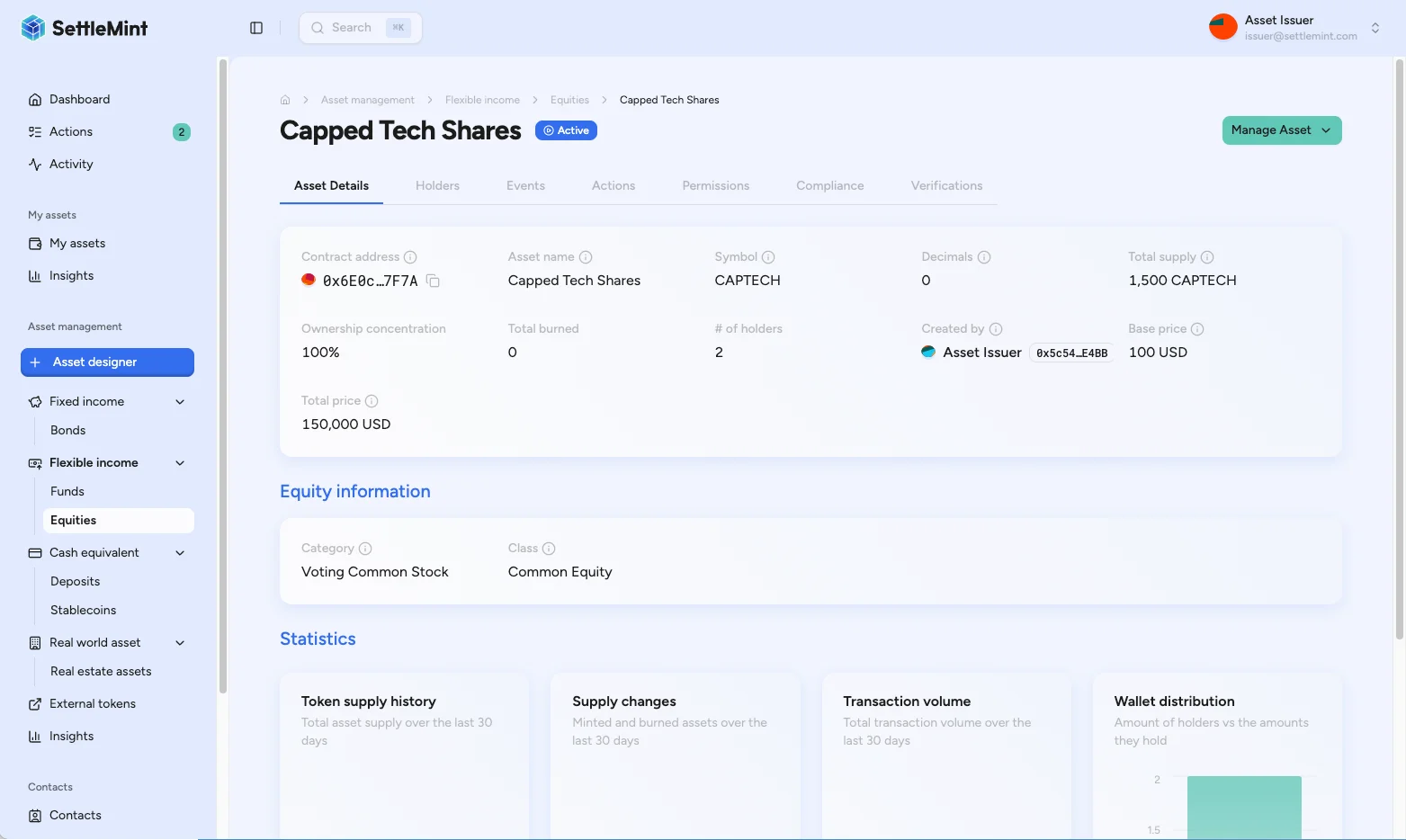
After the transaction confirms, the asset status changes to Paused or Active. The asset workspace shows the new state.
## What the state means [#what-the-state-means]
| State | Token movement | Operational meaning |
| ------ | -------------------------------------------------------------------------------------------------------------- | ---------------------------------------------------------------------------------------------------------------------------------- |
| Active | All token movement can proceed when the caller also passes the required role, identity, and compliance checks. | The asset is open for normal lifecycle operations. |
| Paused | All token movement is blocked until an Emergency role holder unpauses the asset. | The asset is under a global movement hold. Read-only review, role management, and the pause or unpause controls can still be used. |
Pause state does not replace compliance policy. Holders and operators still need the required roles, identity verification, claim status, and compliance-module approvals after an asset is unpaused.
## Troubleshooting [#troubleshooting]
| Issue | Check |
| ------------------------------------------------------ | --------------------------------------------------------------------------------------------------------------------------------------------------- |
| Pause Asset or Unpause Asset is missing or unavailable | Confirm the Emergency role, current pause state, and pause-control support for this asset. |
| Transaction fails | Verify your PIN, wallet verification setup, wallet gas, and network connection. Retry only after you know the previous transaction did not confirm. |
| Status does not update | Wait for confirmation, refresh the asset page, and check the transaction in the block explorer if available. |
| Holders still cannot transfer after unpause | Verify holder identity status, required claims, country or investor-list rules, and any other compliance modules attached to the asset. |
## Related operations [#related-operations]
* [Change asset admin roles](/docs/operators/asset-servicing/change-asset-admin-roles): assign the Emergency role.
* [Asset compliance overview](/docs/operators/compliance/overview): verification and compliance checks that still apply after unpause.
* [Forced transfer](/docs/operators/asset-servicing/forced-transfer): administrative movement for eligible assets.