# Publish a feed update
Source: https://docs.settlemint.com/docs/operators/data-feeds/publish-feed-update
Keep NAV, price, and metric data current by writing a trusted issuer's EIP-712 signed value to an on-chain scalar feed.
Each feed update advances the on-chain record to the latest signed value from a trusted issuer. The issuer signs using EIP-712; the feed adapter contract stores the value on-chain.
## Prerequisites [#prerequisites]
* A registered data feed exists. See [Create a feed](/docs/operators/data-feeds/create-feed).
* Your identity is authorized as a trusted issuer for the feed's verification topic. See [Configure trusted issuers](/docs/operators/compliance/configure-trusted-issuers).
Publishing does not require a specific platform role, but your on-chain identity must hold trusted issuer status
for the feed's topic. Without this authorization, the feed adapter contract rejects the submission.
## Registering as a trusted issuer [#registering-as-a-trusted-issuer]
Trusted issuer status is granted per topic, not per feed. An identity authorized for one topic can publish to any feed that uses that topic. Before submitting a value, confirm the publishing identity holds this status:
### Navigate to trusted issuers [#navigate-to-trusted-issuers]
Go to Organisation settings > Compliance & verification > Trusted issuers. This page lists every identity that holds authorized issuer status for a topic in your organization.
### Add the identity [#add-the-identity]
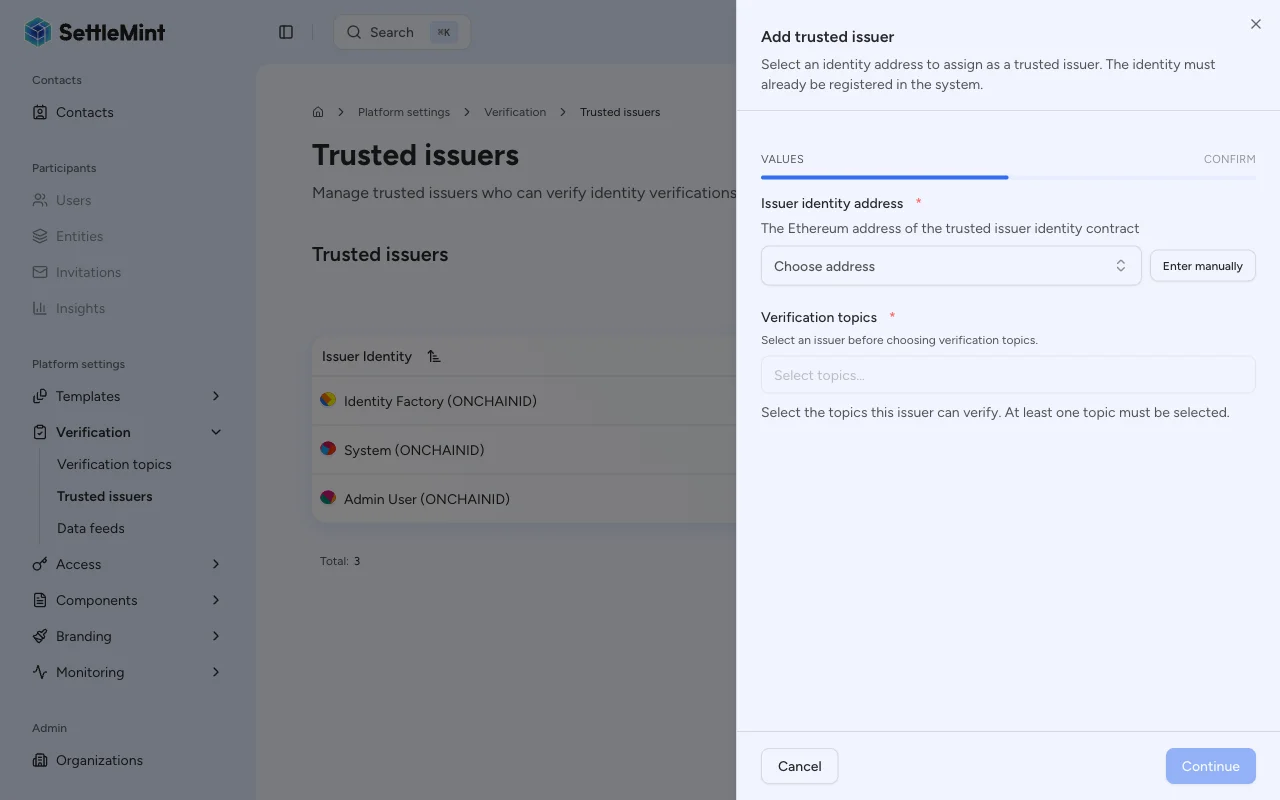
Select Add trusted issuer, choose the identity that will submit feed updates, and assign the scalar feed topic used by the feed. The identity must already have an on-chain identity contract; the trusted issuer assignment links it to the topic. For detailed instructions, see [Configure trusted issuers](/docs/operators/compliance/configure-trusted-issuers).
## Publishing a value [#publishing-a-value]
### Navigate to the feed [#navigate-to-the-feed]
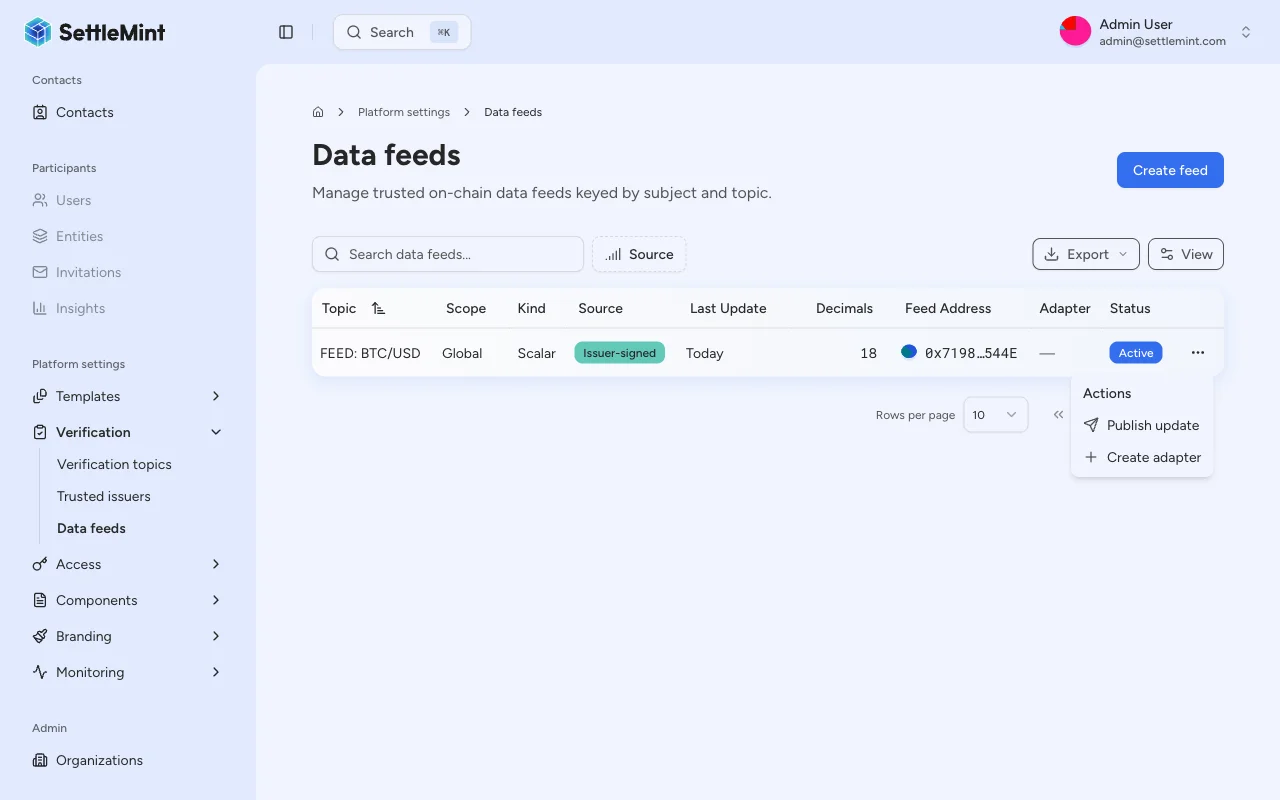
Go to Organisation settings > Operations > Data feeds. Find the feed you want to update. The list shows all feeds registered for your organization, including their latest submitted value and the topic they use.
### Open the publish menu [#open-the-publish-menu]
You can publish from two places:
* From the table: click the three-dot menu (**...**) on the feed's row and select Publish update.
* From the feed detail page: open a feed, then click the three-dot menu in the top-right corner and select Publish update.
When your identity is not authorized as a trusted issuer for the feed's topic, the publish option appears disabled with a tooltip explaining the requirement.
### Enter the feed value [#enter-the-feed-value]
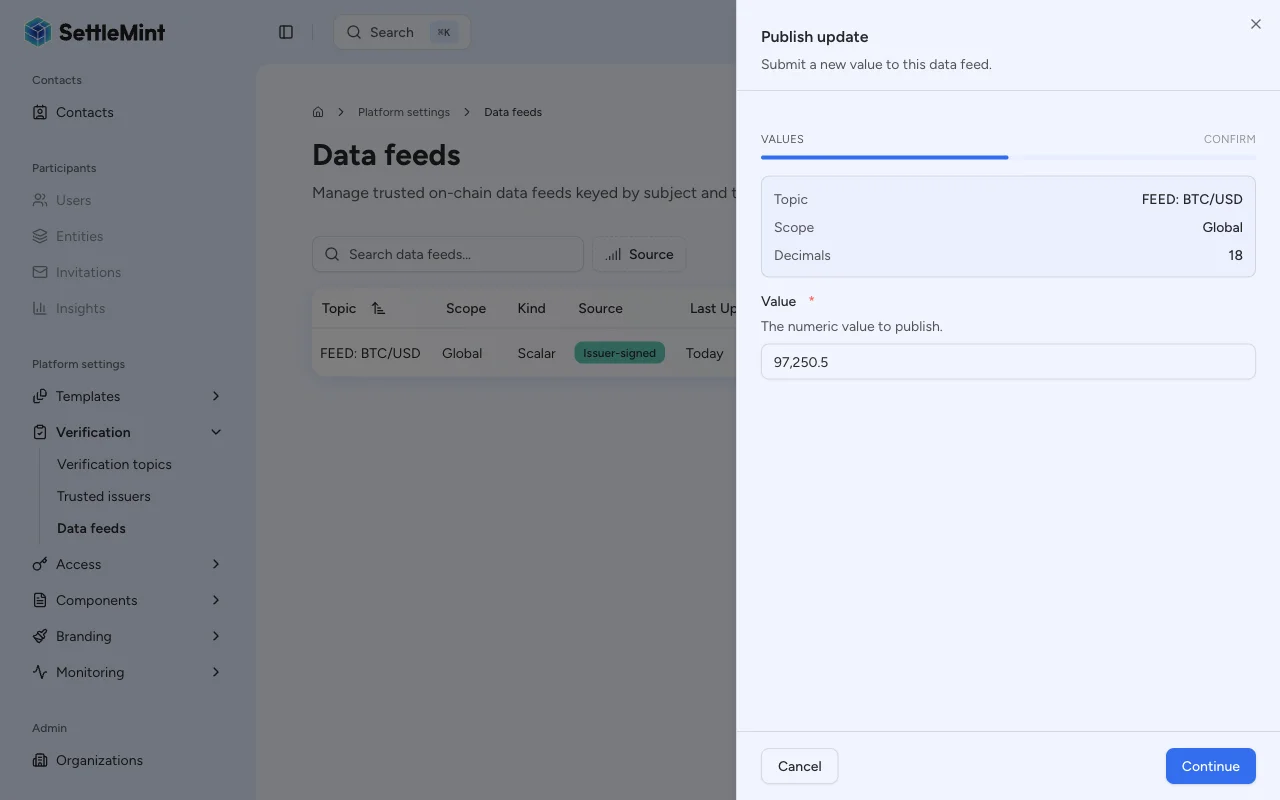
Fill in the publish form:
* **Value** - The numeric value to submit. Enter the value in human-readable form (e.g., `67500` for $67,500.00). The platform encodes it using the feed's decimal precision before submitting.
The platform sets the observation timestamp to the current time at submission.
The feed adapter stores the value as an `int256` on-chain. The platform encodes decimals without extra input: a value of `1.50` on
a feed with 8 decimals becomes `150000000` (`1.50 * 10^8`).
### Confirm the transaction [#confirm-the-transaction]
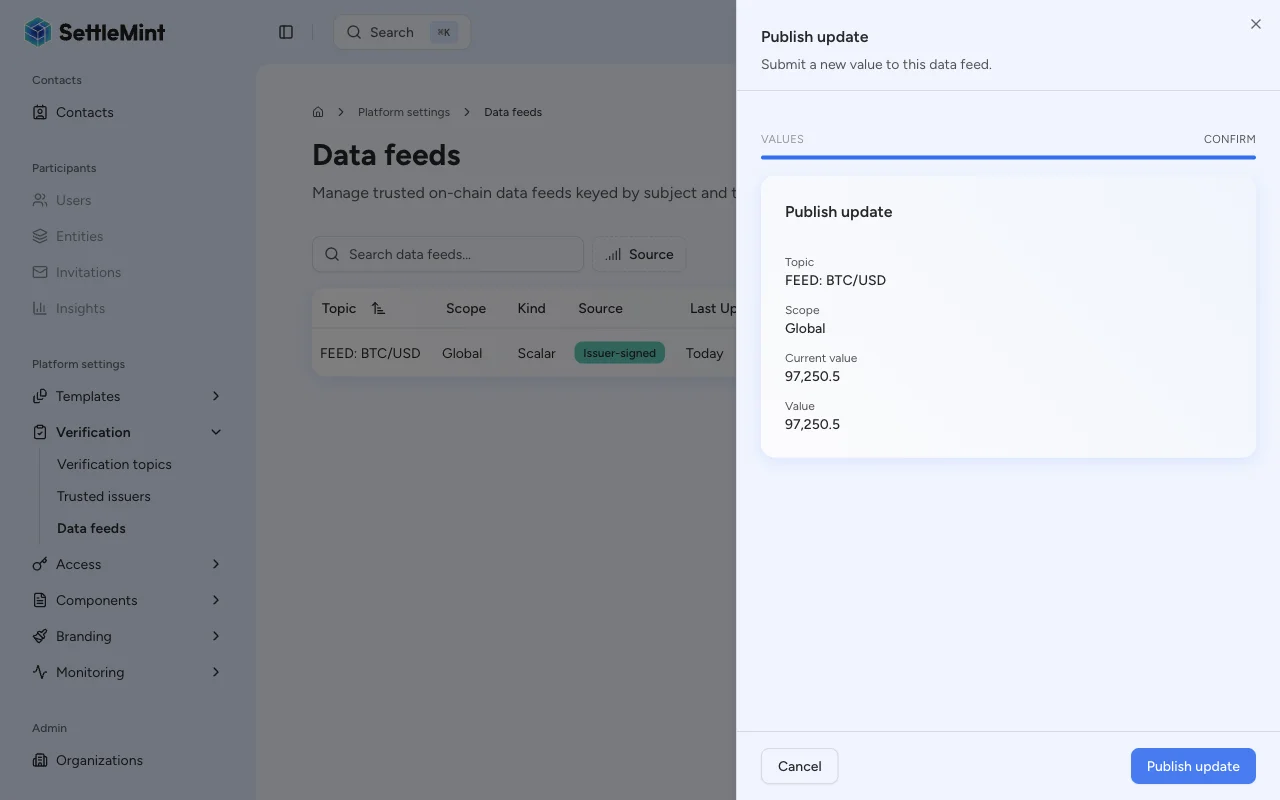
Review the submission details, then select Submit and enter your PIN. The platform signs and submits the EIP-712 transaction to the feed adapter contract.
### Confirm the update [#confirm-the-update]
After the transaction confirms, the platform updates the feed's latest value. To verify:
* Check the Latest value column on the Data Feeds list page.
* Open the feed detail page to see the full value history when history mode is Bounded or Full.
## Feed validation [#feed-validation]
The feed adapter contract validates each submission against the feed's configuration:
| Validation | Triggered when | Rejection reason |
| ---------------------- | ---------------------------- | -------------------------------------------------------------------------------- |
| Trusted issuer check | Always | The submitting identity does not hold trusted issuer status for the feed's topic |
| Positive value check | `requirePositive` is enabled | The submitted value is zero or negative |
| Drift check | `driftAllowance` > 0 | Difference between `observedAt` and block timestamp exceeds allowance |
| Signature verification | Always | EIP-712 signature is invalid or signer does not match |
## Troubleshooting [#troubleshooting]
| Issue | Solution |
| -------------------------------------- | --------------------------------------------------------------------------------------------------------------------------------------------------------- |
| Publish option not visible in row menu | Your identity may not be authorized as a trusted issuer for the feed's topic. Check the trusted issuers list. |
| Transaction reverts | Confirm: (1) identity is authorized as trusted issuer for topic, (2) value meets `requirePositive` constraint, (3) `observedAt` is within drift allowance |
| Value appears incorrect on detail page | Check decimal encoding. The displayed value applies the feed's decimal precision. |
| "Not a trusted issuer" error | Go to Organisation settings > Compliance & verification > Trusted issuers and add your identity as a trusted issuer for the feed's topic. |
## Related guides [#related-guides]
* [Data feeds overview](/docs/operators/data-feeds/overview) - Architecture and property reference
* [Create a feed](/docs/operators/data-feeds/create-feed) - Register a new feed
* [Configure trusted issuers](/docs/operators/compliance/configure-trusted-issuers) - Authorize issuers for topics