# Install addons
Source: https://docs.settlemint.com/docs/operators/system-addons/install-addons
Addons are installed by converging your system to the on-chain Directory. Onboarding installs every available component, and System updates installs anything added to the Directory later.
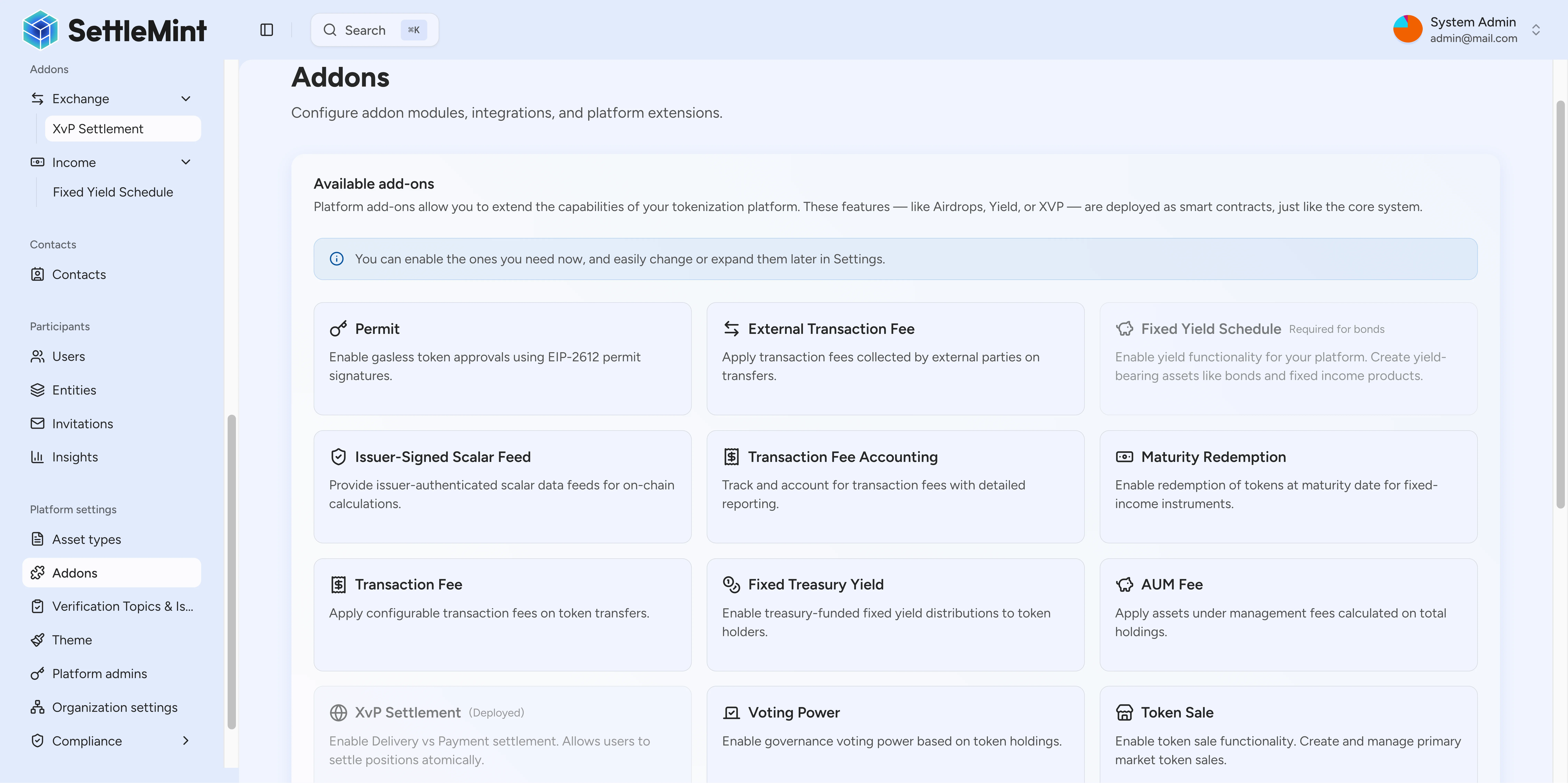
Addons are no longer installed one at a time. DALP installs every token factory, addon, and compliance module the on-chain Directory exposes by converging your system to that source of truth. Onboarding handles this automatically for a new environment. System updates covers anything the Directory gains afterwards.
## How addons get installed [#how-addons-get-installed]
The on-chain Directory is the one source of truth, and converging your system to it is the one step that brings everything in line.
| When | What installs | Where |
| ------------------- | --------------------------------------------------------------------------- | --------------------------------------------------- |
| Platform onboarding | Every available factory, addon, and compliance module the Directory exposes | The onboarding flow, automatically |
| After onboarding | Any component added to the Directory since your system was last converged | Organisation settings > Operations > System updates |
Because onboarding installs everything, you only return to System updates when the Directory itself gains a new addon, factory, or compliance module (for example, after a platform upgrade).
## Install through System updates [#install-through-system-updates]
Go to **Organisation settings** > **Operations** > **System updates**.
The page lists every component that is missing or out of date. Use search and the show-up-to-date toggle to narrow the list.
Select Update. The platform converges your system to the Directory in one pass, installing every missing component and bringing every out-of-date one in line. You do not pick addons individually; the platform installs the complete set.
System updates can include on-chain transactions. Follow the wizard to completion. Closing the dialog mid-run does not roll back a transaction that has already landed on-chain; any submitted transaction remains final regardless of whether the dialog completes.
Components marked experimental are excluded by default. Enable Show experimental before running the update if you intend to install them. Running System updates requires system manager permission.
## Addons available through the Directory [#addons-available-through-the-directory]
The Directory is the source of truth for which components exist. The platform registry groups known addon types for the UI and hides contract-level capabilities that are not meant to surface as their own components.
| Category | Addon types | Used for |
| --------------- | ----------------------------------------------------------------------------------------------------------------------------------------------- | ------------------------------------------------------------------------------------------------------------------ |
| Distribution | Push airdrop, vesting airdrop, time-bound airdrop, token sale, historical balances, voting power, permit | The workflow distributes tokens, tracks voting or historical balances, or supports permissioned approval patterns. |
| Income and fees | Fixed yield schedule, maturity redemption, transaction fee, transaction fee accounting, external transaction fee, fixed treasury yield, AUM fee | The asset needs scheduled income, redemption, treasury yield, or fee accounting behavior. |
| Exchange | XvP settlement, conversion, conversion minter | The workflow exchanges assets, settles against another leg, or converts between supported token forms. |
| Data | Scalar feed aggregator adapter, issuer-signed scalar feed, price resolver | The workflow depends on data feeds or price resolution. |
| Infrastructure | Paymaster signer | The workflow uses advanced accounts for sponsored transaction execution. |
## What an installed addon gives you [#what-an-installed-addon-gives-you]
Installing a component makes its capability available platform-wide. It does not grant operating rights or change asset rules.
* The Directory determines which components exist; System updates installs them; the platform registry controls how known types appear in the UI.
* Hidden components sync silently and never appear as their own row, even when the contract factory exists.
* Users still need the right asset roles and workflow permissions to operate an installed addon.
* Use the addon-specific guide after installation. Each addon surface has its own operating rules.
## Troubleshooting [#troubleshooting]
| Issue | What to check |
| --------------------------------------------- | ------------------------------------------------------------------------------------------------------------------------ |
| An addon you expected is not available | Run System updates. If it still does not appear, the addon type is not registered in the Directory for this environment. |
| System updates shows nothing to install | Your system already matches the Directory. Newly experimental components only appear with Show experimental enabled. |
| Cannot run System updates | Confirm you are signed in with system manager permission. |
| Addon installed but unavailable in a workflow | Check that the asset flow, roles, and addon-specific permissions match the addon. |
## Related [#related]
* [System addons introduction](/docs/operators/system-addons/introduction)
* [Review addon workspaces](/docs/operators/system-addons/review-addon-workspaces)
* [XvP settlement overview](/docs/operators/system-addons/xvp-settlement/overview)
* [Yield schedules](/docs/operators/system-addons/yield-schedule)