# Collateral requirement
Source: https://docs.settlemint.com/docs/user-guides/compliance/collateral
Configure the collateral compliance module so DALP checks the asset identity for
a valid collateral claim before minting more supply.
The collateral compliance module checks minting. When you enable the module for an asset, DALP looks for a valid collateral claim on the asset identity before allowing new supply.
That claim must be issued by a trusted issuer. It must also be unexpired and large enough to cover the required amount after the mint.
The module does not screen normal wallet-to-wallet transfers.
DALP also does not prove that money, securities, commodities, or other off-chain reserves exist. Reserve custody and attestations stay in the operator's evidence process.
DALP records the on-chain claim and enforces the configured minting check.
## How collateral validation works [#how-collateral-validation-works]
When you mint an asset with the module enabled, DALP applies this sequence:
The required amount is calculated from the post-mint total supply and the configured ratio in basis points. A 10,000 bps ratio means 100% backing. A 15,000 bps ratio means the claim must cover 150% of the post-mint supply.
## Roles and responsibilities [#roles-and-responsibilities]
| Role | Responsibilities |
| -------------- | -------------------------------------------------------------------------------------------------------------- |
| Asset issuer | Configures the module during asset creation, including the collateral ratio and trusted issuer setup. |
| Trusted issuer | Issues and manages the collateral claim on the asset identity after reviewing the operator's reserve evidence. |
The asset issuer configures how DALP checks collateral during minting. The trusted issuer records the claim that DALP
can validate on-chain. The documents and approvals behind that claim remain part of the operator's reserve process.
## Configuration parameters [#configuration-parameters]
| Parameter | Description | Valid values | Example |
| -------------------------- | -------------------------------------------------------------------------------------------------------------------------------------------- | ------------------------ | ----------------------------------- |
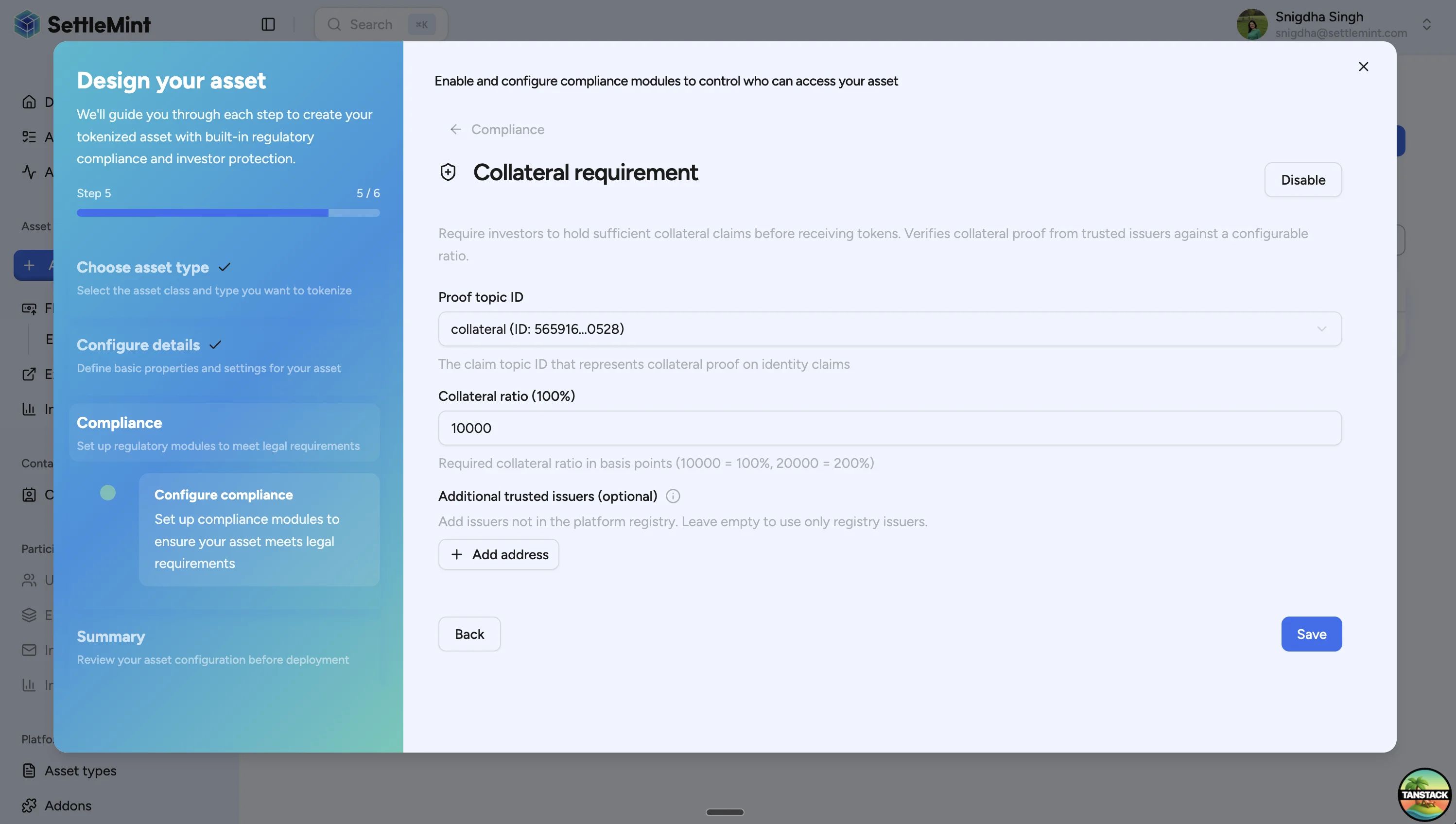
| Proof topic ID | Verification topic DALP checks for the collateral claim. The platform provides the default collateral topic. | System-provided topic ID | `collateral (ID: 565916...0528)` |
| Collateral ratio | Required backing ratio in basis points. | `0` to `20000` | `10000` for 100%, `15000` for 150% |
| Additional trusted issuers | Issuer addresses accepted in addition to the platform registry. Use only when the issuer is not already registered for the collateral topic. | Wallet addresses | Leave empty to use registry issuers |
`0` disables the minting check. `10000` requires 100% backing, so 1,000 minted units require a claim for at least
1,000. `20000` is the maximum ratio and requires 200% backing.
## Configure collateral during asset creation [#configure-collateral-during-asset-creation]
### Open the asset designer [#open-the-asset-designer]
Navigate to **Asset management > Asset designer** in the sidebar.
### Complete asset setup [#complete-asset-setup]
Follow the wizard through asset class, type, and basic configuration. See [Create asset](/docs/user-guides/asset-creation/create-asset) for the full asset creation flow.
### Enable the module [#enable-the-module]
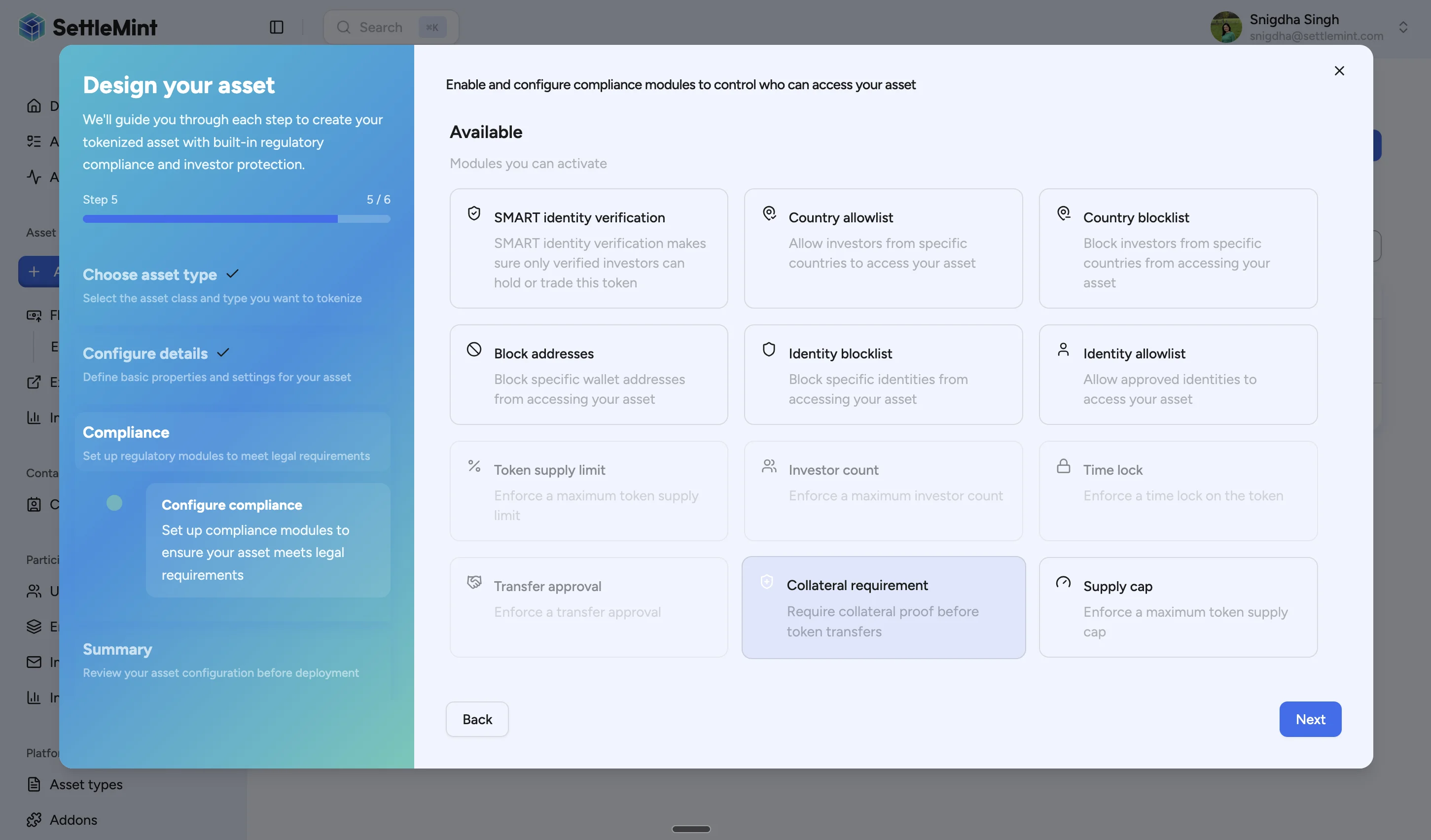
On the compliance modules step, select **Collateral requirement**. This adds the minting check to the asset.
### Configure the settings [#configure-the-settings]
Set the collateral topic, ratio, and any additional trusted issuers.
### Complete deployment [#complete-deployment]
Review the configuration and deploy the asset. The module is active after deployment.
## Issue a collateral verification [#issue-a-collateral-verification]
After deployment, a trusted issuer must add a collateral claim to the asset identity before minting can pass the module check.
### Prerequisites [#prerequisites]
You need one of these permissions:
* trusted issuer authority for the collateral topic
* governance authority on the asset
### Claim fields [#claim-fields]
| Field | Description | Format |
| ------ | ---------------------------------------------------------------------------------------------------- | -------------------- |
| Amount | Total value covered by the claim. Use the same unit basis as the asset supply for the minting check. | Asset amount |
| Expiry | Timestamp after which DALP stops treating the claim as valid. | Future date and time |
### Navigate to Entities [#navigate-to-entities]
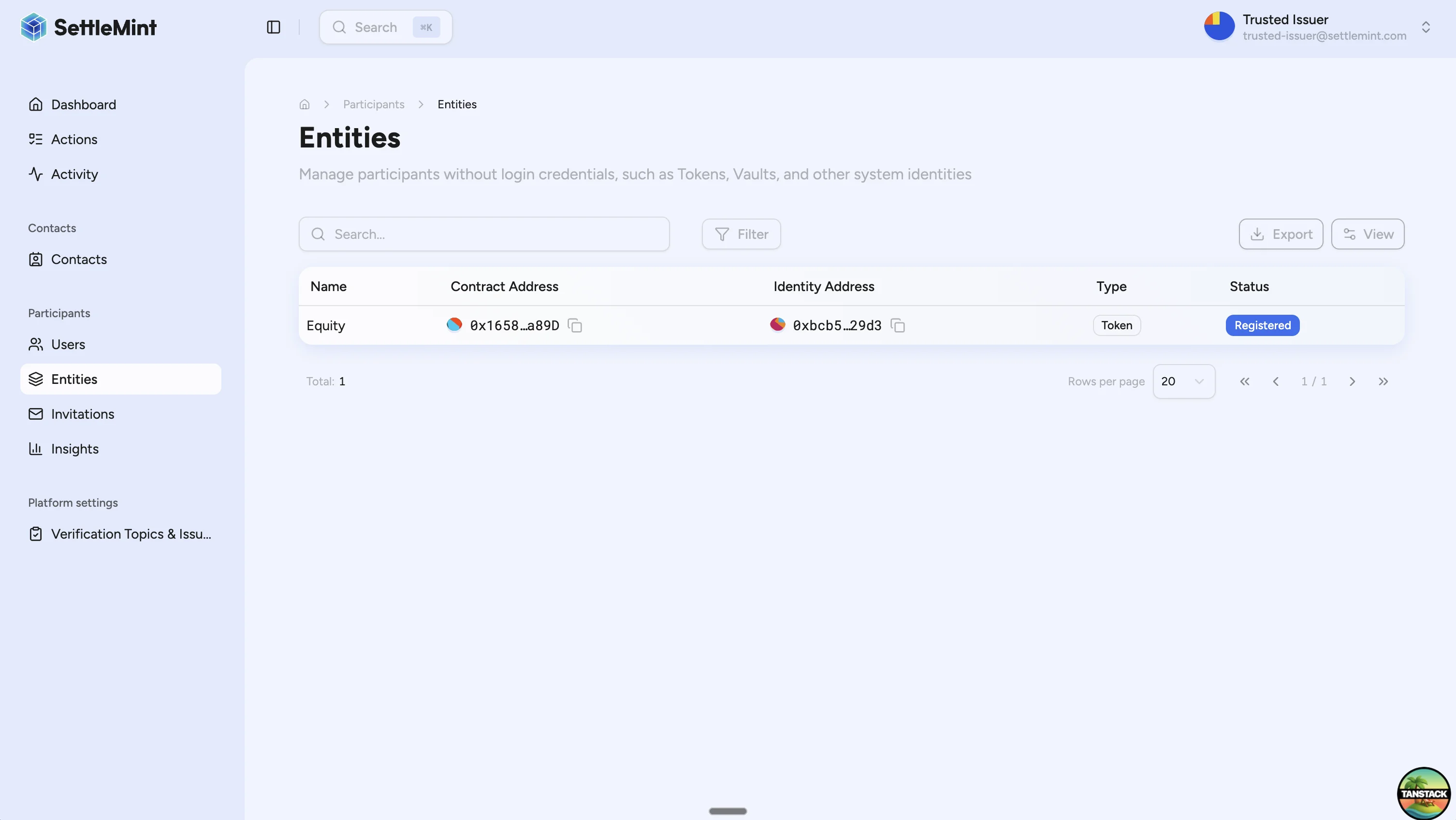
Go to **Participants > Entities**. Assets appear here because each deployed asset has an on-chain identity. Entity addresses use the Web3 display format, so saved names and avatars can appear beside addresses.
### Select the asset [#select-the-asset]
Open the asset that needs the collateral claim.
### Open verification management [#open-verification-management]
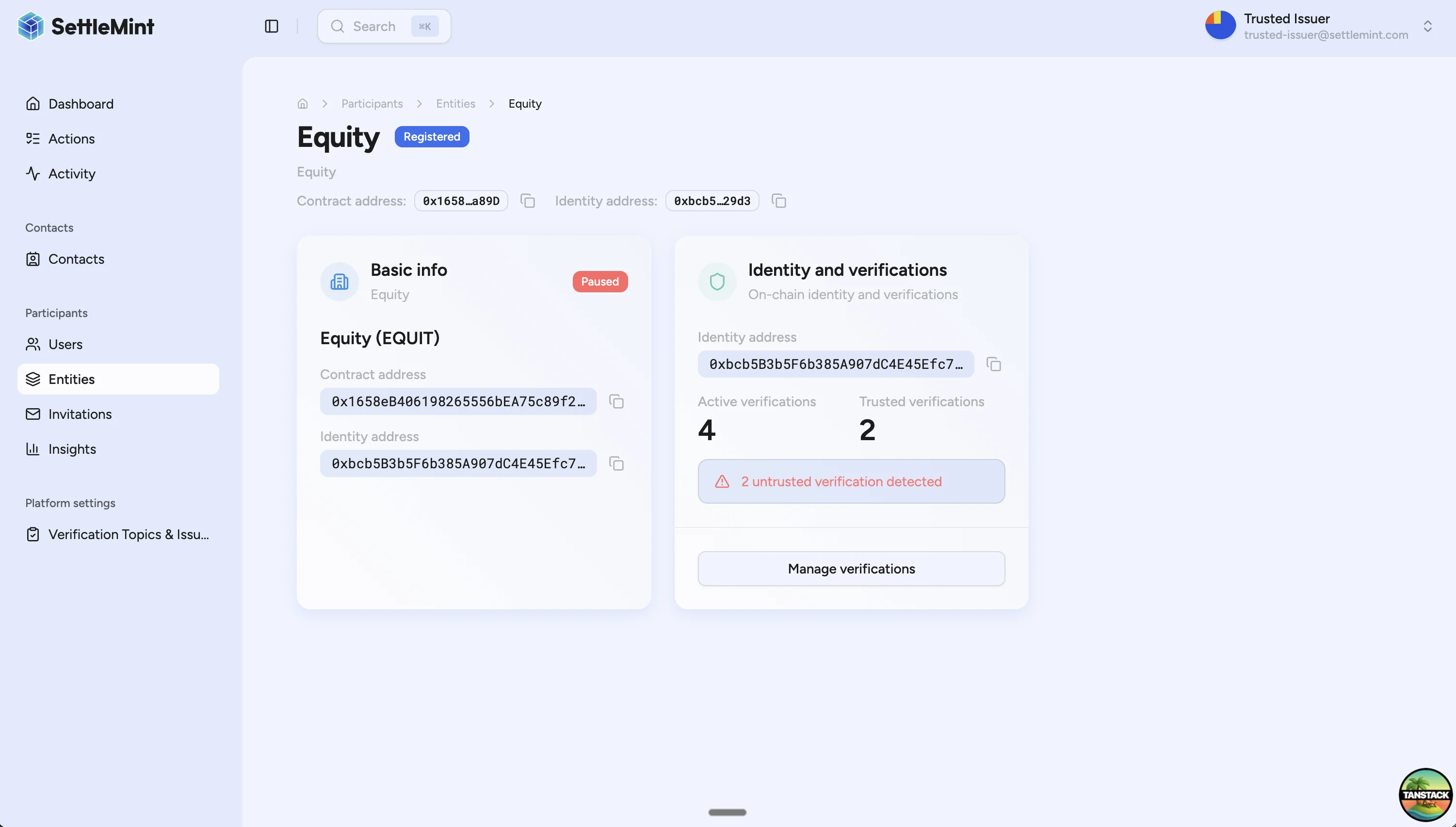
On the entity detail page, locate the **Identity and verifications** tile. Click **Manage verifications**.
### Add the claim [#add-the-claim]
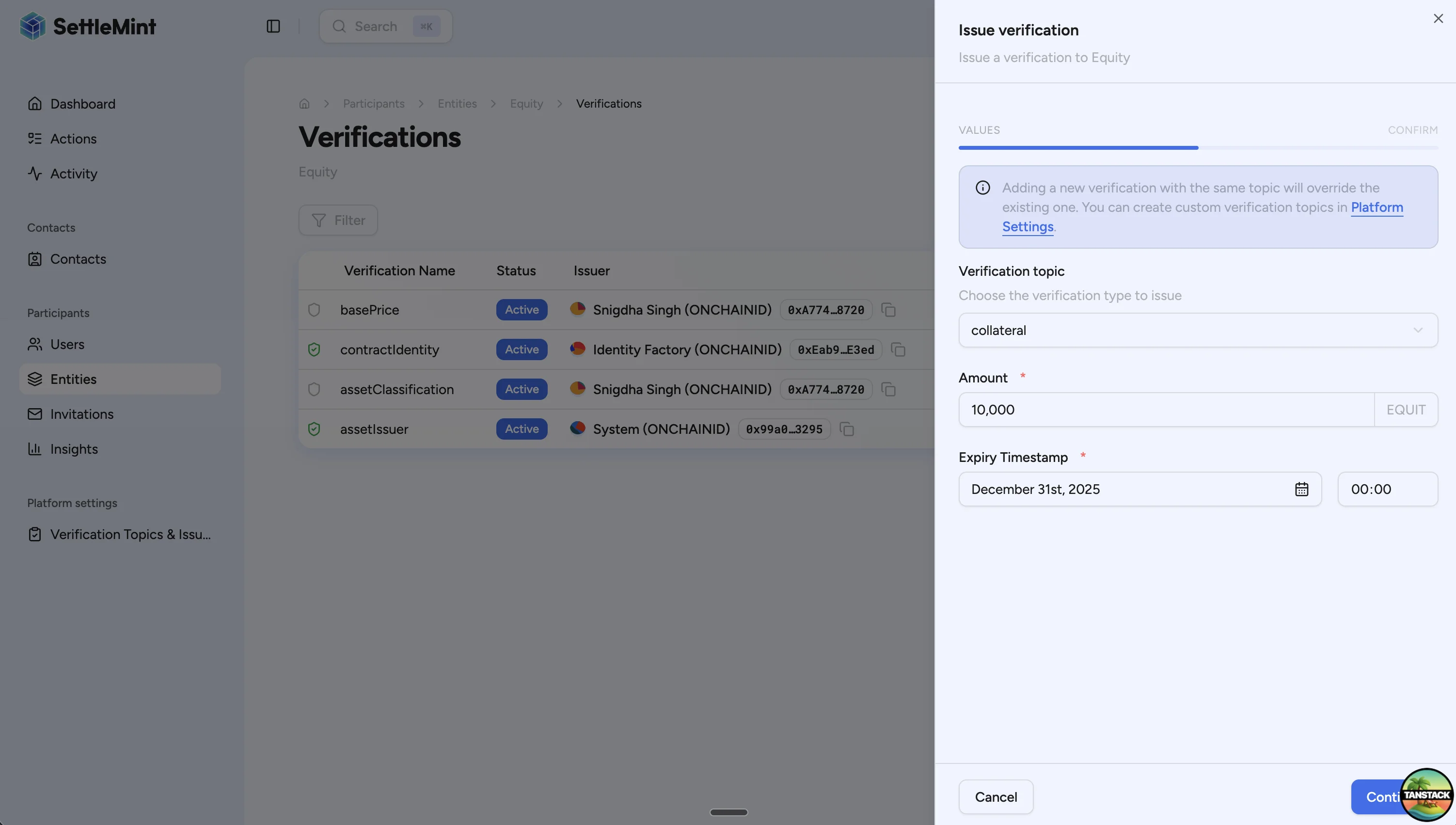
Click **Add verification**, then enter:
1. **Verification topic**: `collateral`
2. **Amount**: total covered amount, such as `10000`
3. **Expiry Timestamp**: a future expiry date and time
### Submit the transaction [#submit-the-transaction]
Review the confirmation screen, then click **Issue verification**.
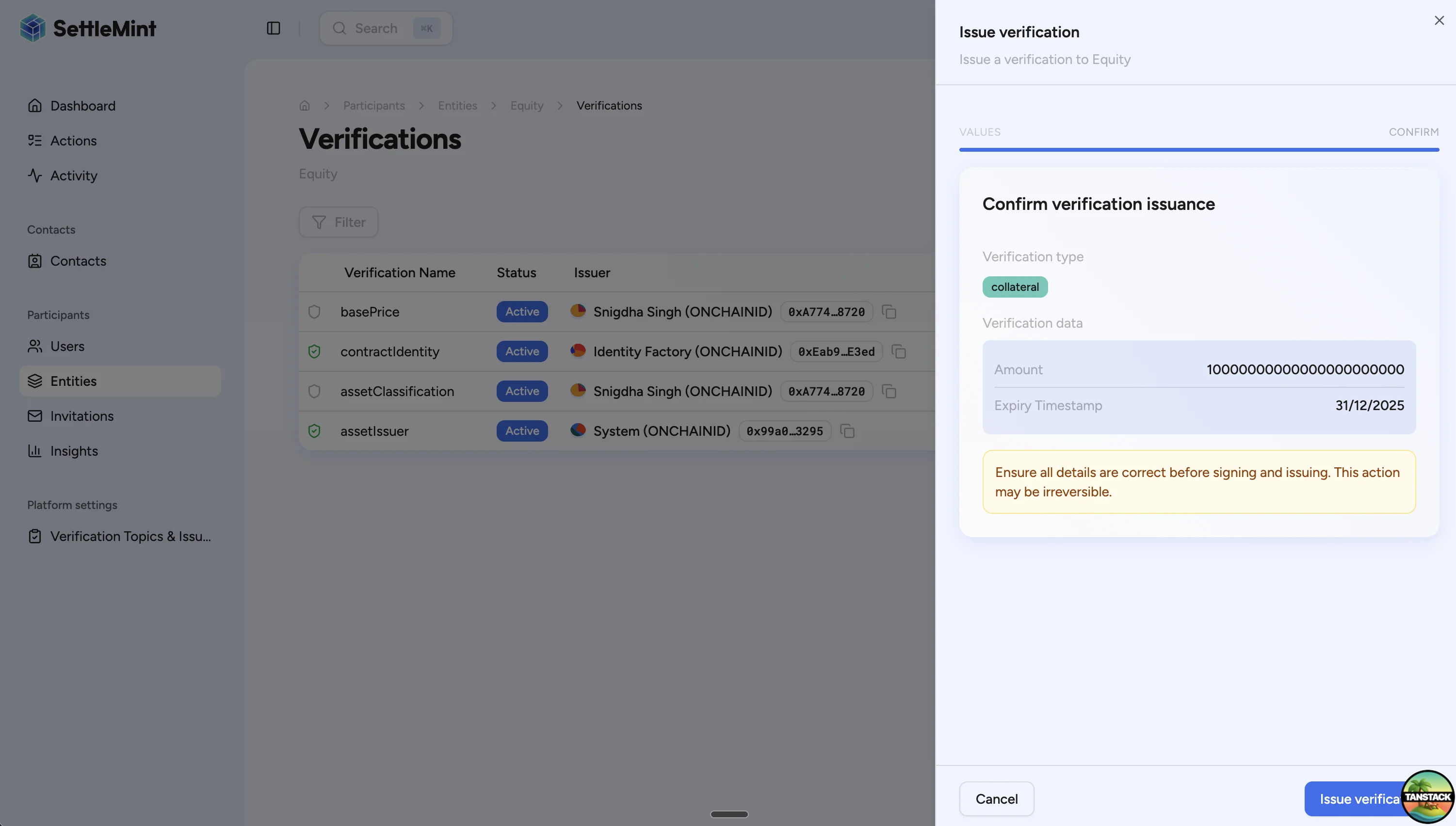
Expired collateral claims block future minting. Renew the claim before the expiry timestamp if the asset still needs
to mint new supply.
## Example calculation [#example-calculation]
An asset uses a 150% collateral ratio and has a valid claim for 15,000 units.
| Operation | Current supply | Mint amount | Post-mint supply | Required collateral | Available claim | Result |
| ------------ | -------------: | ----------: | ---------------: | ------------------: | --------------: | ------- |
| Initial mint | 0 | 5,000 | 5,000 | 7,500 | 15,000 | Allowed |
| Second mint | 5,000 | 3,000 | 8,000 | 12,000 | 15,000 | Allowed |
| Third mint | 8,000 | 5,000 | 13,000 | 19,500 | 15,000 | Blocked |
The third mint fails because the post-mint supply would be 13,000 units. At a 150% ratio, required collateral is `13,000 × 1.5 = 19,500`. The current claim only covers 15,000, so the trusted issuer must issue a higher claim before the mint can be retried.
## Troubleshooting [#troubleshooting]
| Issue | Cause | Fix |
| ---------------------------------------------------- | ------------------------------------------------------------------------------------------------------- | ---------------------------------------------------------------------------------------------------- |
| Minting is blocked with "Insufficient collateral" | The claim amount is lower than the required amount. | Ask the trusted issuer to issue a higher claim, then retry the mint. |
| Minting is blocked with "No collateral verification" | The asset identity has no valid collateral claim. | Ask the trusted issuer to add the claim on the asset identity. |
| Minting is blocked with "Verification expired" | The claim expiry timestamp has passed. | Issue a new claim with a future expiry. |
| You cannot issue the claim | Your account is not a trusted issuer for the topic and does not have governance authority on the asset. | Ask an administrator to grant the required authority or have the designated issuer submit the claim. |
## Next steps [#next-steps]
* [Create asset](/docs/user-guides/asset-creation/create-asset)
* [Mint assets](/docs/user-guides/asset-servicing/mint-assets)
* [Configure equity collateral with the API](/docs/developer-guides/runbooks/configure-equity-collateral)
* [Trusted issuers registry](/docs/architecture/security/identity-compliance)