# Configure trusted issuers
Source: https://docs.settlemint.com/docs/user-guides/compliance/configure-trusted-issuers
Configure the identity contracts that can issue verification claims for the topics your DALP compliance policy accepts.
A trusted issuer is an identity contract whose claims count for a DALP system. Use this guide to accept claims from a specific issuer.
## Prerequisites [#prerequisites]
* Permission to manage verification policy for the selected system.
* A signing wallet ready for the PIN-authenticated on-chain transaction.
* The issuer's deployed identity address. DALP stores that address, not the issuer's wallet address.
* At least one verification topic to assign to the issuer.
## About trusted issuers [#about-trusted-issuers]
Trusted issuers issue claims for specific topics, such as KYC, accreditation, or custom eligibility checks. A claim only counts for compliance when the issuer is trusted for the required topic. For background on how claims work, see [Compliance overview](/docs/user-guides/compliance/overview).
The table can include issuers configured for the current system and issuers inherited from a parent global registry.
Global issuers appear with the global source label and are read-only from this page. Add, edit, or remove system
issuers when you manage trust for the selected system.
## Configuring trusted issuers [#configuring-trusted-issuers]
### Access verification settings [#access-verification-settings]
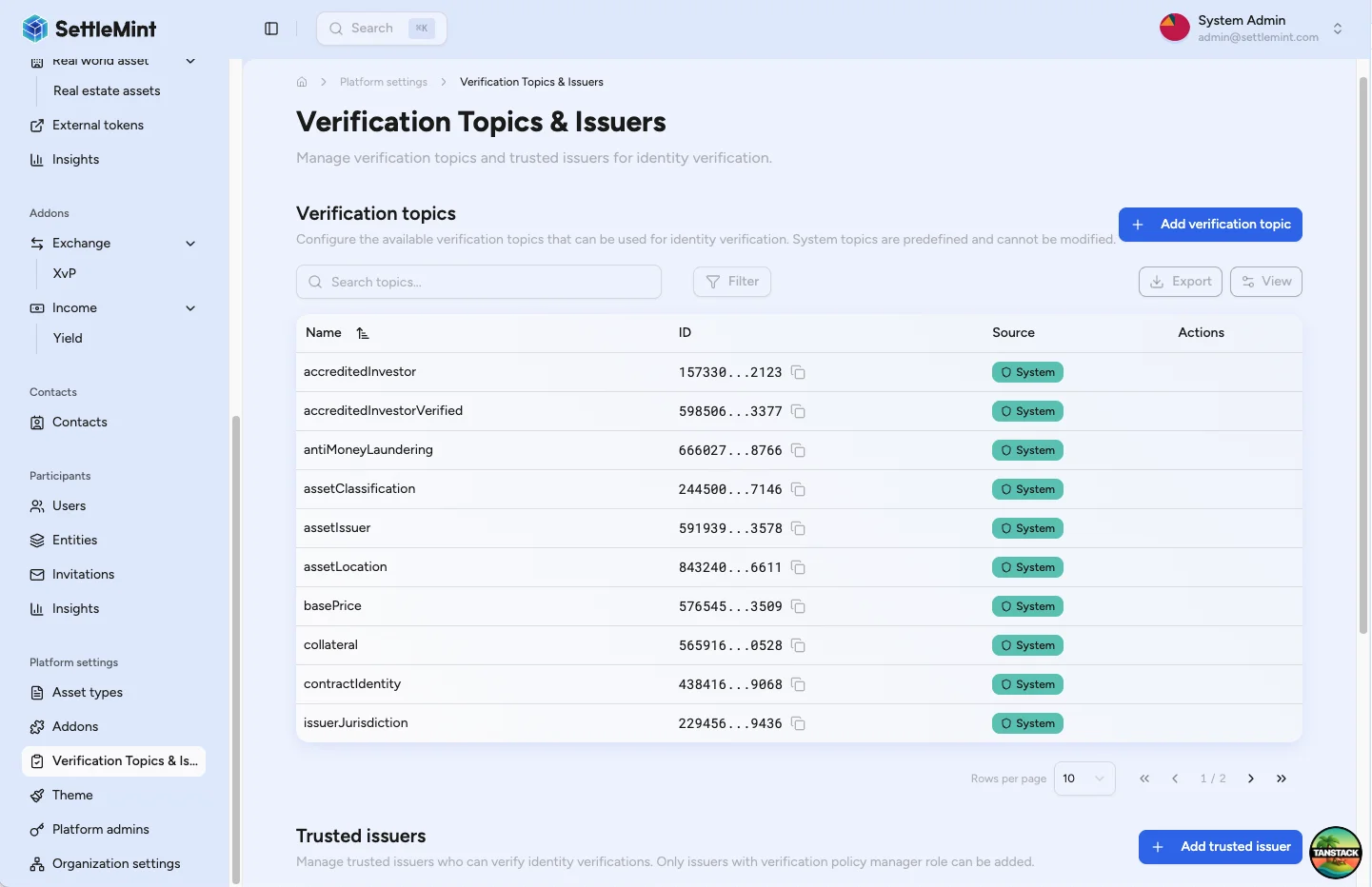
Navigate to Platform Settings > Verification Topics and Issuers. The page shows verification topics and existing issuers with their identity address, assigned topics, and row menu.
### Add new trusted issuer [#add-new-trusted-issuer]
Click Add trusted issuer to start. The form opens with issuer and topic fields so you can define the trust entry before submitting it on chain.
### Select issuer [#select-issuer]
Select an existing user from the dropdown or enter a valid identity address. The user must have completed onboarding and have an on-chain identity.
DALP registers the issuer by identity address, not by EOA wallet address. The issuer must have a deployed on-chain
identity contract.
If the user is already listed, use Edit topics from the table to update topic assignments instead of adding the issuer
again.
### Choose verification topics [#choose-verification-topics]
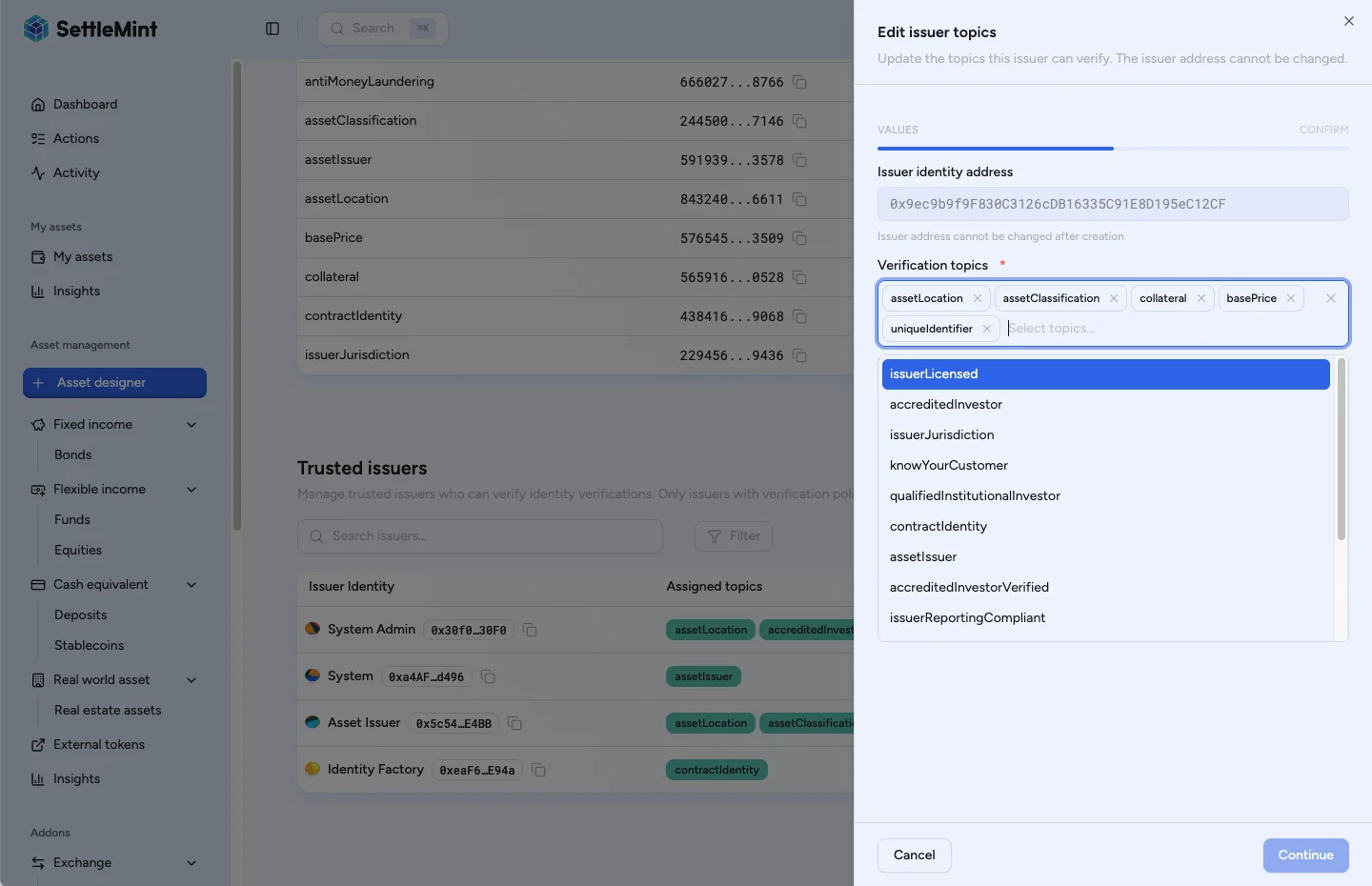
Select the topics this issuer can verify. Keep the selection limited to topics the issuer is allowed to issue.
Multiple issuers can be trusted for the same topic. Use this when more than one issuer should be able to provide the
same claim type.
### Review and add issuer [#review-and-add-issuer]
Click Continue to see the summary, then click Add issuer. Enter your PIN when prompted to authenticate the on-chain transaction.
### Verify trusted issuer [#verify-trusted-issuer]
After the transaction confirms, the issuer appears in the list and can issue claims for the assigned topics.
## Managing trusted issuers [#managing-trusted-issuers]
### Update issuer topics [#update-issuer-topics]
Update topic assignments when the issuer should verify a new claim type or stop verifying an existing claim type for the current system.
1. Find the issuer in the trusted issuers list.
2. Click the three dots (...) in the row menu.
3. Select Edit topics from the dropdown.
4. Modify topic selections using the multi-select dropdown.
5. Save changes with PIN authentication.
DALP submits topic changes as on-chain registry updates. The issuer identity stays the same. Only the assigned topic list changes.
### Remove trusted issuer [#remove-trusted-issuer]
Remove an issuer when claims from that issuer should no longer satisfy system-managed trust for any assigned topic.
1. Find the issuer in the trusted issuers list.
2. Confirm the issuer has a system source label.
3. Click the three dots (...) in the row menu.
4. Select Remove issuer from the dropdown.
5. Confirm the transaction with PIN authentication.
Removal submits an on-chain transaction against the system registry. If the issuer is not registered for the current system, DALP stops before submitting and reports that the issuer was not found.
Removing an issuer removes the trusted issuer configuration for the selected system. Existing verification records
remain available for review. Claims from that issuer stop counting through the system-managed trust entry, but
inherited global trust can still satisfy eligibility checks until the issuer is removed or updated in the parent
registry.
## Choose issuers and topics safely [#choose-issuers-and-topics-safely]
A trusted issuer configuration is part of the compliance policy, not only a contact list. Before you add or update an issuer, check these controls:
* **Issuer identity:** use the deployed identity address. DALP stores an identity contract address. A wallet address alone is not enough.
* **Claim topics:** assign only the topics this issuer can verify. Compliance checks accept claims only when the issuer is trusted for the required topic.
* **System scope:** add system-managed issuers to the current system registry. Global issuers are inherited from the parent registry and are read-only here.
Keep topic assignments narrow. For example, an issuer trusted for KYC does not automatically satisfy accreditation, sanctions screening, or another custom topic unless that topic is also assigned.
## Troubleshooting [#troubleshooting]
| Issue | What to check |
| ------------------------- | -------------------------------------------------------------------------------------------------------------------------- |
| Cannot add issuer | Verify the issuer has an identity address, your wallet can manage verification policy, and at least one topic is selected. |
| Issuer already exists | Use Edit topics on the existing row instead of adding the same issuer again. |
| Topics not appearing | Confirm the topic exists for the system and refresh the page after the transaction confirms. |
| Verifications not trusted | Confirm the issuer is trusted for the exact required topic, the claim has not expired, and the module requires that topic. |
## Integration with compliance [#integration-with-compliance]
Trusted issuers support claim-based compliance workflows:
* [Verify KYC](/docs/user-guides/compliance/verify-kyc) - issue identity verifications.
* [Compliance overview](/docs/user-guides/compliance/overview) - understand topics, issuers, and policies.
* [Create asset](/docs/user-guides/asset-creation/create-asset) - configure compliance modules that use claims.
## Related guides [#related-guides]
* [Compliance overview](/docs/user-guides/compliance/overview) - review the full compliance model.
* [Verify KYC](/docs/user-guides/compliance/verify-kyc) - issue identity verifications.
* [Add administrators](/docs/user-guides/platform-setup/add-admins) - grant verification roles.
* [Create asset](/docs/user-guides/asset-creation/create-asset) - configure compliance modules.