# Publish a feed update
Source: https://docs.settlemint.com/docs/user-guides/data-feeds/publish-feed-update
Submit a signed value to an issuer-signed scalar data feed.
Publishing a feed update submits a new signed value to an existing data feed. The value is signed using EIP-712 and stored on-chain by the feed adapter contract.
## Prerequisites [#prerequisites]
* A registered **data feed** exists (see [Create a feed](/docs/user-guides/data-feeds/create-feed))
* Your identity is registered as a **trusted issuer** for the feed's verification topic (see [Configure trusted issuers](/docs/user-guides/compliance/configure-trusted-issuers))
Publishing does not require a specific platform role, but your on-chain identity must be registered as a trusted
issuer for the feed's topic. Without this, the feed adapter contract will reject the submission.
## Registering as a trusted issuer [#registering-as-a-trusted-issuer]
Before you can publish, ensure the publishing identity is set up as a trusted issuer:
### Navigate to Verification Topics & Issuers [#navigate-to-verification-topics--issuers]
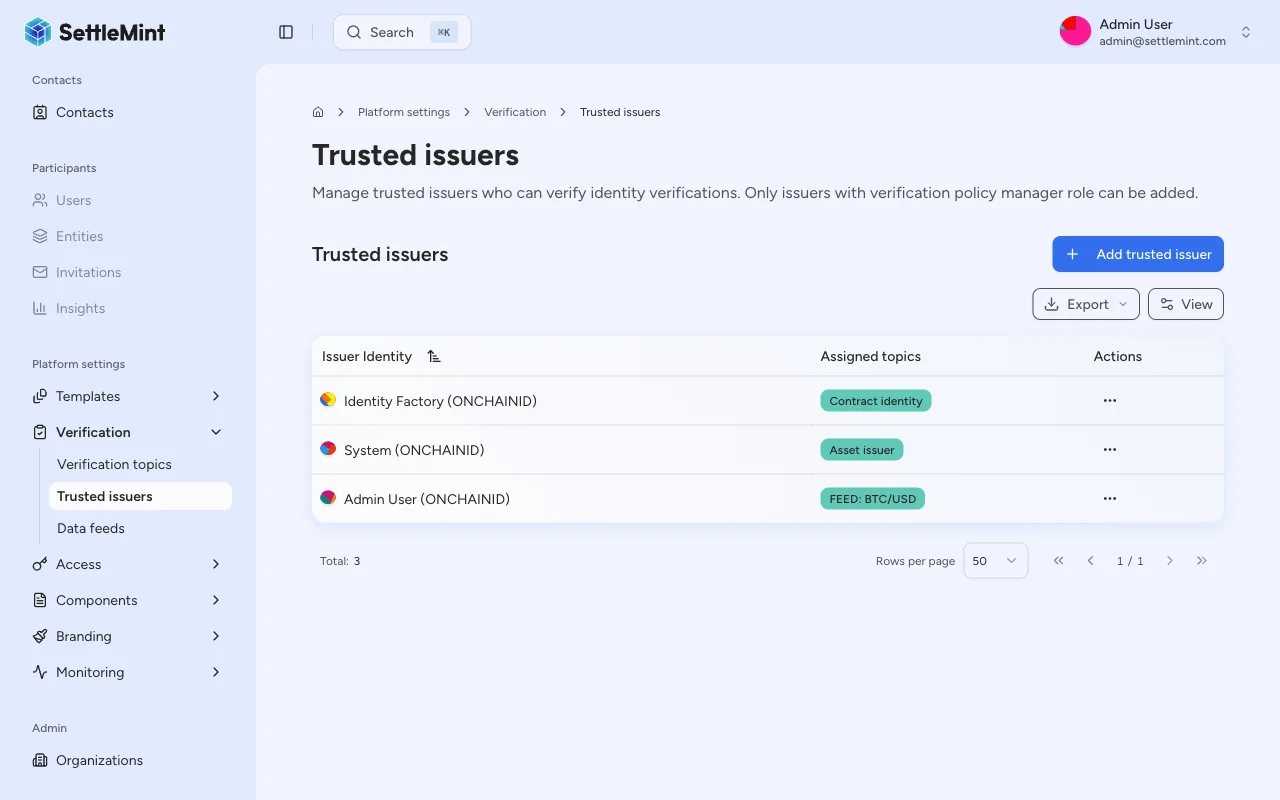
Go to **Platform Settings** > **Verification Topics & Issuers**.
### Add the publishing identity [#add-the-publishing-identity]
Click **Add trusted issuer**, select the identity that will publish feed updates, and assign the scalar feed topic used by the feed.
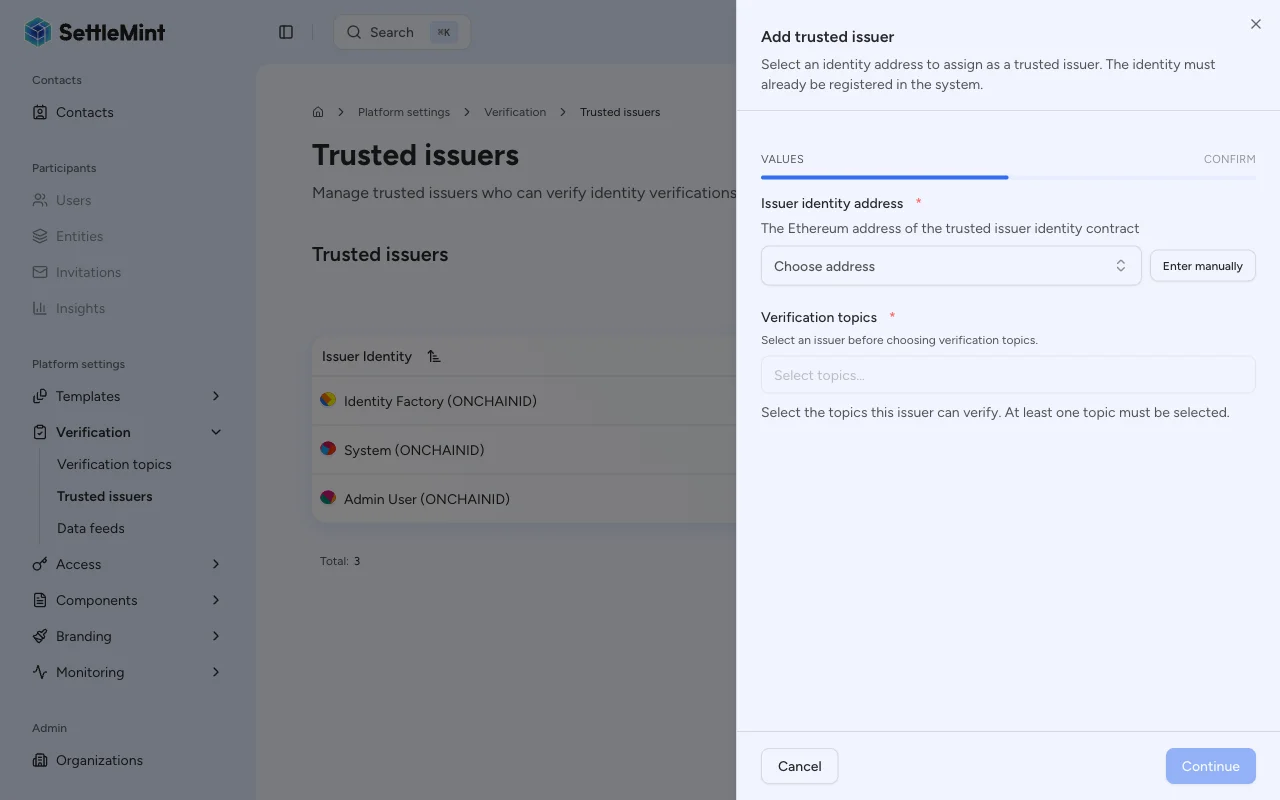
For detailed instructions, see [Configure trusted issuers](/docs/user-guides/compliance/configure-trusted-issuers).
## Publishing a value [#publishing-a-value]
### Navigate to the feed [#navigate-to-the-feed]
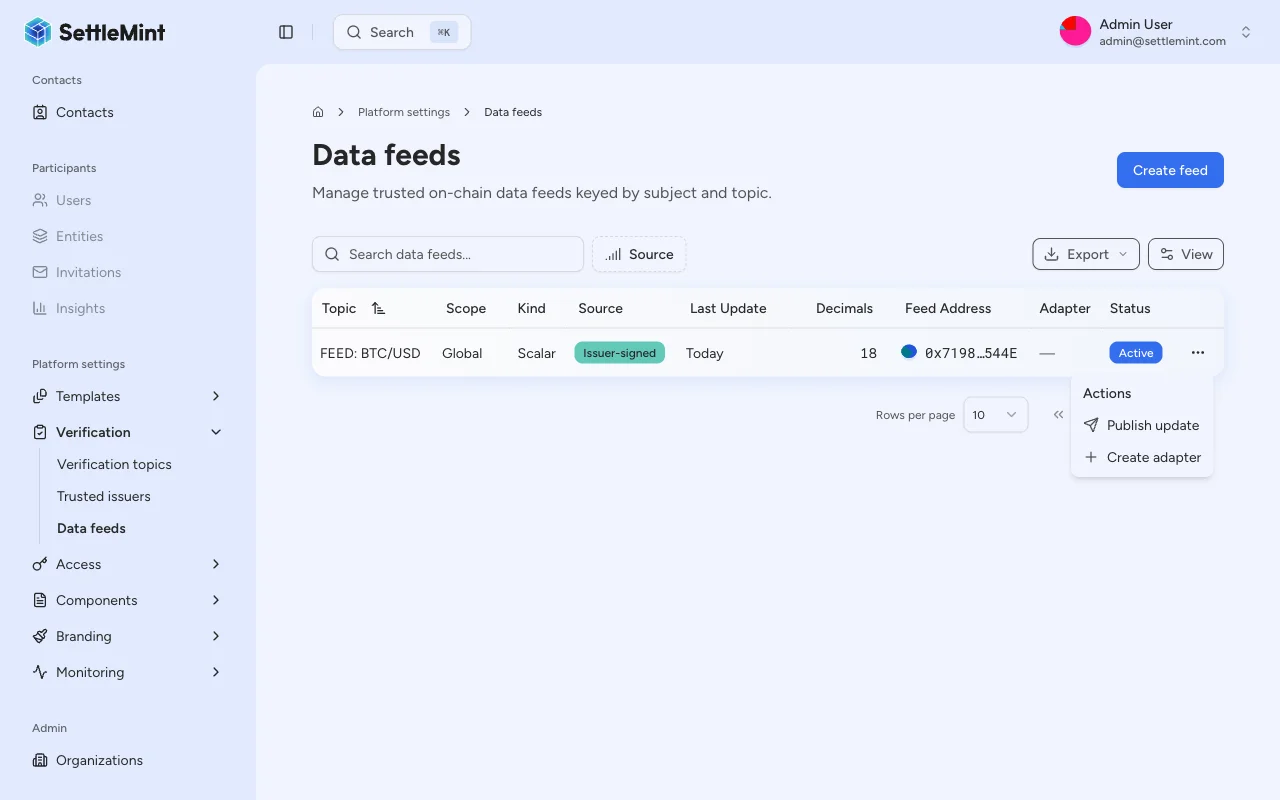
Go to **Platform Settings** > **Data Feeds** and find the feed you want to update.
### Open the publish action [#open-the-publish-action]
You can publish from two places:
* **From the table** - Click the three-dot menu (**...**) on the feed's row and select **Publish update**.
* **From the feed detail page** - Open a feed, then click the three-dot menu in the top-right corner and select **Publish update**.
If you are not a trusted issuer for the feed's topic, the publish option appears disabled with a tooltip explaining the requirement.
### Enter the feed value [#enter-the-feed-value]
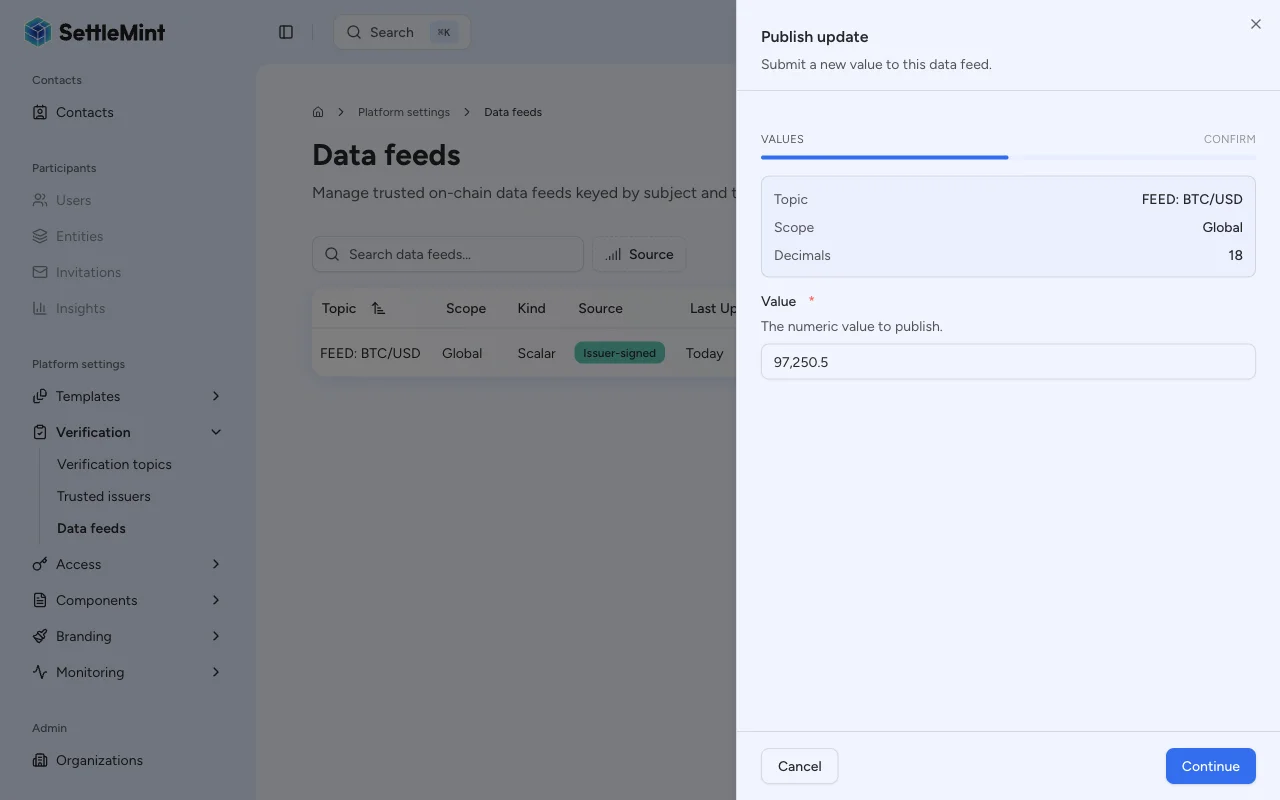
Fill in the publish form:
* **Value** - The numeric value to submit. Enter the value in its human-readable form (e.g., `67500` for $67,500.00). The platform automatically encodes it using the feed's decimal precision before submitting.
The observation timestamp is automatically set to the current time at submission.
The value is stored as an `int256` on-chain. The platform handles decimal encoding automatically: a value of `1.50` on
a feed with 8 decimals is stored as `150000000` (`1.50 * 10^8`).
### Confirm the transaction [#confirm-the-transaction]
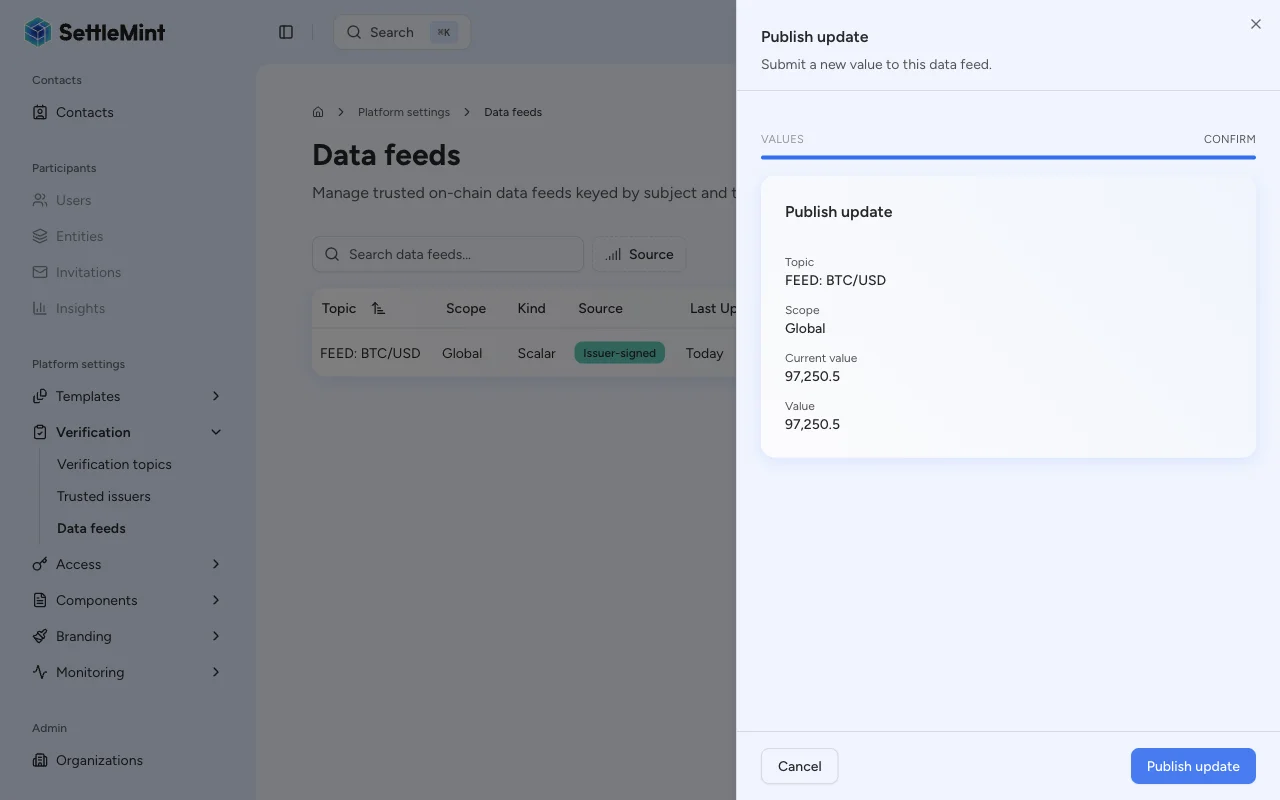
Click **Continue** to review, then click **Submit** and enter your PIN to sign and submit the EIP-712 transaction.
### Verify the update [#verify-the-update]
After the transaction confirms, the feed's latest value is updated. You can verify by:
* Checking the **Latest value** column on the Data Feeds list page
* Opening the feed detail page to see the full value history (if history mode is Bounded or Full)
## Understanding feed validation [#understanding-feed-validation]
The feed adapter contract validates each submission against the feed's configuration:
| Validation | Triggered when | Rejection reason |
| -------------------------- | ---------------------------- | --------------------------------------------------------------------- |
| **Trusted issuer check** | Always | Submitting identity is not a trusted issuer for the feed's topic |
| **Positive value check** | `requirePositive` is enabled | Submitted value is zero or negative |
| **Drift check** | `driftAllowance` > 0 | Difference between `observedAt` and block timestamp exceeds allowance |
| **Signature verification** | Always | EIP-712 signature is invalid or signer does not match |
## Troubleshooting [#troubleshooting]
| Issue | Solution |
| -------------------------------------- | ------------------------------------------------------------------------------------------------------------------------------------------ |
| Publish option not visible in row menu | You may not be a trusted issuer for the feed's topic. Check the trusted issuers list. |
| Transaction reverts | Verify: (1) identity is trusted issuer for topic, (2) value meets `requirePositive` constraint, (3) `observedAt` is within drift allowance |
| Value appears incorrect on detail page | Check decimal encoding. The displayed value applies the feed's decimal precision. |
| "Not a trusted issuer" error | Navigate to **Verification Topics & Issuers** and add your identity as a trusted issuer for the feed's topic |
## Related guides [#related-guides]
* [Data feeds overview](/docs/user-guides/data-feeds/overview) - Architecture and property reference
* [Create a feed](/docs/user-guides/data-feeds/create-feed) - Register a new feed
* [Configure trusted issuers](/docs/user-guides/compliance/configure-trusted-issuers) - Authorize issuers for topics