

Install addons
Install visible system addons from the on-chain Directory registry. The Add-ons settings page lists the addon types your environment exposes for administrator installation.
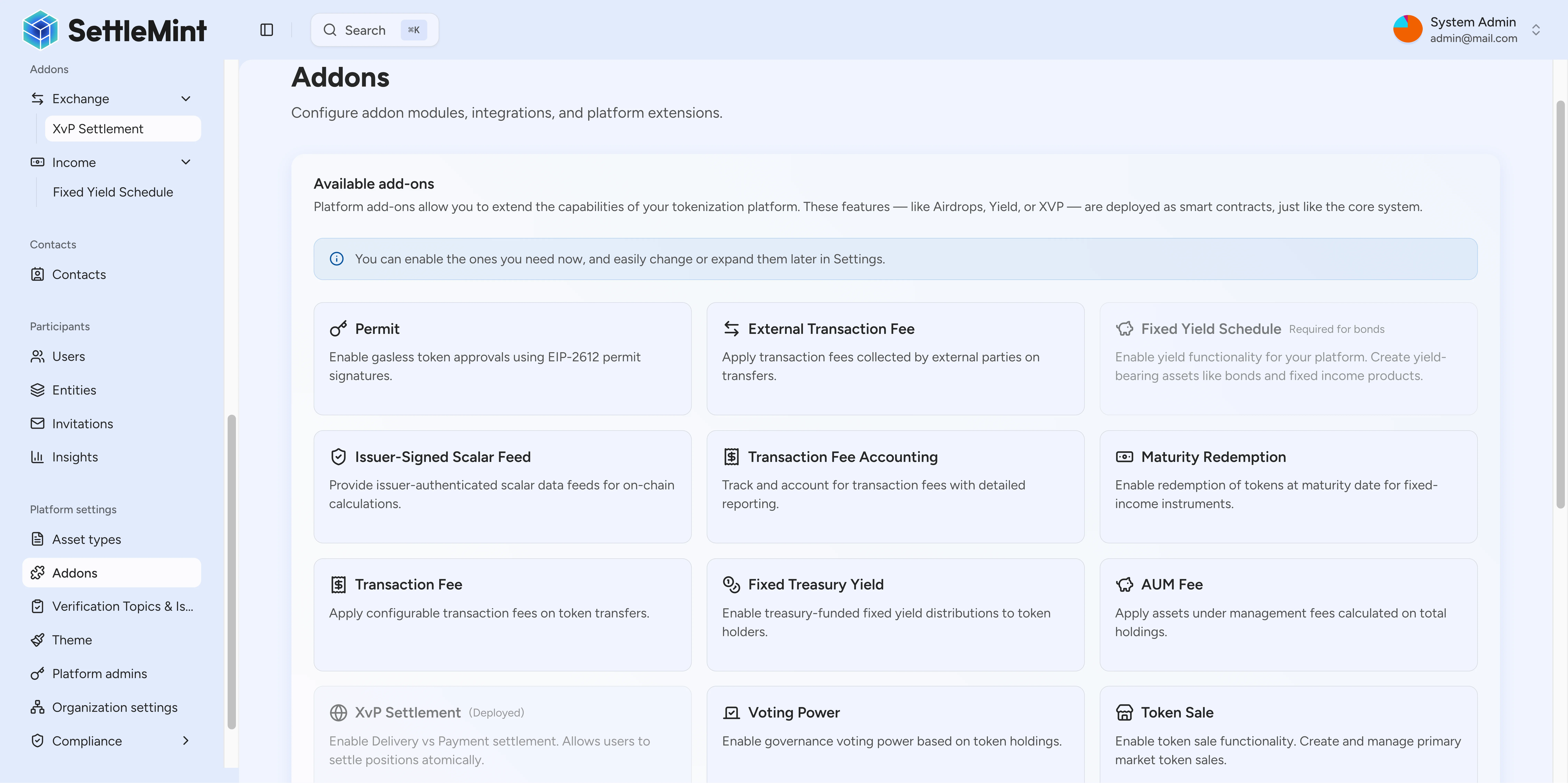
The Add-ons settings page lets you install the addon types that the on-chain Directory exposes in the current environment. Open the page when an asset workflow needs XvP settlement, fixed yield schedules, token distribution, sales, data feeds, or paymaster support.
Prerequisites
- Platform administrator access.
- A deployed environment with the Directory and System Factory available.
- A decision on which addon type the asset workflow needs.
Install from Settings
Go to Settings > Add-ons in the platform navigation.
The page lists Directory-registered addon types that are visible in addon management. Each entry shows the category, icon, title, and description from platform registry metadata.
Match the addon to the workflow before installing it. Use XvP settlement for atomic asset exchange, fixed yield schedules for yield distribution, and airdrop addons for token distribution.
Click Install on the addon you want to enable. After installation, the addon becomes available for the relevant asset and operations surface.
Visible addon categories
The Directory registry is the source of truth for available addon types. The platform registry groups known types for the UI and hides contract-level capabilities that are not meant to appear as installable settings cards.
| Category | Visible addon types | Use when |
|---|---|---|
| Distribution | Push airdrop, vesting airdrop, time-bound airdrop, token sale, historical balances, voting power, permit | The workflow distributes tokens, tracks voting or historical balances, or supports permissioned approval patterns. |
| Income and fees | Fixed yield schedule, maturity redemption, transaction fee, transaction fee accounting, external transaction fee, fixed treasury yield, AUM fee | The asset needs scheduled income, redemption, treasury yield, or fee accounting behavior. |
| Exchange | XvP settlement, conversion, conversion minter | The workflow exchanges assets, settles against another leg, or converts between supported token forms. |
| Data | Scalar feed aggregator adapter, issuer-signed scalar feed, price resolver | The workflow depends on data feeds or price resolution. |
| Infrastructure | Paymaster signer | The workflow uses platform infrastructure for sponsored transaction execution. |
Vault boundary
Vault is a contract-level multi-signature treasury capability, not a visible Add-ons settings installer. For the vault contract model, roles, and transaction lifecycle, see the Vault architecture reference.
Install during asset onboarding
Some asset creation flows can select addons while the asset is being configured. Use the same selection logic as the settings page: choose only the addon types the workflow needs, then complete the asset flow with the required roles and parameters.
Begin creating the asset from the asset creation flow.
On the Add-ons step, browse the types available in the environment and select the capabilities the asset needs.
If the selected addon exposes configuration fields, complete them in the wizard. If it has no fields, keep the default selection and continue.
Finish the asset flow. The selected addons become part of the asset workflow after the platform completes the installation and configuration steps.
Operational notes
- The Directory determines which addon types exist in the environment. The platform registry controls how known types appear in the UI.
- Hidden addon types do not appear as installable settings cards even when the contract factory exists.
- Installation makes an addon capability available. Users still need the right asset roles and workflow permissions to operate it.
- Use the addon-specific guide after installation. Each addon surface has its own operating rules.
Troubleshooting
| Issue | What to check |
|---|---|
| Addon not appearing in the list | Confirm the addon type exists in the Directory and is not hidden from addon management. |
| Cannot install an addon | Confirm you are signed in with platform administrator access. |
| Addon installed but unavailable in a workflow | Check that the asset flow, roles, and addon-specific permissions match the addon you installed. |
Related
System addons overview
Understand how DALP system addons are discovered, installed, and operated across settlement, distribution, yield, fee, feed, conversion, and infrastructure workflows.
Review addon workspaces
Open an installed addon workspace, confirm the selected factory, and continue into XvP settlement or token sale instance pages from the DALP dapp.