

Create a topic
Register a scalar feed verification topic to define the data schema for your data feeds.
Register a scalar feed verification topic before you create or publish data feeds. Scalar feed topics use the fixed int256 value schema and appear on the Verification topics page.
Prerequisites
- Verification policy manager role (
claimPolicyManager) assigned on the System Access Manager. - Issuer-Signed Scalar Feed addon installed (see Install addons).
Topic kinds
The topic form separates identity verification topics from data feed topics.
| Kind | Signature | Purpose |
|---|---|---|
| Verification | Custom ABI fields, such as string or uint256 | Identity and compliance verification topics such as KYC or accreditation. |
| Scalar feed | int256 value (fixed) | Numeric data feeds for prices, rates, and metrics. |
| Bytes feed | Disabled in the topic form | Not selectable for the data feed setup workflow. |
Only Scalar feed topics work for scalar data feeds. The Bytes feed option does not apply to this workflow.
Steps
Navigate to verification topics
Go to Organisation settings > Compliance & verification > Verification topics in the sidebar. The page lists all topics registered for the organisation.
Open the add topic form
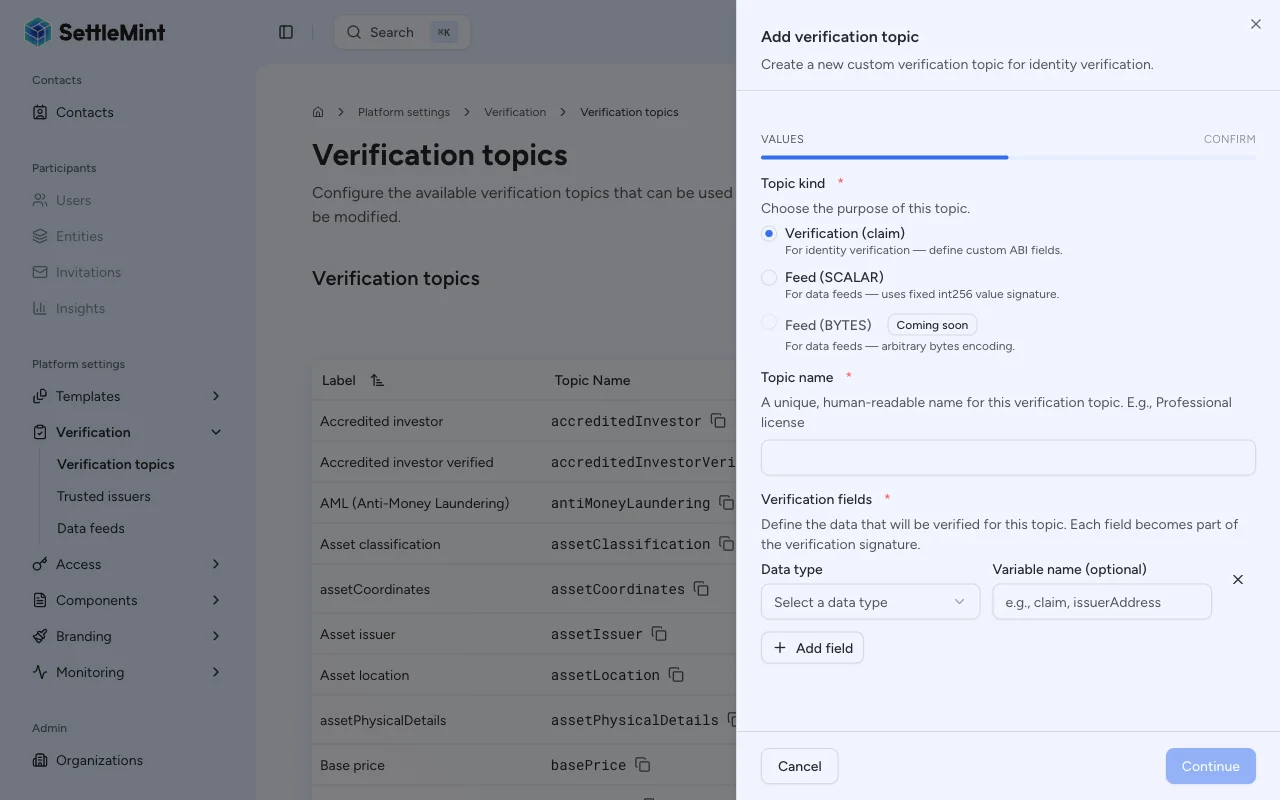
Click Add verification topic to open the creation dialog. The form lets you choose the topic kind and enter a name.
Select the Scalar feed kind
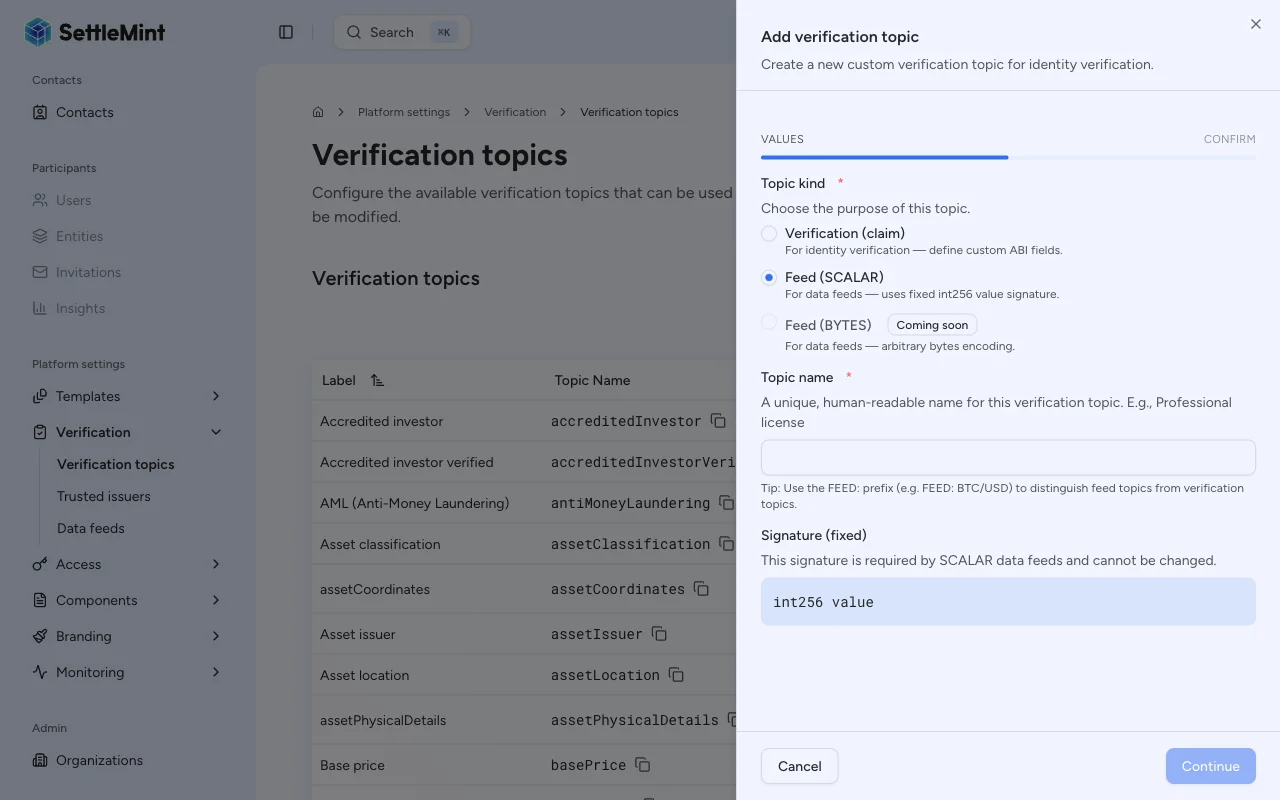
Choose Feed (SCALAR) as the topic kind. The signature field locks to int256 value; you cannot change it.
Enter a descriptive topic name that identifies what data this topic represents, such as "FEED: BTC/USD" or "FEED: Interest Rate".
Confirm the transaction
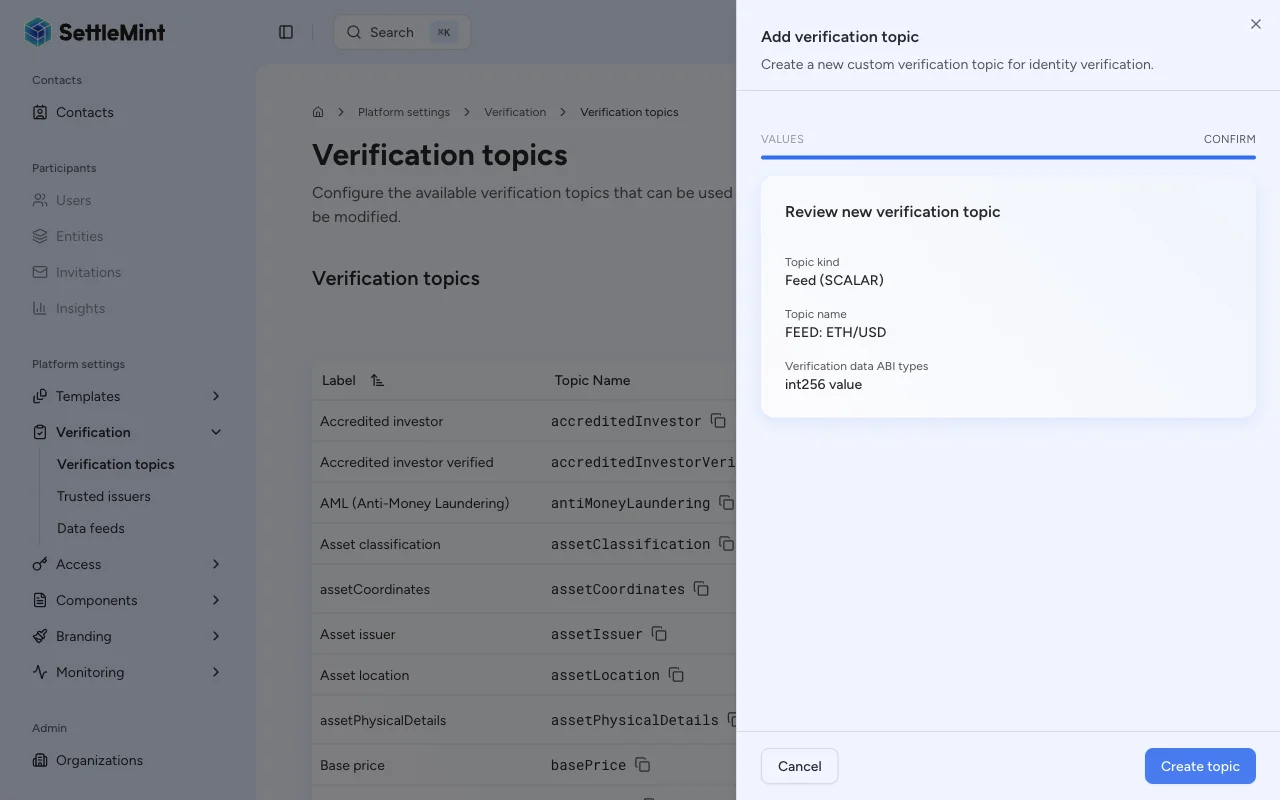
Click Continue to review the topic kind, topic name, and fixed signature. Then click Create topic and complete the wallet verification step.
Verify the topic
After the transaction confirms, the new topic appears in the verification topics list. You can then assign it to a trusted issuer and select it when creating scalar data feeds.
Next steps
After creating a topic:
- Add a trusted issuer for this topic so that an identity can publish feed updates. See Configure trusted issuers.
- Create a feed that uses this topic. See Create a feed.
Troubleshooting
| Issue | Solution |
|---|---|
| The platform hides Add verification topic | Verify you have the Verification policy manager role on the System Access Manager. |
| Feed (SCALAR) shows as unavailable | Confirm the Issuer-Signed Scalar Feed addon is installed on the system. |
| Feed (BYTES) cannot be selected | Use Feed (SCALAR) for this workflow; the platform does not support bytes feed topics here. |
| Topic name already exists | Choose a unique name; the platform rejects duplicate topic names. |
| Transaction fails | Check that your wallet can complete the verification step and has enough gas for the call. |