

Add administrators
Grant platform administrator roles to an existing participant or wallet from Organisation settings.
Add a platform administrator when a person or operator wallet needs access to platform-wide DALP administration. Choose the recipient, grant only the roles required for their responsibility, confirm the grants, and verify the new administrator appears in Organisation settings > Admins & roles. Platform roles are separate from user invitations and token-level asset roles.
Prerequisites
Before you start, make sure you have:
- A signed-in account with the Permission manager platform role. DALP stores this role as
admin. - Access to the wallet verification method required by your platform, such as PIN, OTP, or another configured verification step.
- The recipient already identified as an organization participant or wallet address.
- A clear decision on which platform roles the recipient needs.
Choose the right platform roles
Platform administrator roles control system-wide operations. Token-specific roles (Asset Operator, Custodian, Supply Management, Emergency) are assigned on individual tokens during asset creation or asset administration, not here. For the wider authorization model, including read-only auditor access and token-level roles, see Authorization.
| Role | Role key | Use it for |
|---|---|---|
| Permission manager | admin | Root platform administration and role management. |
| Auditor | auditor | Platform audit and review access. |
| System manager | systemManager | Core platform configuration and upgrade operations. |
| Asset manager | tokenManager | Asset deployment and token-factory operations. |
| Compliance manager | complianceManager | Platform compliance-module setup and enforcement. |
| Verification policy manager | claimPolicyManager | Trusted issuer and claim-topic policy management. |
| Verification issuer | claimIssuer | Claim issuance on registered identities. |
| Identity manager | identityManager | Identity registry maintenance and recovery operations. |
| Feeds manager | feedsManager | Platform data-feed management. |
| Gas manager | gasManager | Gas and transaction-funding operations. |
Add a platform administrator
Open platform admins
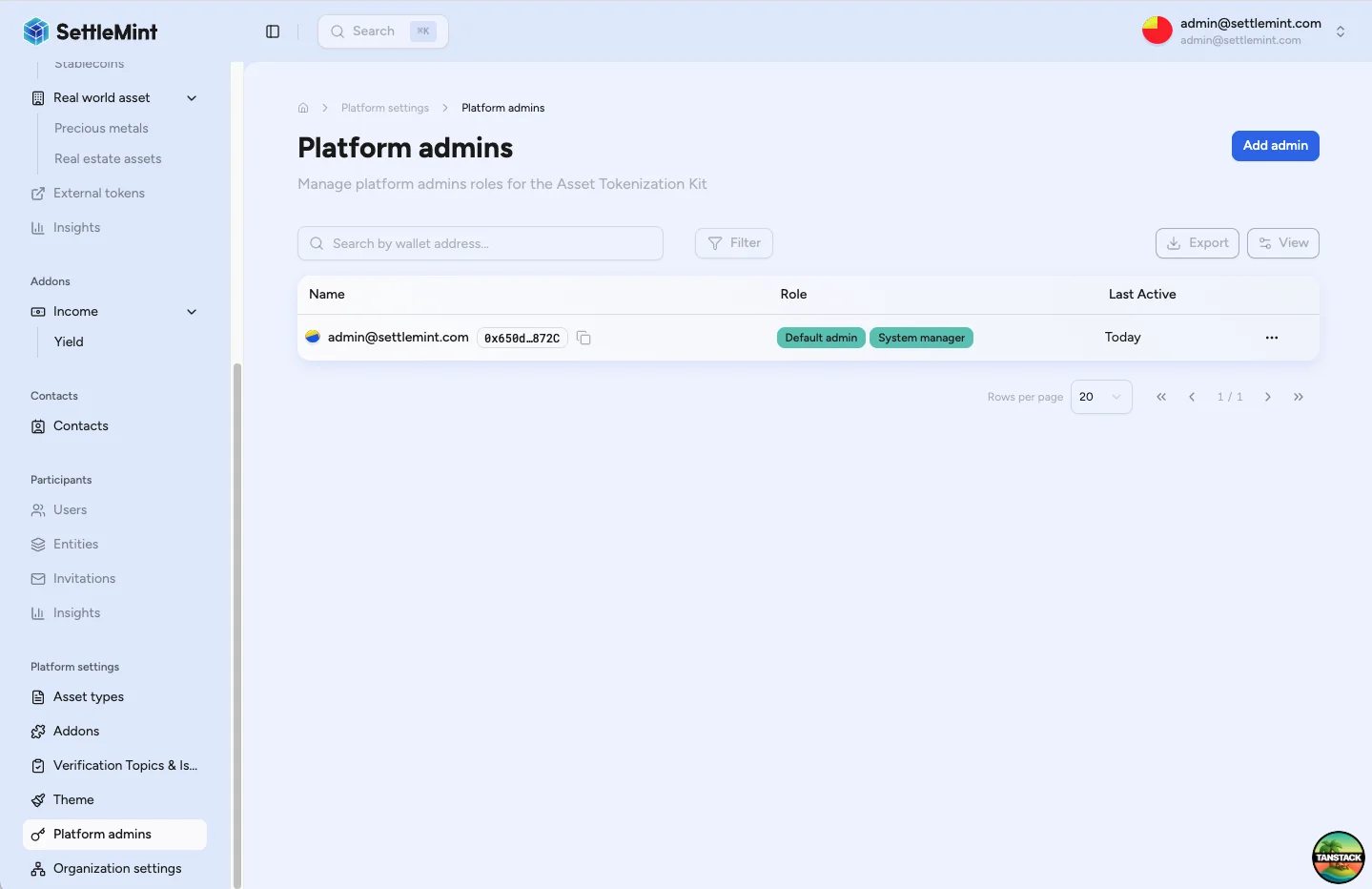
Go to Organisation settings > Admins & roles. The page lists current platform administrators and their assigned roles. From there, click Add admin to open the creation flow.
Choose the recipient
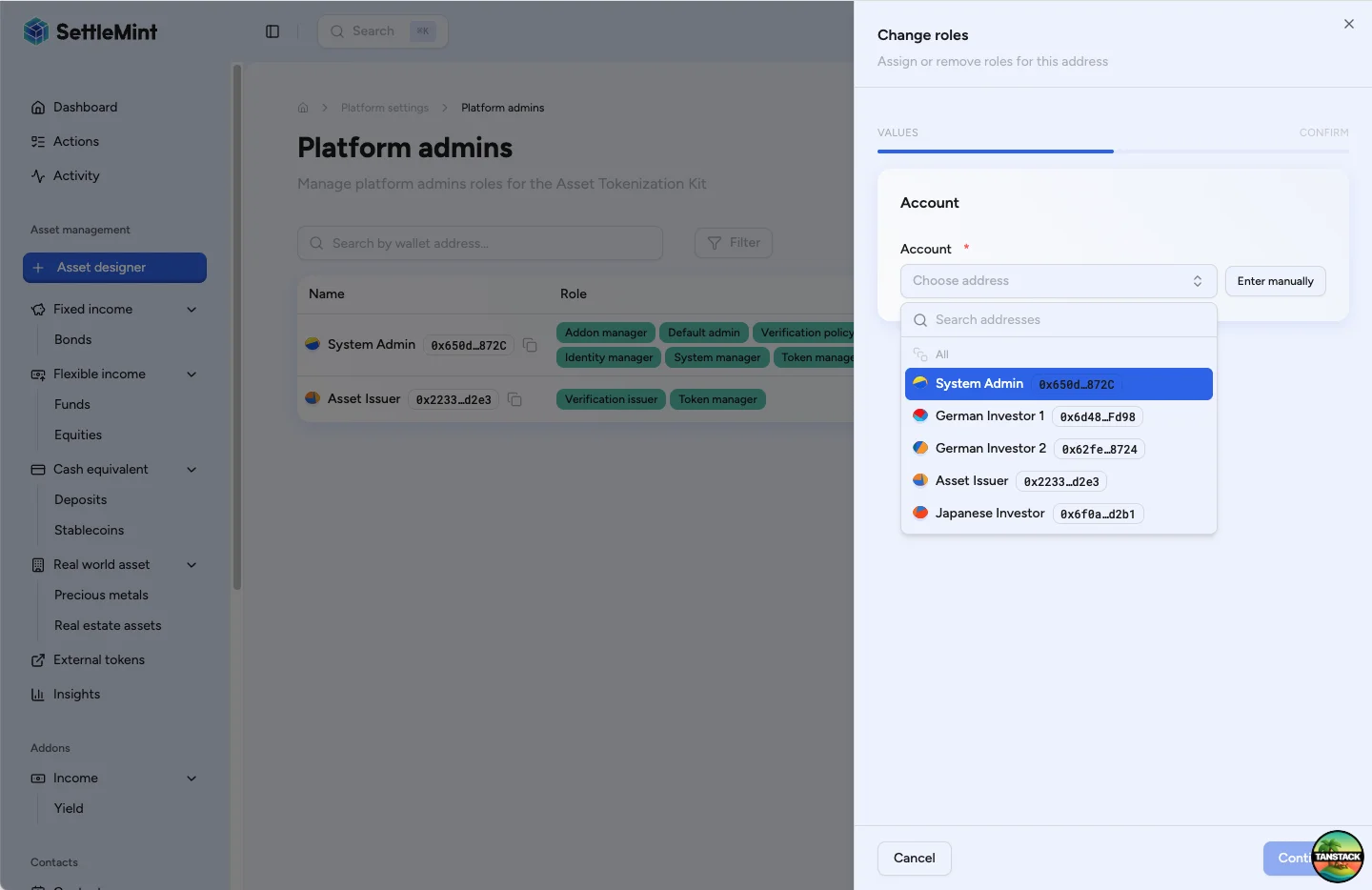
Select the person or wallet that should receive platform administrator roles. Use the recipient selector for organization participants, or enter the wallet address when you are granting roles directly to a wallet.
Select the roles to grant
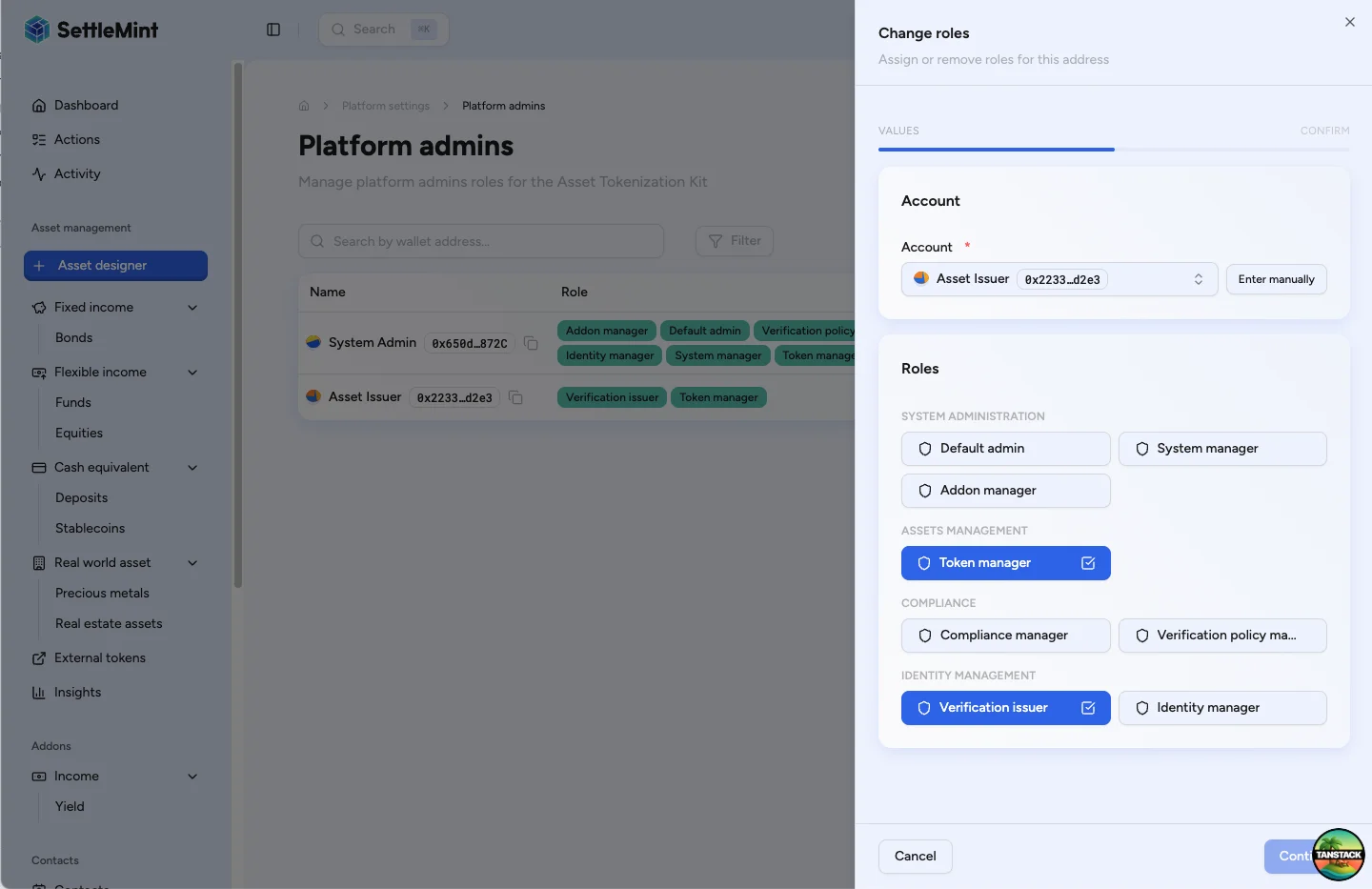
Choose the platform roles that match the recipient's operating responsibility. Start from the role table above, then grant the smallest set that lets them complete their work.
Review and save the grants
Click Continue and review the summary. When the role set is correct, click Save and complete the wallet verification prompt. DALP submits the platform role grants after your verification succeeds.
Verify the administrator
After the transaction confirms, return to the Admins & roles table and check that the recipient appears with the expected roles. If the new administrator is already signed in, ask them to refresh or sign in again before using the newly granted admin surfaces.
After adding the administrator
- Record why each role was granted so the assignment can be reviewed later.
- Keep duties separated where possible. For example, audit visibility and role management do not need to live on the same wallet.
- Review platform administrators periodically and remove roles that are no longer needed.
- Use Change admin roles when a recipient needs a different role set later.
Troubleshooting
| Issue | What to check |
|---|---|
| You cannot see Add admin | Confirm your account has the Permission manager role (admin), then return to Organisation settings > Admins & roles. |
| A role cannot be selected | Confirm the connected administrator wallet is allowed to grant that role. The role manager may need to add the missing grant authority first. |
| Save or verification fails | Check that your wallet verification code is current, your session is active, and the connected wallet still holds the Permission manager role. |
| The recipient cannot see admin surfaces | Confirm the transaction completed, then ask the recipient to refresh the application or sign in again. |
Related guides
- Platform setup overview - Plan platform roles before granting them.
- Change admin roles - Modify or revoke roles for an existing administrator.
- Invite users - Add team members before assigning platform responsibilities.
- First admin setup - Complete the initial administrator setup for a new deployment.