

Verify KYC
Issue KYC verifications to registered users via API
Issue a KYC attestation after you have reviewed a user's identity data and your issuing account holds trust for the knowYourCustomer topic. The Platform API writes the attestation to the user's identity contract, so any asset that requires that topic recognises the user as eligible.
For the web interface approach, see the user guide.
Prerequisites
You need a Platform URL (for example https://your-platform.example.com) and an API key from a user with the Claim Issuer (claimIssuer) system role. See Getting Started for API key setup.
Your account also needs a wallet verification method (pincode or 2FA) and must be registered as a trusted issuer for the KYC topic. The target user must have already registered and must have an identity contract. Collect and review the user's KYC data according to your operating policy before proceeding.
What this API flow changes
Auditors and integrators need to understand what the API writes. A KYC attestation is a cryptographically signed record stored on the user's identity contract. This attestation is evaluated when an asset or system policy requires the knowYourCustomer topic.
The flow separates three records:
| Record | Role |
|---|---|
| User account | Locates the participant and wallet address for the platform user. |
| KYC profile | Stores the reviewed KYC data and produces the content hash used as claim data. |
| Identity claim | Records the trusted issuer's signed attestation on the user's identity contract. |
DALP does not require KYC for every user by default. The platform enforces KYC when an asset or system policy requires the knowYourCustomer claim.
Some assets require a different claim, no KYC topic, or additional topics depending on the asset's compliance settings. For the broader model, see Compliance Overview.
Issuing KYC verifications
Identify user to verify
You need the user's wallet address and userId to issue the attestation. If you do not have them, search by email or name. The search returns both fields in a single response.
curl -X GET "https://your-platform.example.com/api/user/[email protected]" \
  -H "X-Api-Key: YOUR_API_KEY"
Response:
[
  {
    "id": "usr_abc123",
    "name": "John Investor",
    "wallet": "0x742d35Cc6634C0532925a3b844Bc9e7595f0bEb",
    "role": "member"
  }
]
Save both the id (userId) and wallet address. You need both in later steps.
List claim topics
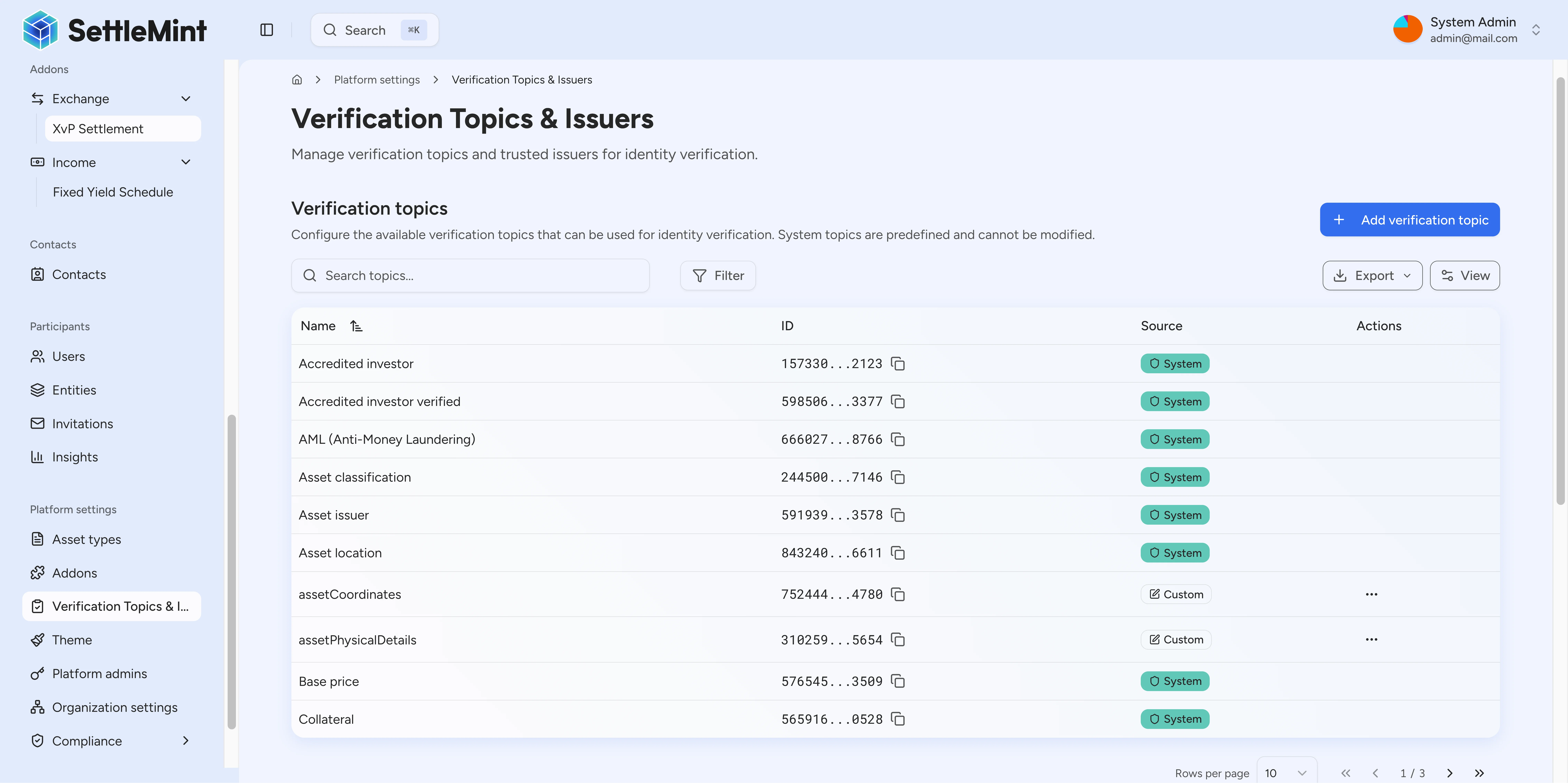
Query the available topics to identify the KYC topic ID. The system returns all registered claim topics; use the name field to find knowYourCustomer.
curl -X GET "https://your-platform.example.com/api/system/claim-topics" \
  -H "X-Api-Key: YOUR_API_KEY"
Response:
[
  {
    "id": "0x534b8f03c16c92c70d1da1d2fae43b98352bf3d7...",
    "topicId": "26984799302505749158794800959285050858086405868089409909048783980951278841746",
    "name": "knowYourCustomer",
    "signature": "string claim",
    "registry": {
      "id": "0x534b8f03c16c92c70d1da1d2fae43b98352bf3d7"
    }
  },
  {
    "id": "0x534b8f03c16c92c70d1da1d2fae43b98352bf3d7...",
    "topicId": "15733030998618876990024220391915773205162379317494393310546829862321881862123",
    "name": "accreditedInvestor",
    "signature": "string claim",
    "registry": {
      "id": "0x534b8f03c16c92c70d1da1d2fae43b98352bf3d7"
    }
  },
  {
    "id": "0x534b8f03c16c92c70d1da1d2fae43b98352bf3d7...",
    "topicId": "39526553109170329799339511574661256630735485618560740361645615581310848276505",
    "name": "qualifiedInstitutionalInvestor",
    "signature": "string claim",
    "registry": {
      "id": "0x534b8f03c16c92c70d1da1d2fae43b98352bf3d7"
    }
  }
  // ... additional topics available
]
The KYC topic has name: "knowYourCustomer". Pass this name in the claim.topic field when you issue the attestation in step 6.
Create KYC profile
If the user has no KYC profile yet, create one with their personal details. The platform returns a contentHash you will use as the claim value in step 4.
curl -X POST "https://your-platform.example.com/api/user/usr_abc123/kyc/upsert" \
  -H "X-Api-Key: YOUR_API_KEY" \
  -H "Content-Type: application/json" \
  -d '{
    "userId": "usr_abc123",
    "firstName": "John",
    "lastName": "Investor",
    "dob": "1985-03-15T00:00:00.000Z",
    "country": "BE",
    "residencyStatus": "resident",
    "nationalId": "123456789"
  }'
Response:
{
  "changed": true,
  "currentVersion": {
    "id": "ver_xyz789",
    "number": 1,
    "contentHash": "1e1329fc9216a119e9c596084cd353949f0754ddfa53014760ae6cc7ef8d1d35",
    "createdAt": "2024-01-15T10:00:00.000Z"
  },
  "profile": {
    "id": "kyc_abc123",
    "userId": "usr_abc123",
    "firstName": "John",
    "lastName": "Investor",
    "dob": "1985-03-15T00:00:00.000Z",
    "country": "BE",
    "residencyStatus": "resident",
    "nationalId": "123456789",
    "createdAt": "2024-01-15T10:00:00.000Z",
    "updatedAt": "2024-01-15T10:00:00.000Z"
  }
}
Save the contentHash from currentVersion. You pass it as the claim value in step 4.
Required fields: userId (from step 1) plus at least one of firstName, lastName, dob, country, residencyStatus, or nationalId.
Field constraints: dob requires the user to be at least 18 years old; country must be an ISO 3166-1 alpha-2 code (e.g., "BE", "US", "DE"); residencyStatus must be one of "resident", "non_resident", "dual_resident", or "unknown".
Get claim value
Different topics require different claim values. For the knowYourCustomer topic, the value is the KYC profile content hash. If you created the profile in step 3, use that contentHash. Otherwise, fetch the hash from the existing profile:
curl -X GET "https://your-platform.example.com/api/user/usr_abc123/kyc/read" \
  -H "X-Api-Key: YOUR_API_KEY"
Response:
{
  "id": "kyc_xyz789",
  "userId": "usr_abc123",
  "firstName": "John",
  "lastName": "Investor",
  "dob": "1985-03-15T00:00:00.000Z",
  "country": "BE",
  "residencyStatus": "resident",
  "nationalId": "123456789",
  "contentHash": "1e1329fc9216a119e9c596084cd353949f0754ddfa53014760ae6cc7ef8d1d35",
  "createdAt": "2024-01-15T10:00:00.000Z",
  "updatedAt": "2024-01-15T10:00:00.000Z"
}
Pass the contentHash value as the claim data: a hex string without the 0x prefix.
For boolean topics, skip this API call and use "true" as the claim value. These topics are boolean:
antiMoneyLaunderingaccreditedInvestoraccreditedInvestorVerifiedprofessionalInvestorqualifiedInstitutionalInvestorregulationS
Get the identity contract address
Look up the user's identity contract by wallet address. The API returns the contract address in the id field, separate from account.id (the wallet address).
curl -X GET "https://your-platform.example.com/api/system/identity/by-wallet/0x742d35Cc6634C0532925a3b844Bc9e7595f0bEb" \
  -H "X-Api-Key: YOUR_API_KEY"
Response:
{
  "id": "0x8e5F72f6E5b3B4D1234567890AbCdEf1234567890",
  "account": {
    "id": "0x742d35Cc6634C0532925a3b844Bc9e7595f0bEb",
    "contractName": null
  },
  "isContract": false,
  "hasIdentity": true,
  "registered": {
    "isRegistered": true,
    "country": "BE"
  },
  "claims": []
}
Pass the id value (the identity contract address) in the next step. Do not use account.id, which is the user's wallet address.
Issue the KYC claim
Write the attestation to the user's identity contract. Pass the identity contract address from step 5 as targetIdentityAddress.
curl -X POST "https://your-platform.example.com/api/system/identity/claim/issue" \
  -H "X-Api-Key: YOUR_API_KEY" \
  -H "Content-Type: application/json" \
  -d '{
    "targetIdentityAddress": "0x8e5F72f6E5b3B4D1234567890AbCdEf1234567890",
    "claim": {
      "topic": "knowYourCustomer",
      "data": {
        "claim": "1e1329fc9216a119e9c596084cd353949f0754ddfa53014760ae6cc7ef8d1d35"
      }
    },
    "walletVerification": {
      "secretVerificationCode": "YOUR_PINCODE"
    }
  }'
Response:
{
  "txHash": "0x8d95bfd5381478d90992d3e2e64c73178e46bb18592bfcbffdf899f2407aee9b",
  "success": true,
  "claimTopic": "knowYourCustomer",
  "targetWallet": "0x8e5F72f6E5b3B4D1234567890AbCdEf1234567890"
}Confirm the claim
Query the identity contract to check that the platform recorded the attestation. Look for a claims entry with name: "knowYourCustomer" and isTrusted: true.
curl -X GET "https://your-platform.example.com/api/system/identity/by-wallet/0x742d35Cc6634C0532925a3b844Bc9e7595f0bEb" \
  -H "X-Api-Key: YOUR_API_KEY"
A successful verification returns a response similar to the following.
{
  "id": "0x8e5F72f6E5b3B4D1234567890AbCdEf1234567890",
  "account": {
    "id": "0x742d35Cc6634C0532925a3b844Bc9e7595f0bEb",
    "contractName": null
  },
  "isContract": false,
  "hasIdentity": true,
  "registered": {
    "isRegistered": true,
    "country": "BE"
  },
  "claims": [
    {
      "id": "0xc057fb9c66650cfaf24192baa697f463b0ddf81eb8b764c460cd1841967742a63551c161fda0528a93030bdcc6efb139f05b3a912053c839655f0147e7370e77bff1df5c5b637964",
      "name": "knowYourCustomer",
      "signature": "0xfe5b3c723b68a482c5cfd4fc38c384a217e748b5375340d2b05e8684f5d0558c0eabb331636cb5182d424e478cd6ba3db6f6efca452b570e6d6516d1b8bd24cf1b",
      "revoked": false,
      "issuer": {
        "id": "0xD3c16123446a6fe39635adD185574e7c6DC617Fe"
      },
      "values": [
        {
          "key": "claim",
          "value": "1e1329fc9216a119e9c596084cd353949f0754ddfa53014760ae6cc7ef8d1d35"
        }
      ],
      "isTrusted": true
    }
  ]
}
Verify the response contains a claims entry with name: "knowYourCustomer". Confirm isTrusted is true (your account is a trusted issuer for this topic), revoked is false (the attestation is active), and issuer.id matches your issuing account's identity contract. The signature field holds the issuer's cryptographic signature; values holds the contentHash. Once these fields appear, the user can receive assets that require the KYC topic.
Request parameters
The tables below list the parameters for each API call in this flow. Each subsection corresponds to a step in the procedure.
User search
Use this endpoint when you need to look up a user by email, name, or wallet address before issuing their attestation.
| Parameter | Type | Required | Description |
|---|---|---|---|
query | string | Yes | Email, name, or wallet to search by |
Claim issue
Pass these parameters in the request body to write the attestation on-chain to the user's identity contract.
| Parameter | Type | Required | Description |
|---|---|---|---|
targetIdentityAddress | string | Yes | Identity contract address (0x...) from identity lookup |
claim.topic | string | Yes | Claim topic name (e.g., "knowYourCustomer") |
claim.data.claim | string | Yes | Claim value (contentHash for KYC, "true" for booleans) |
walletVerification | object | Yes | Your wallet verification (pincode or totp) |
Wallet verification object
Include this object in every mutation request to authorize the on-chain write. The secretVerificationCode depends on your configured method: a 6-digit code for PINCODE, a backup code for SECRET_CODES, or a TOTP for OTP.
| Field | Type | Description |
|---|---|---|
secretVerificationCode | string | 6-digit pincode or TOTP code |
verificationType | string | "PINCODE" (default), "SECRET_CODES", or "OTP" |
Omit verificationType to default to "PINCODE". A code must pass validation before the transaction is submitted.
Claim issue response fields
The Platform API returns these fields when the attestation write succeeds.
| Field | Type | Description |
|---|---|---|
txHash | string | Transaction hash for the claim write |
success | bool | true when the platform wrote the claim on-chain |
claimTopic | string | Topic name the platform issued |
targetWallet | string | Identity contract address that received the claim |
Common claim topics
The table below shows the topics most commonly used with this flow. Use the Name column as the claim.topic value in your request.
| Topic ID | Name | Claim Value | Description |
|---|---|---|---|
| 1 | knowYourCustomer | KYC contentHash | Basic identity verification |
| 2 | accreditedInvestor | "true" | US qualified investor status |
| 3 | qualifiedInstitutionalInvestor | "true" | EU institutional investor rules |
| 4 | antiMoneyLaundering | "true" | Source of funds verification |
| 5 | professionalInvestor | "true" | MiFID professional classification |
| 6 | accreditedInvestorVerified | "true" | Verified accredited investor |
| 7 | regulationS | "true" | Regulation S compliance |
Best practices
KYC standards
Follow your written KYC policy consistently and record evidence for every decision. Log the rationale for each approval or rejection for audit purposes, and use consistent data formats across all attestations.
Data privacy
Store minimal personal data on-chain; use hashes to reference sensitive data held off-chain. Keep off-chain records in secure storage and follow applicable data-protection regulations.
Claim quality
Confirm that documents are authentic before approving any attestation. Cross-check data against multiple sources, watch for red flags, and apply your KYC standards consistently across every applicant.
Troubleshooting
Use the table below to identify the cause and corrective step for each error.
| Issue | Solution |
|---|---|
401 Unauthorized | API key is invalid, expired, or disabled |
403 USER_NOT_AUTHORIZED | Ensure your account has the claimIssuer system role |
Not a trusted issuer | Add your account as a trusted issuer for the KYC topic first |
Identity not found | The user must register first; see Register User |
Claim already exists | The user already holds this claim |
No KYC data | Create a KYC profile first; see the Create KYC profile step above |
Related guides
- Register User - Register users before issuing claims
- Create Users - Create user accounts with wallets and on-chain identities
- Configure Trusted Issuers - Set up issuer permissions
- Compliance Overview - Full compliance model reference
- Verify KYC (User Guide) - Web interface approach
Configure trusted issuers
Add, scope, and remove trusted issuer entries in system and token registries so on-chain claim verification resolves the correct identity addresses.
Configure the identity verification compliance module via API
Configure the identity verification compliance module to require verified OnchainID claims for all asset transfers. Build logical expressions combining multiple claim requirements.