

Verify KYC
Issue on-chain KYC verifications for users, with the approved-KYC-profile prerequisite and a fix for the "No approved KYC profile" block.
KYC verifications are on-chain attestations that confirm a user has passed the organisation's identity review and can satisfy the asset's compliance checks. Issue a verification only after trusted issuer setup, identity registry enrolment, and documentation review are complete.
Prerequisites
- Verification Issuer role.
- Configured as a trusted issuer for KYC topics (see Configure Trusted Issuers).
- The user enrolled in the identity registry.
- The user must have an approved KYC profile before you can issue a KYC verification. The platform carries the hash of the approved profile in the verification record, so it cannot issue one until that profile exists. See Before you can issue a KYC verification.
- Completed KYC documentation review.
About KYC verifications
KYC verifications are on-chain attestations that confirm:
- A trusted issuer verified the user's identity.
- The user's documentation meets compliance standards.
- The user is eligible for asset transactions.
When KYC is required
KYC verification is not automatically required for all users. It becomes necessary in two cases.
Global requirement: when an operator enables the Identity verification compliance module for all asset transactions, every user needs a KYC verification. Enabling it globally is the recommended baseline.
Per-asset requirement: individual assets can enable the Identity verification compliance module with KYC as a required verification topic, even when not required globally.
Some use cases need no KYC verification at all, depending on the asset type and regulatory context.
For the full framework, see Compliance Overview.
Before you can issue a KYC verification
The platform attests the user's approved KYC profile in the verification record. If you open the issue form for a KYC topic and the user has no approved profile, the form shows a "No approved KYC profile" message and the Continue button stays disabled. The platform cannot calculate the verification hash without an approved profile.
Missing an approved profile is the most common reason a KYC verification cannot be issued for a registered user. Clear it by completing the KYC profile path first:
- The user submits their KYC profile. The user opens their account profile, completes their identity details and any required documents, and selects Submit for review. See Provide KYC data.
- An Identity Manager approves the submission. A reviewer opens the user's KYC version and selects Approve, which makes that version the approved profile. See Manage KYC data.
- Issue the KYC verification. With an approved profile in place, return to the issue-verification flow below. The "No approved KYC profile" message clears and you can complete issuance.
A user can be enrolled in the identity registry and still have no approved KYC profile. Registry enrolment links the wallet to an on-chain identity. The approved profile is a separate step the user and a reviewer complete together.
Issuing KYC verifications
Access user verifications
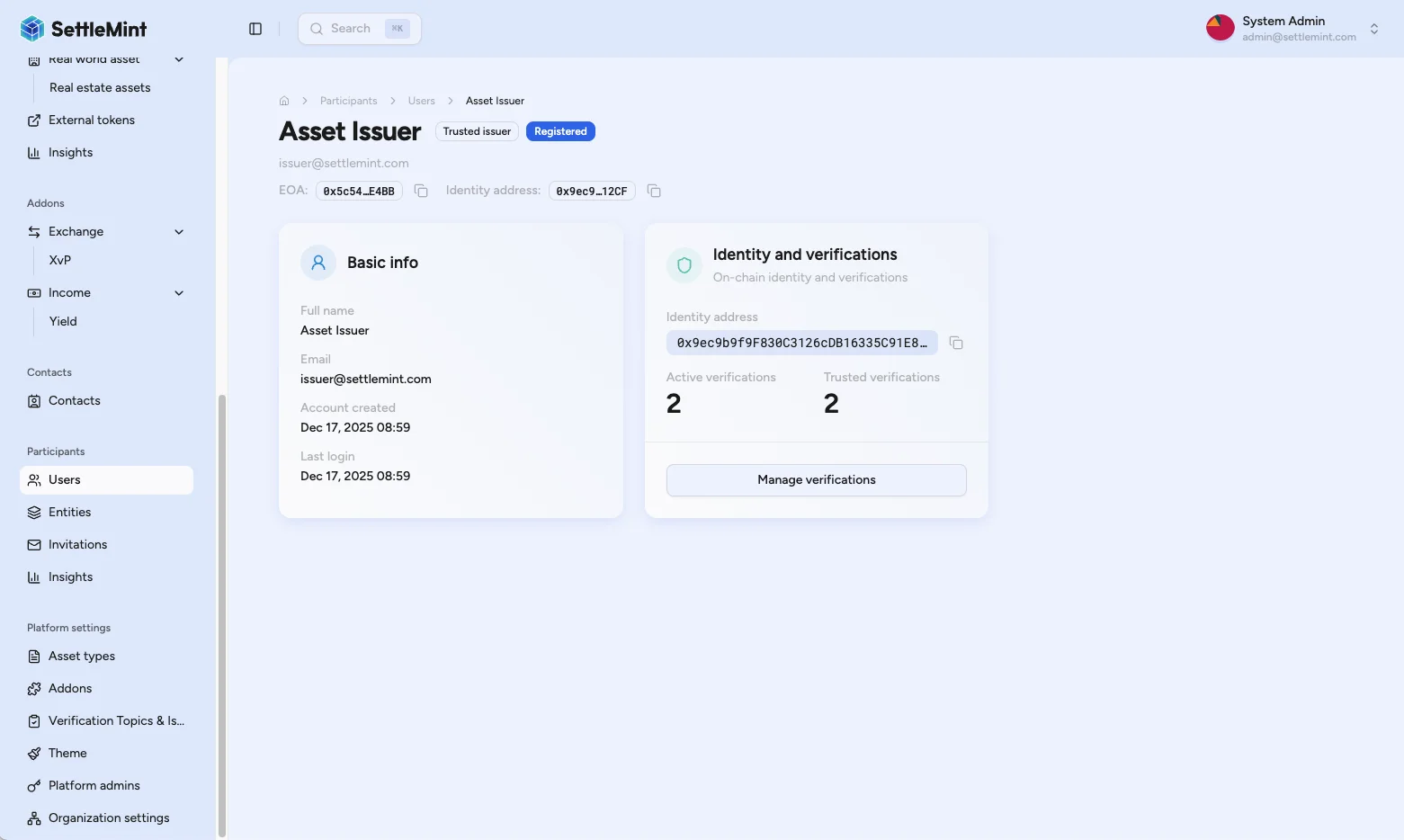
Navigate to Participants > Users and select the user to verify. On the user detail page, find the "Identity and verifications" tile and select Manage verifications.
Issue verification
Select Issue verification and choose the verification topic you want to issue: KYC, Accredited Investor, AML, or another topic your trusted issuer status covers.
Complete the verification
Select Continue to proceed, review the verification summary, then select Issue verification. Enter your PIN when prompted and wait for transaction confirmation.
Confirm completion
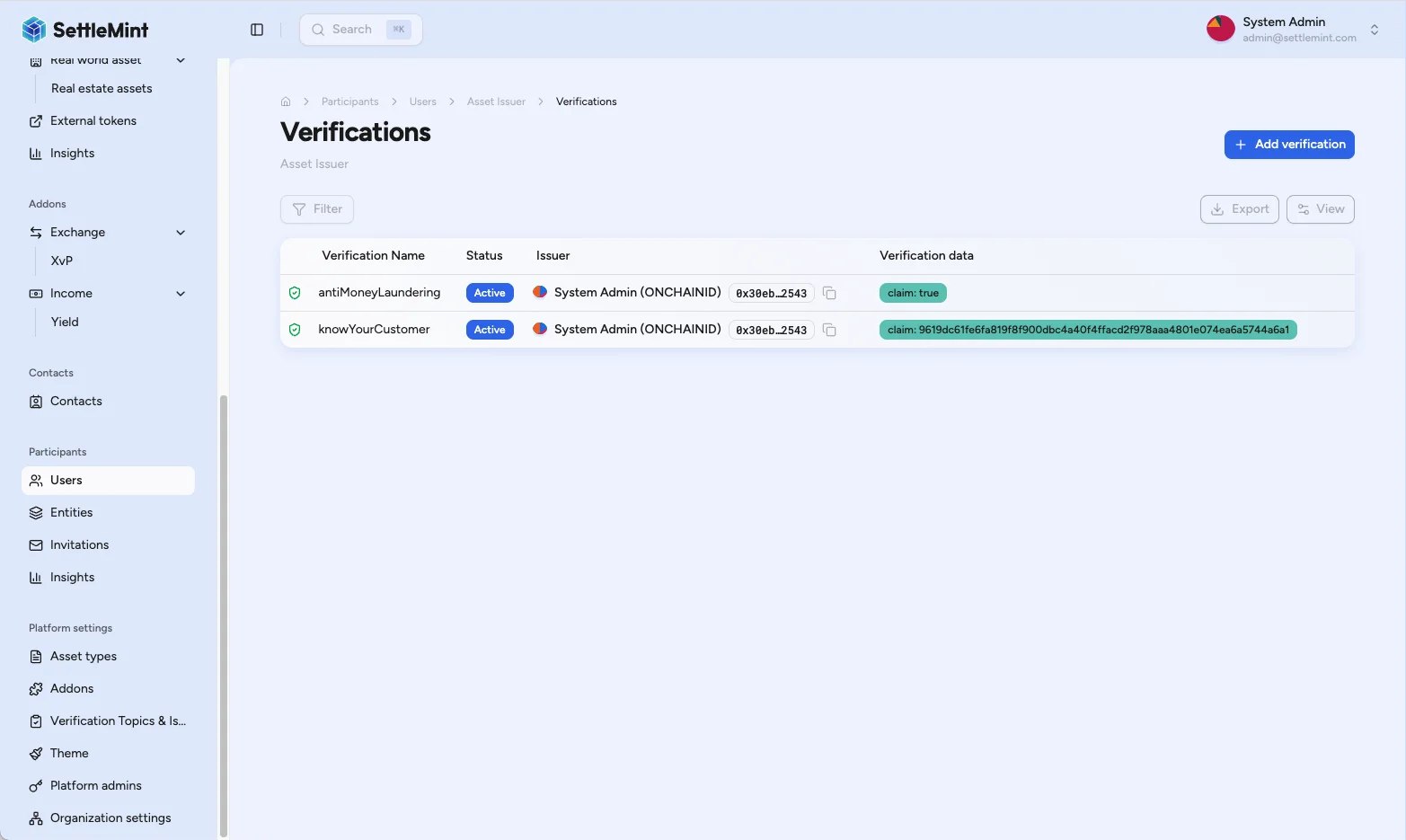
After the transaction confirms, the verification appears in the user's verification list with a green shield. The green shield indicates you were a trusted issuer for this topic. The user can now receive assets that require this verification.
View existing verifications
To see all verifications for a user, navigate to Participants > Users, select the user, and select Manage verifications from the "Identity and verifications" tile.
Troubleshooting
| Issue | Solution |
|---|---|
| "No approved KYC profile" message, Continue disabled | The user has no approved KYC profile yet, so the platform cannot calculate the verification hash. Complete the approved-profile path in Before you can issue a KYC verification, then issue the verification. |
| Cannot see Issue verification button | Confirm you have the Verification Issuer role, you are configured as a trusted issuer for KYC topics, and the user is enrolled in the registry. |
| Verification not showing as trusted | Confirm you are a trusted issuer for the topic, the transaction completed successfully, and the verification data format is correct. |
| User still cannot receive assets | Confirm the correct verification topic was issued, the verification has not expired, and the token's specific compliance requirements are met. |
| Transaction fails when issuing | Confirm your wallet has sufficient gas, your trusted issuer status is active, and the verification data format is valid. |
Related guides
- Provide KYC Data: how users complete their KYC profile.
- Manage KYC Data: review and approve KYC submissions before verification.
- Register User: register users before verification.
- Configure Trusted Issuers: set up verification permissions.
- Compliance Overview: complete compliance reference.
- Create Asset: set asset compliance requirements.
How to manage user KYC data
Review KYC submissions, inspect version history, and approve, reject, or request updates as an Identity Manager.
Require identity verification
Set up the identity-verification module so every holder must carry a valid claim from a trusted issuer before transacting on a regulated asset.