

Install addons
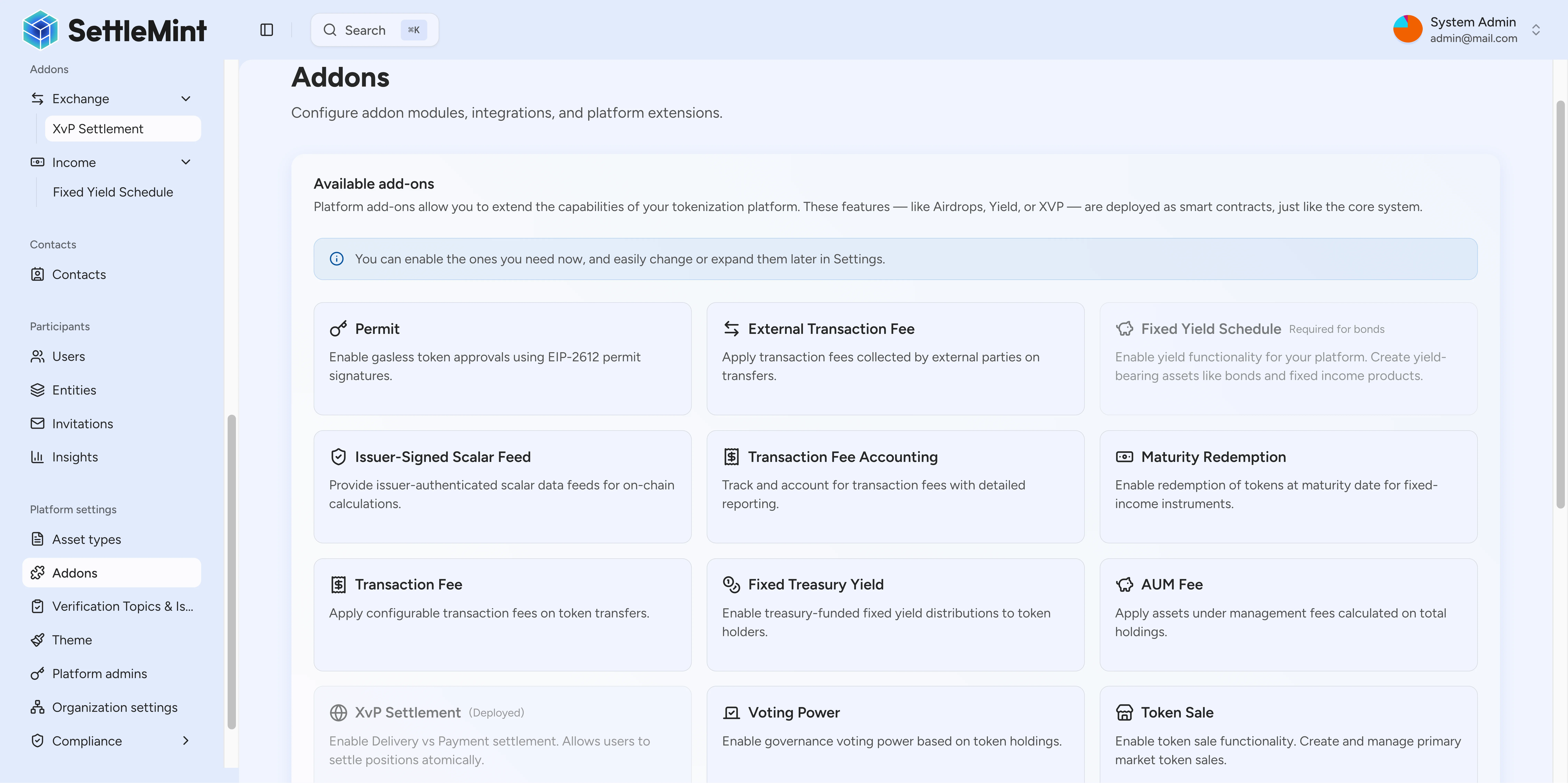
Learn how to discover and install system addons from the on-chain Directory registry. The Add-ons settings page shows addon types that are visible for administrator installation.
The Add-ons settings page shows the Directory-registered addon types available for administrator installation in your environment.
Prerequisites
- Platform administrator access
- Understanding of which addon types your organization needs
Install from Settings
Go to Settings > Add-ons in the platform navigation.
The page displays visible addon types registered in the Directory. Each visible addon shows its name, description, and category.
Visible addon types include:
- XvP Settlement - Atomic multi-party exchanges
- Yield Schedule - Automated yield distributions
- Airdrop - Token distribution mechanisms
Click Install on the addon you want to enable. The system deploys the addon to your platform.
Once installed, the addon status changes to "Installed" and becomes available for use with your assets.
After installation, you can configure addon-specific settings such as:
- Default parameters for new instances
- Role assignments
- Integration options
Install during onboarding
When creating a new tokenized asset, you can install addons as part of the onboarding wizard:
On the Add-ons step, browse available addon types from the Directory. Select all addons your asset needs.
For each selected addon, provide the necessary configuration: - Initial parameters - Access controls - Integration settings
Finish the wizard. Selected addons are installed and configured automatically.
Understanding addon types
The Directory registry supports several addon categories:
Distribution addons
- Push Airdrop - Admin-initiated token distribution
- Vesting Airdrop - Time-locked token releases with schedules
- Time-bound Airdrop - Limited window token claims
Exchange addons
- XvP Settlement - Atomic cross-party asset exchanges
Income addons
- Yield Schedule - Automated yield and dividend distributions
Vault boundary
Vault is a contract-level multi-signature treasury capability, not a visible Add-ons settings installer. For the vault contract model, roles, and transaction lifecycle, see the Vault architecture reference.
After installation
Once an addon is installed:
- Authorized users can create instances - Users with appropriate permissions can create specific addon instances for their assets
- Operations are recorded on-chain - All addon activities create audit trails
- API access is available - Integrate addon functionality into your workflows
Need help?
Contact your platform administrator if you need assistance selecting or configuring addons.
Troubleshooting
| Issue | Solution |
|---|---|
| Addon not appearing in list | Verify the addon type is registered in the Directory. Contact platform administrator. |
| Cannot install addon | Ensure you have administrator permissions. |
| Addon installed but not working | Check addon configuration and user permissions. |
Related
System addons overview
System addons extend DALP environments with optional factories for settlement, distribution, income, fee, data, conversion, and infrastructure workflows.
Review addon workspaces
Open an installed addon workspace, continue into XvP settlement actions, and review token sale instances from the DALP dapp.