

Asset Console
The Asset Console provides a comprehensive web interface for digital asset lifecycle management. Built with enterprise authentication, theme customization for Asset Console branding, and multi-language support, the console adapts to institutional requirements while maintaining consistent security standards.
Overview
The Asset Console is the primary interface for platform operators managing digital assets. The console provides role-based workflows that guide users through complex operations while maintaining complete audit trails. Every action requiring blockchain interaction passes through wallet verification to prevent unauthorized transactions.
Institutional asset management demands interfaces purpose-built for compliance and operational rigor. The Asset Console addresses these requirements through structured workflows, mandatory verification gates, comprehensive activity logging, and extensive customization options for enterprise deployments.
The console communicates through the Unified API. This architecture ensures consistent behavior between console operations and programmatic API access. The same validation, permissions, and audit logging apply regardless of access method.
Core capabilities
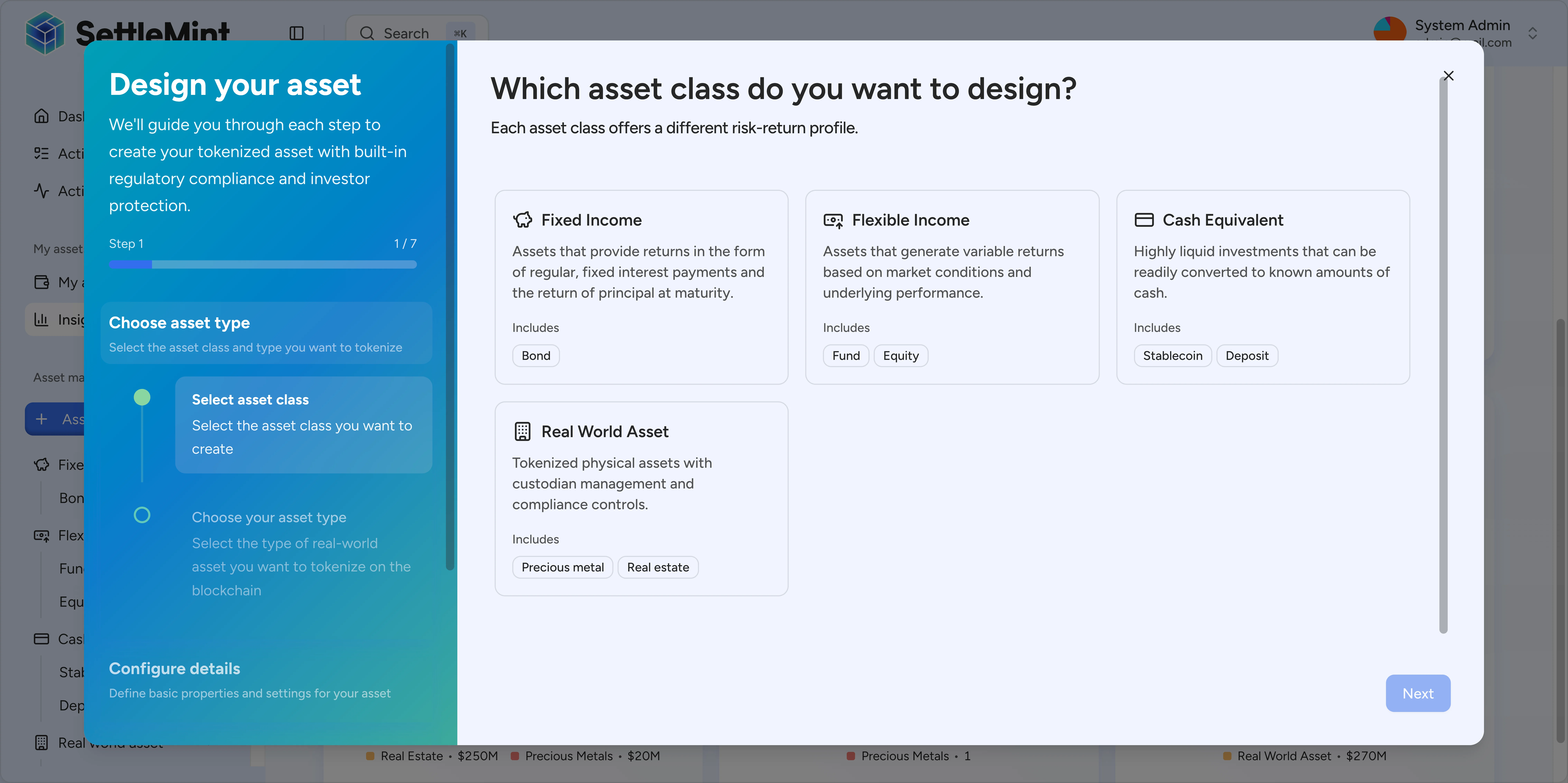
Asset creation and configuration
The console guides issuers through asset tokenization with structured forms and validation. Required fields ensure regulatory compliance while optional parameters accommodate jurisdiction-specific requirements. Asset preview displays exact on-chain representation before deployment.
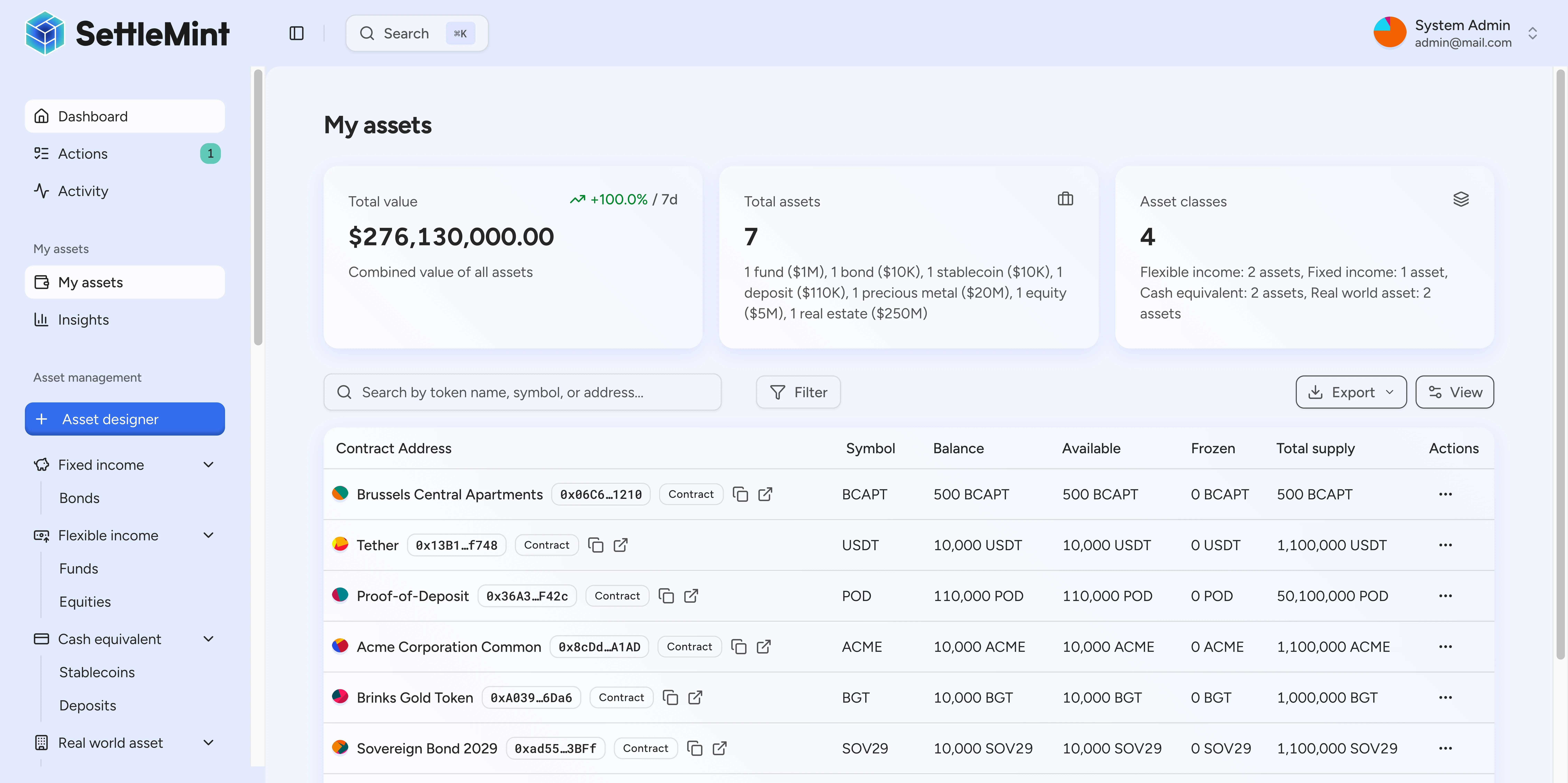
Portfolio management
Investors access consolidated portfolio views showing holdings across asset types. The interface reflects confirmed blockchain state, and historical transaction records provide complete audit trails for tax and compliance reporting.
Holdings overview: Real-time valuations aggregate positions across all asset types—bonds, equities, deposits, stablecoins—into a unified view. Performance metrics track returns over configurable periods.
Transaction history: Complete transaction logs with filtering, export capabilities, and categorization for tax reporting. Each transaction links to its blockchain record for verification.
Compliance status: Investors see their verification status, claim expirations, and any pending requirements. Proactive notifications alert users before claims expire to prevent transfer restrictions.
Compliance workflows
Compliance officers review investor verification submissions through dedicated queues. Risk scoring surfaces priority reviews while bulk actions reduce repetitive work in high-volume operations. All decisions record timestamps, reviewers, and rationale for regulatory defense.
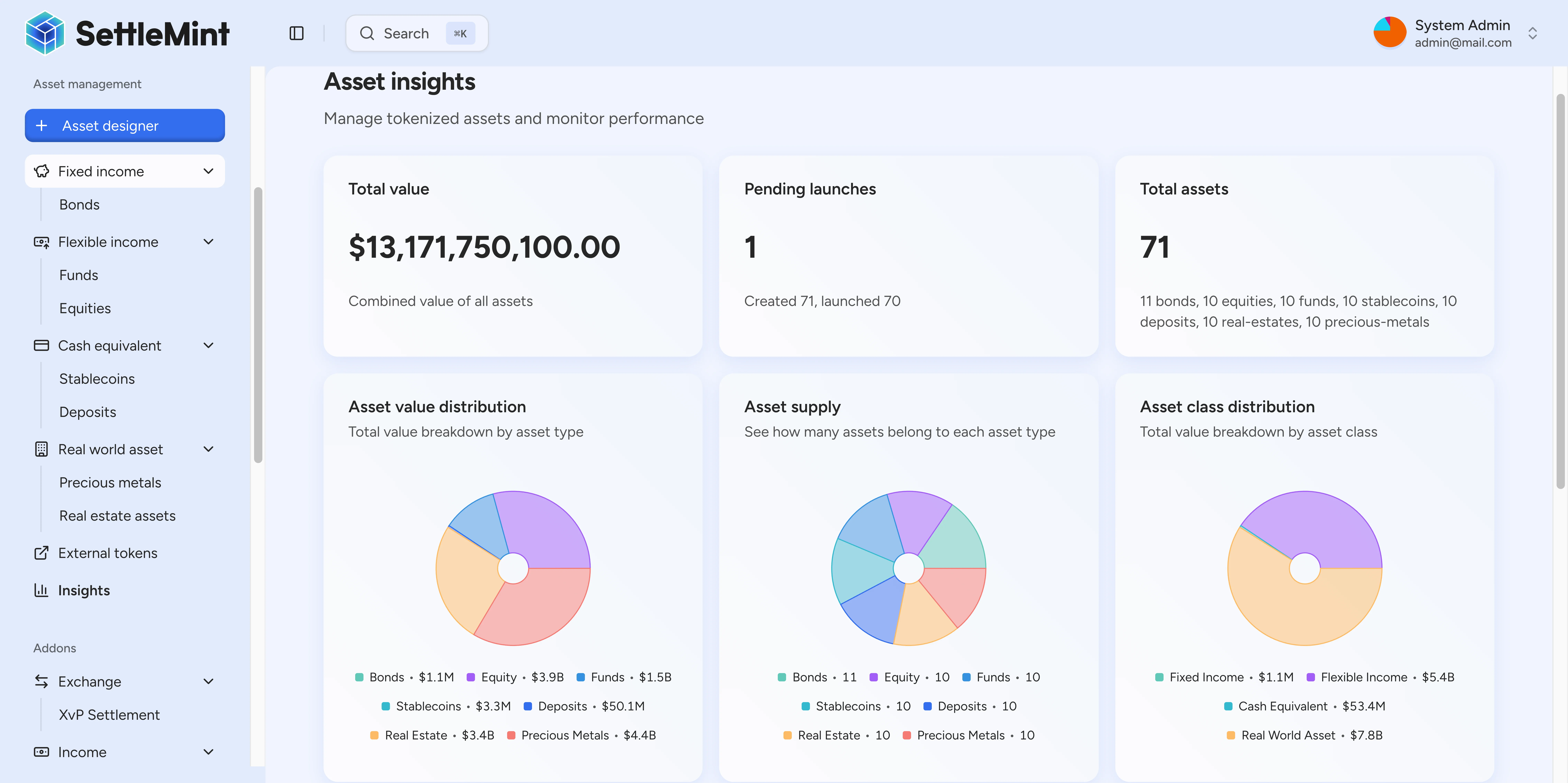
Distribution management
The console manages dividend payments, interest distributions, and yield allocations. Calculation previews display per-investor amounts before execution. Post-distribution reports confirm delivery and flag any failed transfers for remediation.
Customization
The Asset Console supports comprehensive customization for enterprise deployments, covering both visual branding and language localization.
White-labeling
Enterprise deployments apply consistent branding to the Asset Console through the theme system. Customizable elements include logo variants, authentication-screen imagery, background images, favicons, Apple touch images, color tokens, and typography.
Theme preview diffs and full theme configurations use these public payload keys:
| Key | Controls |
|---|---|
logo | Primary, compact, and authentication logo URLs such as lightUrl, darkUrl, lightIconUrl, darkIconUrl, authLightUrl, and authDarkUrl |
images | Authentication overlays, background images, favicons, Apple touch images, and favicon variants |
fonts | sans and mono font family, source, weight, preload, and custom URL settings |
cssVars.light / cssVars.dark | Light-mode and dark-mode color tokens |
metadata | Full theme updates include version and update metadata for optimistic concurrency |
Administrators can preview a diff with baseVersion before applying the reviewed theme change.
Public branding assets
Uploaded branding assets are intended for direct rendering in the user interface. Logo, authentication-screen, background, favicon, and Apple touch assets can be served through public /dalp/... asset URLs so browsers can load the active theme without an API call.
Do not use public branding asset URLs for investor files, token documents, KYC evidence, or operational attachments. Those files stay behind the relevant document workflows and should be retrieved through the KYC or token document download APIs when an authorized user needs access.
Internationalization
The console provides full multi-language support with type-safe translations across all interface elements. Supported languages include English (en-US), German (de-DE), Japanese (ja-JP), and Arabic (ar-SA) with full right-to-left layout support. Language selection can be configured through user preference, browser detection, or deployment-wide defaults via Helm values.
Accessibility
The Asset Console implements WCAG 2.1 Level AA accessibility standards:
- Full keyboard navigation for all workflows
- Screen reader optimization with semantic markup
- Color contrast ratios meeting accessibility guidelines
- Focus indicators for interactive elements
- Skip navigation links for efficient browsing
See also
- Authentication and security for identity management
- Roles and tenancy for access control and multi-tenant configuration
- Unified API for programmatic access
- DALP Execution Engine for operation processing
Overview
The platform layer is where operators and integrators enter DALP. The Asset Console, Unified API, and System Factory turn user intent into authenticated, authorized, and audited backend operations.
Unified API
The Unified API provides type-safe programmatic access to all digital asset lifecycle operations. With automatic OpenAPI generation, the API combines type safety, comprehensive documentation, and multi-layer security including wallet verification for blockchain transactions.