

Asset decimals
Understand how asset amounts work with scaled integers and dnum format.
Asset amounts in the API use scaled integers, not decimal numbers. This guide explains why and how to work with them correctly.
Quick summary
- Amounts are integers scaled by 10^decimals (no floating-point)
- API accepts plain strings OR dnum tuples for input
- API responses return decimal strings:
"1.000000"(locale-independent, trailing zeros preserve precision) - Formula:
scaled_value = human_amount × 10^decimals
Why scaled integers?
Computers can't do reliable decimal math. Try this in any programming language:
0.1 + 0.2 = 0.30000000000000004For financial calculations, this is unacceptable. The solution: store everything as integers.
Think of it like storing money as cents instead of dollars:
$10.50becomes1050cents- No decimal point, no rounding errors
Blockchains use the same approach. The decimals field tells you how to convert:
- 0 decimals = whole units (like shares)
- 2 decimals = cents (like USD)
- 18 decimals = standard for most tokens
The dnum format
The platform uses dnum (decimal number) tuples to represent amounts:
[scaled_value, decimals]Examples:
- 100 shares (0 decimals):
["100", 0] - $10.50 (2 decimals):
["1050", 2] - 1.5 tokens (18 decimals):
["1500000000000000000", 18]
The first element is a BigInt in code. Over JSON/HTTP, it serializes as a string to preserve precision.
Sending API requests
The API accepts two formats for amounts:
Option 1: Plain string (simpler)
Just send the scaled value as a string:
{
  "amounts": "1500000000000000000"
}
Option 2: Dnum tuple (recommended)
Pairs the value with decimals—matches the response format:
{
  "amounts": ["1500000000000000000", 18]
}
Batch operations
For multiple amounts, use arrays:
{
  "amounts": [
    ["1500000000000000000", 18],
    ["500000000000000000", 18]
  ]
}
Reading API responses
Responses return locale-independent decimal strings. Trailing zeros encode the precision so the round-trip is lossless:
{
  "totalSupply": "1000.000000000000000000",
  "basePrice": "100.00"
}
To convert back to human-readable, parse the decimal string directly — no division required:
"1000.000000000000000000" → 1000 tokens (18 decimal places of precision)
"100.00" → $100.00 (2 decimal places)
Legacy format (backward compatibility)
Older API versions returned dnum tuples. Both the SDK and direct callers handle this transparently:
{
  "totalSupply": ["1000000000000000000000", 18]
}
If you interact with a mix of old and new API versions during a rolling deployment, the deserializer accepts both formats automatically.
Quick reference
| You want to send | Decimals | Plain string | Dnum tuple |
|---|---|---|---|
| 100 shares | 0 | "100" | ["100", 0] |
| 10.50 dollars | 2 | "1050" | ["1050", 2] |
| 1.5 tokens | 18 | "1500000000000000000" | ["1500000000000000000", 18] |
| 0.001 tokens | 18 | "1000000000000000" | ["1000000000000000", 18] |
Converting amounts
Human-readable to API format
To convert "1.5" with 18 decimals:
1. Split at decimal point: whole = "1", fraction = "5"
2. Pad fraction to 18 chars: "500000000000000000"
3. Concatenate: "1" + "500000000000000000" = "1500000000000000000"
4. Result: ["1500000000000000000", 18]
API response to human-readable
Responses now return a locale-independent decimal string like "1.500000000000000000". Parse the decimal point directly — no division required. The number of digits after the decimal point tells you the precision.
If you receive a legacy tuple ["1500000000000000000", 18] (from an older server during a rolling deployment):
1. Divide: 1500000000000000000 ÷ 10^18 = 1 (whole part)
2. Remainder: 1500000000000000000 % 10^18 = 500000000000000000
3. Format: "1.500000000000000000"
Use BigInt libraries
Never use floating-point for these calculations. Use your language's arbitrary precision integer library (BigInt, BigInteger, bcmath, etc.) to avoid precision loss.
Checking asset decimals
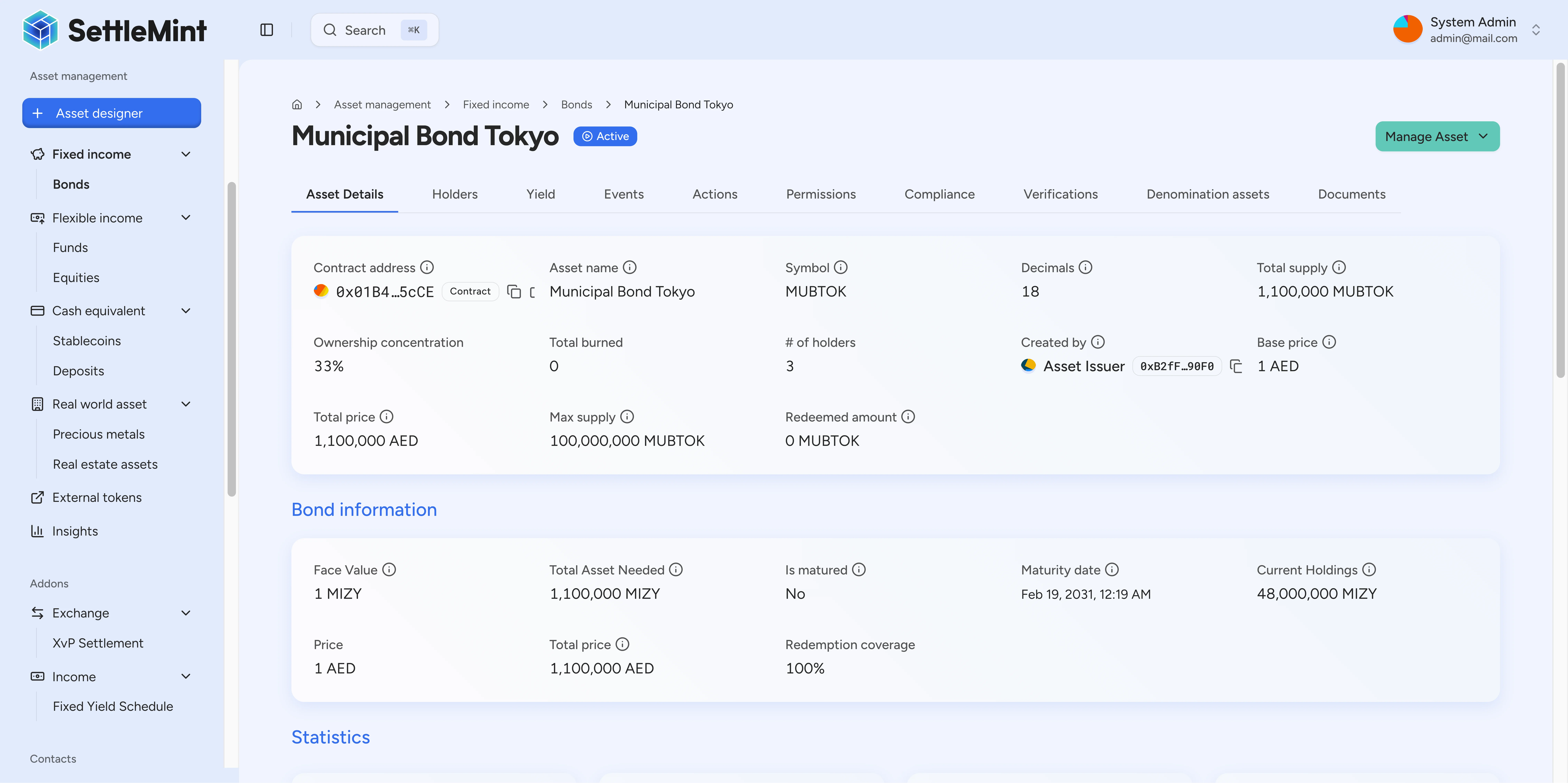
Always check the asset's decimals before sending amounts:
curl -X GET "https://your-platform.example.com/api/token/0x9459D52E60edBD3178f00F9055f6C117a21b4220" \
  -H "X-Api-Key: YOUR_API_KEY"
Response:
{
  "name": "ACME Holdings Common Stock",
  "symbol": "ACME",
  "decimals": 0,
  "totalSupply": "1000000"
}
Common mistakes
| Mistake | Problem | Fix |
|---|---|---|
"amounts": "1.5" | Sends 15 smallest units, not 1.5 tokens | Multiply by 10^decimals first |
Using float/double | Precision loss on large numbers | Use BigInt/BigInteger |
"1.5e18" | Scientific notation may not parse | Use full integer string |
| Forgetting to check decimals | Wrong scale for the asset | Always GET the asset first |
Full example
# Step 1: Get asset info (including decimals)
curl -X GET "https://your-platform.example.com/api/token/0x1234..." \
  -H "X-Api-Key: YOUR_API_KEY"

# Response shows decimals: 18

# Step 2: Calculate amount for 1.5 tokens
# 1.5 × 10^18 = 1500000000000000000

# Step 3: Mint using dnum tuple (recommended)
curl -X POST "https://your-platform.example.com/api/token/0x1234.../mint" \
  -H "X-Api-Key: YOUR_API_KEY" \
  -H "Content-Type: application/json" \
  -d '{
    "recipients": ["0xABCD..."],
    "amounts": ["1500000000000000000", 18],
    "walletVerification": {
      "verificationType": "PINCODE",
      "secretVerificationCode": "123456"
    }
  }'
Related guides
- Mint Assets - Issue assets to investors
- Forced Transfer - Administrative transfers
- API Reference - Full OpenAPI specification