

Token lifecycle
Visual flowcharts showing the complete token lifecycle from creation through minting, transfers, burns, event reconciliation, and idempotent token creation retries.
This guide visualizes the token lifecycle through flowcharts for each major operation. Use these diagrams to understand the sequence of API calls, required roles, and decision points when building automated workflows.
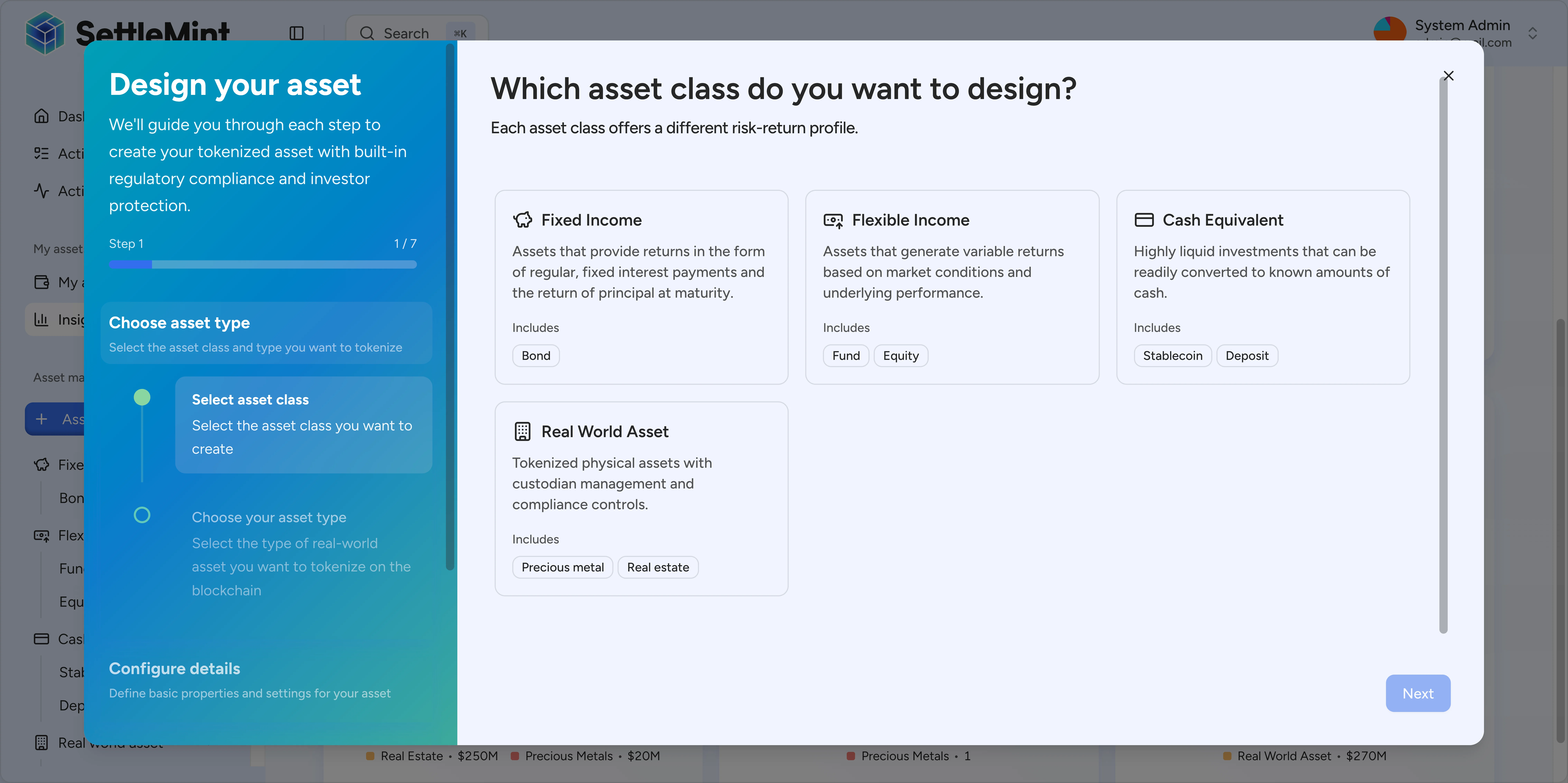
Create token operation
Creating a token deploys a new smart contract and configures its initial parameters.
Prerequisites:
- API key for authentication
tokenManagersystem role- Registered identity for your wallet
Required inputs:
- Common:
type,name,symbol,decimals,countryCode,initialModulePairs,walletVerification - Template-created assets:
templateId, optionalmetadataValues, optionalfeatureConfigs - Bond-specific:
faceValue,maturityDate,denominationAsset - Stablecoin-specific:
priceCurrency,basePrice - Fund-specific:
priceCurrency,basePrice
When an asset is created from an instrument template, Asset Designer composes the selected asset type, required token features, feature settings, metadata fields, and optional compliance template into the deployable asset configuration. metadataValues can fill the template's metadata fields at deployment time. It is only required when the selected template defines required metadata fields; otherwise omitted metadata is treated as an empty object. Fields configured as immutable in the template are locked on the deployed token. Restricted-mutable fields are submitted without that on-chain lock and remain editable through the token metadata API, subject to the token setMetadata governance permission. For the full template model, see instrument templates. Wallet verification for metadata updates follows the specific route and authentication flow: the public input schema models walletVerification as optional, while routes that sign transactions may still require a verification payload at runtime.
Idempotent retries and pending creation status
Send a unique Idempotency-Key header for each token creation attempt. POST /api/v2/tokens stores that key with the submitting wallet, active chain, and token.create operation so a retry can attach to the same durable creation workflow instead of starting another deployment.
Use the same key only when you are retrying the same token creation request after a network timeout, browser refresh, or client-side disconnect. Do not reuse the key for a different token, a different wallet selection, or a second manual attempt. DALP rejects expired keys, cancelled workflows, and retries that reuse a key with a different wallet selection as conflicts.
Token creation can finish synchronously or return an asynchronous queue response:
{
  "transactionId": "01934567-89ab-7def-8123-456789abcdef",
  "status": "QUEUED",
  "statusUrl": "/api/v2/transaction-requests/01934567-89ab-7def-8123-456789abcdef"
}
When you receive this shape, poll statusUrl instead of submitting the create request again with a new key. A second request with the same key attaches to the existing workflow while it is still running.
After the workflow completes, a duplicate replay returns the cached transaction result when DALP can attach to the completed request. If the replay cannot attach safely because the idempotency key expired, the original workflow was cancelled, or the wallet selection changed, DALP returns HTTP 409 Conflict. Reconcile through the transaction status endpoint and token reads before deciding whether any new token creation is needed.
For token creation retries, use this decision table:
| Situation | Client action |
|---|---|
Initial response returns transactionId, status, statusUrl | Poll statusUrl until the queue state is terminal. Keep the original idempotency key recorded. |
| Browser or network times out before a response is received | Retry the same request with the same idempotency key and the same wallet selection. |
| Same key returns a completed transaction result | Do not create a second token. Check the transaction status and token catalogue for the result. |
| Same key returns conflict for a cancelled or expired workflow | Start a new token creation only after confirming the old request did not create the token. |
| Wallet selection, executor mode, or token payload changes | Treat this as a different operation and use a new idempotency key. |
The status endpoint returns the queue status, optional subStatus, primary transactionHash, any transactionHashes for multi-transaction workflows, blockNumber, and errorMessage. Use it as the source for retry decisions. Idempotency prevents duplicate submissions; it does not replace event or indexer reconciliation after the token exists. For webhook-side finality, read Idempotency and on-chain outcome.
Reconcile lifecycle operations with token events
After a token exists, use transaction status for the submitted operation and token events for the indexed activity trail. The events endpoint returns a token-scoped, paginated feed for the token contract, token-owned feature contracts, per-token identity registries, and other indexed events that involve the token without being assigned to a different token.
Use this split in production automation:
| Need | Read path |
|---|---|
| Check whether a queued mutation finished | Poll the statusUrl returned by the mutation until it reaches a terminal state. |
| Rebuild the token timeline for an audit view | Read GET /api/v2/tokens/{tokenAddress}/events with timestamp, wallet, event-name, or transaction filters. |
| Confirm latest holder or token state | Re-read the relevant token, holder, feature, or metadata endpoint after the event appears. |
| Receive pushed notifications in another tool | Subscribe through the events catalogue instead of polling the token events REST endpoint. |
Treat token events as historical evidence, not as the only source of current state. A lifecycle operation can emit several logs in one transaction, and feature or identity-registry events can appear beside mint, transfer, burn, and setup events for the same token.
Auto-granted roles:
When you create a token, you automatically receive:
admin– Allows granting other roles on this tokengovernance– Allows configuring compliance modules and token parameters
Creator in API reads:
Token read responses include createdBy.id. For DALP-created tokens, this normally identifies the wallet address that submitted the factory creation event.
Older token records may return the token factory contract address instead when the creator wallet was not captured. Treat createdBy.id as creation attribution for audit views, and check whether the value is a wallet or factory address before assigning human ownership.
Do not treat it as the current admin, owner, or only account allowed to manage the token. Token permissions are governed by token roles and wallet verification for each mutation.
Next steps:
- Grant
supplyManagementrole (for minting) - Grant
emergencyrole (for unpausing) - Unpause the token
- Add collateral (stablecoins only)
- Mint initial supply
Example guides:
V2 scoped compliance modules
V2 tokens can install multiple instances of the same compliance module type when each instance is installed through
POST /api/v2/tokens/{tokenAddress}/compliance-modules/scoped with both params and scope. V1 tokens use the
legacy single-instance compliance routes instead; calls to scoped install, scoped params-and-scope update, or scope-only
update endpoints are rejected for V1 tokens with the scoped-compliance V2-engine errors (DALP-0434, DALP-0435, or
DALP-0436).
Use the token compliance routes as a lifecycle control surface after the token exists and before you allow unrestricted operations on the asset:
| Task | Endpoint | When to use it |
|---|---|---|
| Read token compliance module bindings | GET /api/v2/tokens/{tokenAddress}/compliance-modules | Reconcile the module list before changing policy or displaying transfer controls; V2 responses include active and inactive bindings. |
| Install one module instance | POST /api/v2/tokens/{tokenAddress}/compliance-modules | Add a standard module configuration to a V2 token. |
| Install a scoped module instance | POST /api/v2/tokens/{tokenAddress}/compliance-modules/scoped | Add another instance of the same module type with a sender, receiver, country, or execution-mode scope. |
| Update standard module parameters | PATCH /api/v2/tokens/{tokenAddress}/compliance-module-parameters | Change configuration for an installed module without changing its scope. |
| Update only a scoped instance's scope | PUT /api/v2/tokens/{tokenAddress}/compliance-modules/{instanceAddress}/scope | Keep module parameters unchanged while narrowing or broadening who the instance applies to. |
| Update scoped parameters and scope together | PATCH /api/v2/tokens/{tokenAddress}/compliance-modules/{instanceAddress}/scoped-parameters | Apply one signed change when both the rule configuration and rule scope change. |
| Remove a module instance | DELETE /api/v2/tokens/{tokenAddress}/compliance-modules | Remove a policy binding. Include moduleAddress in the request body; for multi-instance modules, also include the binding instanceAddress. |
Scoped module requests use the same compliance params object as other module configuration calls and add a token-level
scope. The scope can target senders and receivers by claim expressions (senderInclusion, senderExemption,
receiverInclusion, receiverExemption) and by ISO 3166-1 numeric country include/exclude arrays
(senderCountryInclusion, senderCountryExclusion, receiverCountryInclusion, receiverCountryExclusion). The
executionMode field accepts 0 or 1. When every scope array is empty and executionMode is 0, all transfers go
through the module.
Compliance responses can include scoped binding fields: instanceAddress, isActive, and scope. These fields are
only present on scoped compliance responses and may be omitted by older or legacy token compliance responses. SDK and UI
consumers should guard these fields before reading them for legacy tokens. Use instanceAddress when updating a specific
instance. To update parameters and scope together under one wallet verification, call
PATCH /api/v2/tokens/{tokenAddress}/compliance-modules/{instanceAddress}/scoped-parameters instead of chaining a params
update with a separate scope update.
Feature operations runbook
Some token features add day-two servicing operations after issuance. Use feature endpoints only after the features read endpoint shows the matching feature attached. The legacy bond redemption pool row is the exception: use that top-up only for legacy bonds without the maturity-redemption feature attached. The generated SDK exposes the same token routes; use the SDK operation that corresponds to the endpoint below when you prefer typed calls over direct HTTP.
Read feature state before submitting a mutation:
| Read purpose | Endpoint | Use before |
|---|---|---|
| Attached token features | GET /features | Feature mutations; confirm the token actually has the required feature. |
| Conversion feature address | GET /conversion-feature-probe | Add authorized converter; confirm the address exposes conversion logic. |
| Published conversion triggers | GET /conversion/triggers | Holder conversion, forced conversion, or trigger disablement. |
| Token events and action status | GET /events and GET /actions | Operational audit trails after feature mutations. |
The features response is returned in data.configurable. Check whether data.configurable is null before reading the feature list. DALP returns null when it cannot build a configurable feature block for the token. For example, the token may not be available in the indexed token set yet.
When data.configurable is present, features contains one item per feature contract and featuresCount reports the total. Each item includes:
featureAddress,typeId, andfeatureFactoryisAttached,attachedAt, anddetachedAt- feature-specific state blocks, such as
aumFee,maturityRedemption,fixedTreasuryYield,conversion, orconversionMinter, when the feature exposes readable configuration or operational state
Feature-specific blocks that do not apply are null. Some attached features can have isAttached: true without a populated state block when there is no additional read model for that feature. Treat the block as optional feature state, not proof that the feature is attached.
When data.configurable is present but no feature contracts are discovered for the token, features is an empty array and featuresCount is 0. Skip feature routes until the array contains a matching attached feature. Use the feature-specific blocks only for the state fields those routes need to display or prefill.
If a feature is created again for the same token, read GET /api/v2/tokens/{tokenAddress}/features again before you prefill forms or submit holder actions. DALP exposes the current feature configuration and current read state for the active feature. Do not reuse cached totals, checkpoints, schedules, triggers, or delegation state from the previous feature instance.
Run feature operations in this order:
- Read
GET /api/v2/tokens/{tokenAddress}/featuresand skip unsupported feature routes. For legacy bond redemption pool top-ups, use the legacy route only when the maturity-redemption feature is not attached. - Check treasury-backed features before execution: confirm the treasury address is configured, verify the treasury has enough denomination-asset balance for the intended claim or redemption, and top up before holders submit payout calls.
- For configurable features, update governance-controlled rates, recipients, windows, triggers, or exemptions before opening holder operations.
- Submit the holder, custodian, or governance mutation. Synchronous responses include
data,meta.txHashes, andlinks; async responses returntransactionId,status, andstatusUrl. - Poll
statusUrlfor async requests, or use the token events and actions reads to reconcile the transaction hash and resulting token state.
| Feature area | Operation | Endpoint | Required role or signer condition |
|---|---|---|---|
| AUM fee | Set rate | PATCH /aum-fee/bps | governance |
| AUM fee | Set recipient | PATCH /aum-fee/recipient | governance |
| AUM fee | Collect accrued fee | POST /aum-fee/collections | No token role required |
| AUM fee | Permanently freeze rate | POST /aum-fee/rate-freezes | governance |
| Fixed treasury yield | Deploy and attach feature | POST /fixed-treasury-yield/features | governance; configurable tokens with yield support |
| Fixed treasury yield | Claim accrued yield | POST /fixed-treasury-yield/claims | Wallet-verified caller; holder accrual is enforced on-chain |
| Fixed treasury yield | Set treasury | PATCH /fixed-treasury-yield/treasury | governance |
| Fixed treasury yield | Top up treasury | POST /fixed-treasury-yield/top-ups | Caller funds the transfer from their own wallet; no token role required |
| Fixed treasury yield | Approve treasury allowance | POST /fixed-treasury-yield/treasury-allowance | Treasury wallet signs; wallet treasuries only |
| Maturity redemption | Mature the asset | POST /maturity-redemption/maturations | governance |
| Maturity redemption | Trigger early maturity | POST /maturity-redemption/early-maturations | emergency |
| Maturity redemption | Set treasury | PATCH /maturity-redemption/treasury | governance |
| Maturity redemption | Top up treasury | POST /maturity-redemption/top-ups | Caller funds the transfer from their own wallet; no token role required |
| Maturity redemption | Redeem matured tokens | POST /maturity-redemption/redemptions | Wallet-verified caller; holder balance is enforced on-chain |
| Transaction fee | Read collection history | GET /transaction-fee/collections | API key |
| Transaction fee | Set mint, burn, and transfer rates | PATCH /transaction-fee/rates | governance |
| Transaction fee | Set recipient | PATCH /transaction-fee/recipient | governance |
| Transaction fee | Freeze rates | POST /transaction-fee/rate-freezes | governance |
| External transaction fee | Set mint, burn, and transfer amounts | PATCH /external-transaction-fee/amounts | governance |
| External transaction fee | Set recipient | PATCH /external-transaction-fee/recipient | governance |
| External transaction fee | Set fee token | PATCH /external-transaction-fee/token | governance |
| External transaction fee | Freeze external fees | POST /external-transaction-fee/rate-freezes | governance |
| Transaction fee accounting | Set accounting rates | PATCH /transaction-fee-accounting/rates | governance |
| Transaction fee accounting | Set accounting recipient | PATCH /transaction-fee-accounting/recipient | governance |
| Transaction fee accounting | Freeze accounting rates | POST /transaction-fee-accounting/rate-freezes | governance |
| Transaction fee accounting | Reconcile accrued fees | POST /transaction-fee-accounting/reconciliations | governance |
| Transaction fee accounting | Set or remove account exemption | PUT /transaction-fee-accounting/exemptions | governance |
| Conversion | Publish trigger | POST /conversion/triggers | governance |
| Conversion | Disable trigger | POST /conversion/trigger-disablements | governance |
| Conversion | Set conversion window | PATCH /conversion/window | governance |
| Conversion | Convert holder tokens | POST /conversion/conversions | Wallet-verified caller; holder balance is enforced on-chain |
| Conversion | Force convert holder tokens | POST /conversion/forced-conversions | custodian |
| Conversion | Check converter address | GET /conversion-feature-probe | API key |
| Conversion | Add authorized converter | POST /conversion/authorized-converters | governance |
| Conversion | Remove authorized converter | DELETE /conversion/authorized-converters | governance |
| Legacy bond redemption pool | Top up legacy denomination pool | POST /redemptions/denomination-top-ups | Caller funds the transfer from their own wallet; no token role required |
All endpoints in the table are under /api/v2/tokens/{tokenAddress}. Treasury top-ups transfer denomination asset from
the caller's wallet to the configured feature treasury or legacy redemption pool; they do not mint new payout assets.
Collection reads return paginated data, meta, and links responses and do not submit transactions. The conversion
feature probe is a single read: pass converterAddress as a query parameter and treat data.isConversionFeature: true as
the signal that the address exposes the expected conversion feature interface. DALP returns false when the address does
not expose that interface; provider or network failures still surface as request errors.
For add and remove authorized converter requests, {tokenAddress} is the target token where conversion-minter is
attached. Send the loan-side Conversion feature address in the request body as the converter.
For wallet treasuries, the fixed treasury yield allowance endpoint approves the yield schedule to spend denomination asset
from the treasury when holders claim yield. Contract treasuries do not use that wallet approval flow.
Holder-bound claim, redemption, and conversion endpoints verify the caller wallet before queue submission, but the eligible
balance, principal, or accrual check happens in the feature contract. A non-holder or holder without an eligible amount can
reach the queue and then fail or revert during on-chain execution.
User-visible failures usually mean the feature is not attached, the caller lacks the listed role, wallet verification is
missing or expired, a holder-bound operation has no eligible on-chain balance, accrual, or principal, a treasury-backed
payout has insufficient denomination-asset funding, a conversion trigger is inactive or outside its window, a fee rate has
been frozen, or the transaction queue accepted the request but later reports failed. Treat timeout responses as unknown
status: check the returned transaction status or token events before retrying to avoid duplicate operations.
Mint tokens operation
Minting increases the token supply and sends tokens to specified recipients.
Prerequisites:
- API key for authentication
supplyManagementtoken role- Token must be unpaused (requires
emergencyrole) - Recipients must have registered identities
- For stablecoins: sufficient collateral must be added (requires trusted issuer status)
Required inputs:
tokenAddress– Contract address from token creationrecipients– Array of wallet addressesamounts– Array of amounts in smallest unit (BigInt)walletVerification– PINCODE verification
Validation checks:
- Token is unpaused
- Caller has
supplyManagementrole - Minting does not exceed cap (if set)
- Recipients have registered identities
- Stablecoins: sufficient collateral exists
Amount calculation:
All tokens use 18 decimals. To mint 100 tokens:
import { from } from "dnum";

const amount = from("100", 18); // 100 tokensExample:
import { from } from "dnum";

await client.token.mint({
  tokenAddress: "0xABCD...",
  recipients: ["0x1234...", "0x5678..."],
  amounts: [from("100", 18), from("200", 18)],
  walletVerification: {
    verificationType: "PINCODE",
    secretVerificationCode: "123456",
  },
});
Burn tokens operation
Burning permanently reduces the token supply by destroying tokens from the caller's balance.
Before DALP queues a burn, the API checks the holder's indexed available balance. Frozen balance is not spendable. If the requested raw amount is greater than the holder's available balance, the API rejects the request before submitting an on-chain transaction.
Prerequisites:
- API key for authentication
supplyManagementtoken role- Sufficient available token balance to burn
Required inputs:
tokenAddress– Contract addressamount– Amount to burn in smallest unit (BigInt)walletVerification– PINCODE verification
Validation checks:
- Caller has
supplyManagementrole - Caller has sufficient available balance to burn
- Amount is greater than zero
Example:
import { from } from "dnum";

await client.token.burn({
  tokenAddress: "0xABCD...",
  amount: from("50", 18),
  walletVerification: {
    verificationType: "PINCODE",
    secretVerificationCode: "123456",
  },
});
Use cases:
- Reduce supply after redemptions
- Adjust stablecoin supply to match collateral
- Retire tokens from circulation
Transfer tokens operation
Transfers send tokens from the caller's balance to a recipient. All transfers undergo compliance checks unless bypassed with a forced transfer.
Before DALP queues a standard transfer or transferFrom, the API checks the indexed available balance for the source address. For standard transfers, the source is the authenticated sender. For transferFrom, the source is the from address. Frozen balance is not spendable.
Prerequisites:
- API key for authentication
- Token holder with sufficient available balance
- Recipient must have registered identity
- Token must not be paused
- Sender and recipient addresses must not be frozen
Required inputs:
tokenAddress– Contract addressto– Recipient wallet addressamount– Amount to transfer in smallest unit (BigInt)walletVerification– PINCODE verification
Compliance checks (automatic):
- Sender has registered identity
- Recipient has registered identity
- Transfer satisfies all active compliance modules (e.g., allowlist, country restrictions, lock-up periods)
- Token is not paused
- Sender and recipient addresses are not frozen
Example:
import { from } from "dnum";

await client.token.transfer({
  tokenAddress: "0xABCD...",
  to: "0x1234...",
  amount: from("25", 18),
  walletVerification: {
    verificationType: "PINCODE",
    secretVerificationCode: "123456",
  },
});
Use cases:
- Send tokens to another investor
- Distribute tokens to multiple recipients
- Transfer tokens to a custody wallet
Forced transfer operation
Forced transfers bypass compliance checks and move tokens between addresses. This is a custodian operation used for regulatory interventions, court orders, or operational recovery.
Prerequisites:
- API key for authentication
custodiantoken role- Source wallet must have sufficient balance
- Destination wallet must not be frozen (source can be frozen)
Required inputs:
tokenAddress– Contract addressfrom– Source wallet addressto– Recipient wallet addressamount– Amount to transfer in smallest unit (BigInt)walletVerification– PINCODE verification
Compliance bypass:
Forced transfers skip all compliance checks including:
- Identity verification
- Allowlist restrictions
- Country/jurisdiction rules
- Lock-up periods
- Frozen sender addresses (but not frozen recipient addresses)
Example:
import { from } from "dnum";

await client.token.forcedTransfer({
  tokenAddress: "0xABCD...",
  from: "0x1234...", // Source wallet (can be frozen)
  to: "0x5678...", // Destination (must not be frozen)
  amount: from("100", 18),
  walletVerification: {
    verificationType: "PINCODE",
    secretVerificationCode: "123456",
  },
});
Use cases:
- Regulatory seizure or forfeiture
- Court-ordered asset recovery
- Operational recovery from compromised wallets
- Resolving stuck transfers due to compliance failures
Audit trail:
Every forced transfer emits a ForcedTransfer event on-chain with:
from– Source addressto– Destination addressamount– Transferred amountexecutor– Custodian who executed the transfertimestamp– Block timestamp
Review forced transfers in the platform's audit log or via token.events.
Next steps
- Asset-specific guides – Follow step-by-step tutorials for each asset type:
- API reference – Explore the OpenAPI spec and generate clients