

Change admin roles
Modify the roles and permissions of existing platform administrators.
Platform administrators may need their roles updated as responsibilities change or new features are added. This guide explains how to modify the roles of existing administrators through the platform settings.
Prerequisites
- Permission manager role (required to modify other administrators' roles)
- Target administrator must already be a platform admin
- Understanding of role implications and dependencies
When to change admin roles
Common scenarios
- Initial setup - First admin needs additional roles after platform initialization
- Role expansion - Admin taking on new responsibilities
- Role reduction - Removing unnecessary permissions following security best practices
- Temporary delegation - Granting time-limited permissions
- Organizational changes - Restructuring administrative responsibilities
Security considerations
- Follow principle of least privilege
- Remove roles when no longer needed
- Document role changes for audit purposes
- Coordinate with affected administrators
Steps to change roles
Access platform admin settings
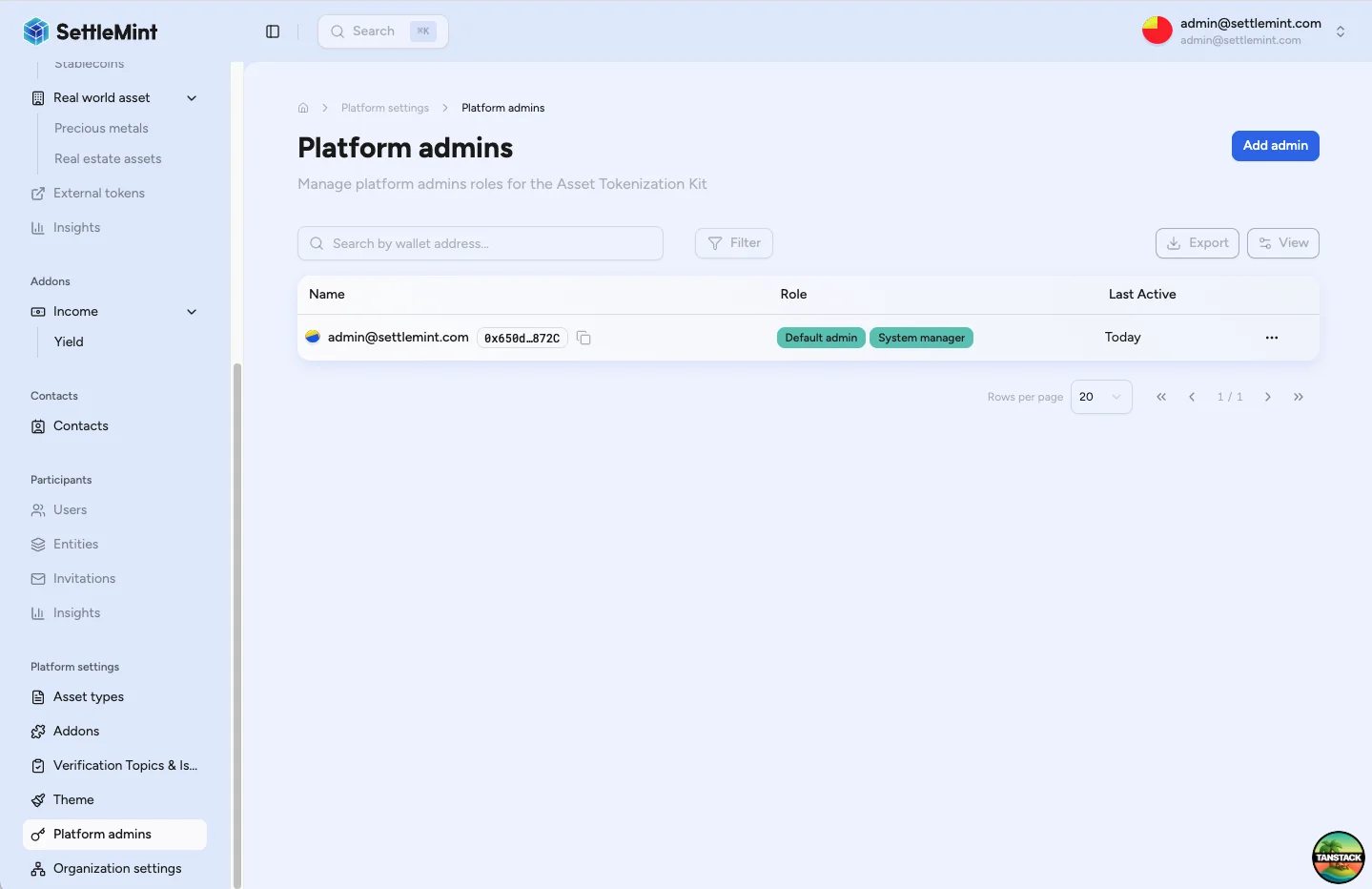
Navigate to Platform Settings > Platform Admins in the sidebar. You'll see a table of all platform administrators showing their name, currently assigned roles, last active time, and an actions menu.
Select administrator
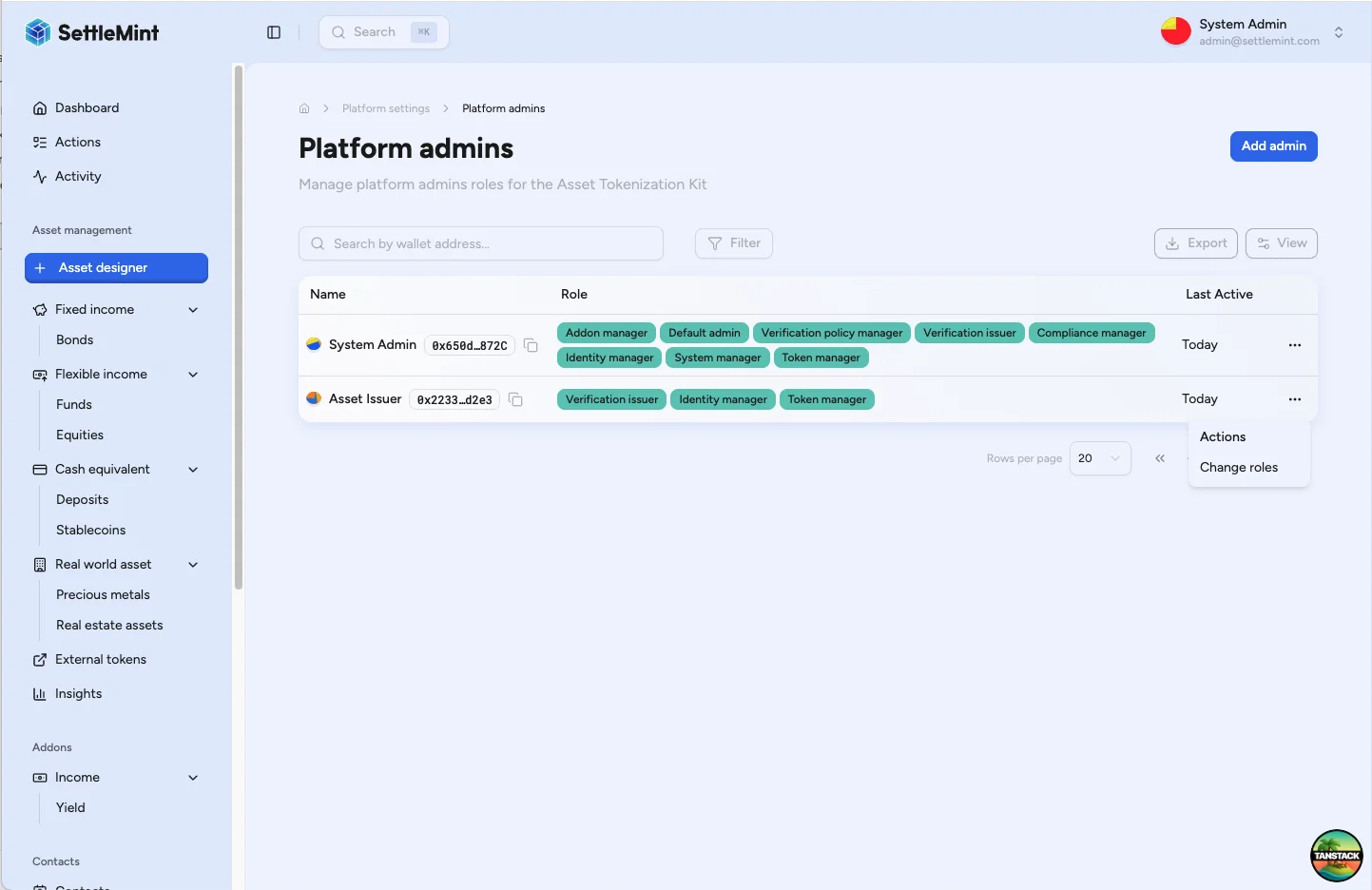
Find the administrator whose roles you want to modify. Click the three dots (⋯) in the Actions column to open the action menu, then select "Change roles".
Modify role assignments
In the role management modal, toggle roles on or off as needed. To add roles, check the boxes for new roles. To remove roles, uncheck the boxes. Consider dependencies between roles and coordinate with the administrator if removing permissions.
Save changes
Click "Save changes" to apply the modifications. Enter your PIN when prompted to authenticate the on-chain transaction.
On-chain permissions
All role assignments are stored on-chain, so you'll need to authenticate with your PIN for each permission change.
Verify role update
After the transaction confirms, the administrator's role list updates in the table and changes take effect immediately. The administrator may need to refresh their session to see the updated permissions.
Available platform roles
For complete role descriptions, permissions, and best practices, see Platform Setup Overview.
Best practices
Role assignment principles
- Separation of duties - Divide critical functions among multiple admins
- Principle of least privilege - Grant only necessary permissions
- Regular review - Audit and update roles periodically
- Documentation - Record role changes and rationale
Security considerations
- Role rotation - Periodically review and update assignments
- Emergency planning - Ensure critical roles have backup coverage
- Access monitoring - Track administrative actions
- Coordination - Communicate role changes to affected administrators
Operational efficiency
- Clear responsibilities - Define what each role can and should do
- Training - Ensure administrators understand their permissions
- Escalation paths - Define how to request additional permissions
- Backup procedures - Plan for administrator unavailability
Role dependencies and conflicts
- Compliance Manager + Verification Policy Manager - Complete compliance setup
- Asset Manager - Full token lifecycle management
- Identity Manager + Verification issuer - Complete user onboarding
Troubleshooting
| Issue | Solution |
|---|---|
| Cannot see Platform Settings menu | • Verify you have Platform Admin role • Check you're logged into the correct organization • Ensure platform is properly initialized |
| Change Roles option not available | • Confirm target user is already a platform admin • Verify you have permission to modify roles • Check the administrator's current status |
| Transaction fails when saving | • Ensure wallet has sufficient gas • Verify your PIN/OTP is correct • Check network connectivity • Try the operation again |
| Roles not updating after transaction | • Wait for blockchain confirmation • Refresh the page • Ask administrator to log out and back in • Check transaction was actually confirmed |
Related guides
- Platform Setup Overview - Complete setup reference
- Add Administrators - Making users administrators
- First Admin Setup - Initial platform setup