

Deployment Architecture
Factory deployment pattern for all asset types. Covers CREATE2 deterministic addressing, initialization invariants, deployment failure modes, and custodian administrative controls.
DALP deploys each asset through a factory-controlled proxy pattern. The factory gives the asset a stable token address, registers the token identity, connects the access manager, and wires compliance before the asset can be used.
Identity, claim topics, and trusted issuers are defined in the claims and identity model. Per-asset compliance module configuration is defined in asset policy.
What the deployment guarantees
A deployed DALP asset has six linked parts: the token proxy, the asset factory, the token implementation selected by that factory, the token OnchainID, the access manager, and the configured compliance engine and modules. The factory transaction must connect those parts before the deployment is usable. If the deployment cannot complete, the transaction reverts and the token is not surfaced as a deployed asset.
Deployment sequence
The deployment path is atomic. The factory creates the access manager, token proxy, token identity, and compliance attachments in one transaction. If a step fails, the deployment reverts rather than leaving a partially initialized asset.
Factory deployment pattern
All asset types follow the same factory deployment pattern:
- The factory receives the asset configuration and deploys the token proxy with deterministic addressing.
- The factory registers the token OnchainID.
- The proxy stores the token factory address and delegates calls to the factory's current token implementation.
- DALP assigns the required system and asset roles, attaches compliance modules, and emits the deployment event used by the indexer.
The factory transaction is atomic. If any step fails, the entire deployment reverts. DALP does not leave a partially deployed token on-chain.
Asset proxy model
DALP asset tokens use factory-directed proxies. Each asset proxy stores its token factory address in a fixed storage slot. When a holder, operator, or integration calls the token, the proxy asks that factory for tokenImplementation() and delegates the call to the returned implementation address.
The system proxy path is different. The system proxy uses the ERC-1967 implementation slot during system upgrades. Asset proxies do not store their own implementation address in an ERC-1967 slot. Existing assets follow the implementation configured on their asset factory.
When an upgrade changes an asset implementation, the migration workflow updates the affected factory's token implementation. Existing token proxies keep their token address, token identity, role assignments, balances, and compliance attachments, then dispatch subsequent calls through the updated token implementation.
Key invariants
These invariants must hold for every deployment. Violating any of them reverts the factory transaction.
- CREATE2 determinism - token addresses are predictable from deployment parameters; the same parameters always produce the same address
- Initialization order - identity must be set before compliance, compliance before transfers are enabled
- Identity before compliance - the OnchainID identity contract must be registered before compliance modules can verify identity claims. See Claims and identity for the wallet, OnchainID, claim-topic, and trusted-issuer model.
- Compliance before transfers - the compliance engine must be configured before any transfer operations are permitted
Known-address prerequisites
The question to answer before you use a predicted address is: are you predicting against the same network, contract bundle, and asset configuration that submits the deployment? If any of those inputs differ, the CREATE2 address can differ or the deployment can fail before the token exists.
Before an integration treats a predicted token address as stable, verify these inputs:
| Input | Required configuration | Why it matters |
|---|---|---|
| Network | Use the same chain ID, RPC endpoint set, finality settings, and enabled/default network entry that DALP uses for deployment and indexing. See Supported networks. | CREATE2 addresses are scoped to one chain. The same asset configuration on another network can resolve to another address. |
| Directory address | Configure the Directory address for that network's deployed DALP system contracts. | The Directory is the root contract DALP uses to resolve deployed system contracts. A missing or wrong Directory points DALP at the wrong contract bundle. |
| Multicall3 address | Configure the network's Multicall3 address when contract-read batching is enabled. | DALP batches settlement and token-state reads through Multicall3. Without the address, multicall reads fail on networks that do not expose a known Multicall3 contract. |
| Asset factory address | Predict and deploy through the same asset factory address on the same network. | The deploying factory is part of the CREATE2 address calculation. A different factory creates a different token address. |
| Asset type name | Use the concrete asset type that DALP deploys for the token template. | DALP includes the asset type in the token and access-manager salt inputs. Two templates with the same name, symbol, and decimals need distinct asset type names. |
| Token configuration inputs | Keep the token name, symbol, decimals, and initial metadata unchanged between prediction and deployment. | These values are part of the deterministic constructor input. Changing one of them changes the predicted token address. |
| Deploying account | Use the same account for the prediction call and the deployment transaction. | DALP uses that account as the initial access-manager admin, and that access-manager address becomes part of the token constructor. |
| Factory implementation set | Use the installed factory path and proxy bytecode that performs the deployment. See Contract runtime for how DALP submits reads, writes, simulations, and batch reads. | The proxy bytecode and constructor payload must match the installed factory path. |
Use the factory prediction function for the same asset configuration you intend to deploy. A predicted address is a planning input for approvals, allowlists, and integration setup. The asset exists only after the deployment transaction succeeds and the indexer surfaces the deployment event.
Deployment-specific failure modes
These failures are scoped to the initialization sequence. Runtime operational failures are covered in Failure Modes.
| Failure | System behavior |
|---|---|
| CREATE2 address collision | Deployment reverts because the same deployment inputs resolve to an address that already exists for that factory and chain. |
| Initialization failure mid-sequence | The transaction reverts. The asset is not available as a deployed token until the full factory sequence succeeds. |
| OnchainID registration failure | Identity registration failure prevents deployment from completing. The token is not surfaced as a usable asset. |
| Incomplete role assignment | Factory role assignment is part of the deployment transaction. If a required role cannot be assigned, the deployment reverts instead of creating a token with partial permissions. |
Administrative controls
The Custodian extension provides administrative controls across all asset types. These controls exist to handle regulatory, legal, and recovery scenarios that cannot be enforced through normal transfer rules.
- Forced transfers - court orders, inheritance, regulatory seizures. Custodian can transfer tokens between any addresses regardless of compliance module checks.
- Account freezing - full or partial, pending investigation. Frozen tokens cannot be transferred by the holder but can still be force-transferred by the custodian.
- Token recovery - two-step identity recovery. When a holder's identity is recovered (key compromise, lost access), tokens are transferred to the new address associated with the recovered identity.
- Batch operations - bulk compliance actions for operational efficiency (e.g., freeze multiple addresses, batch forced transfers).
All custodian actions emit events for auditability. See RBAC for role separation between custodian and other administrative functions.
Step-by-step deployment
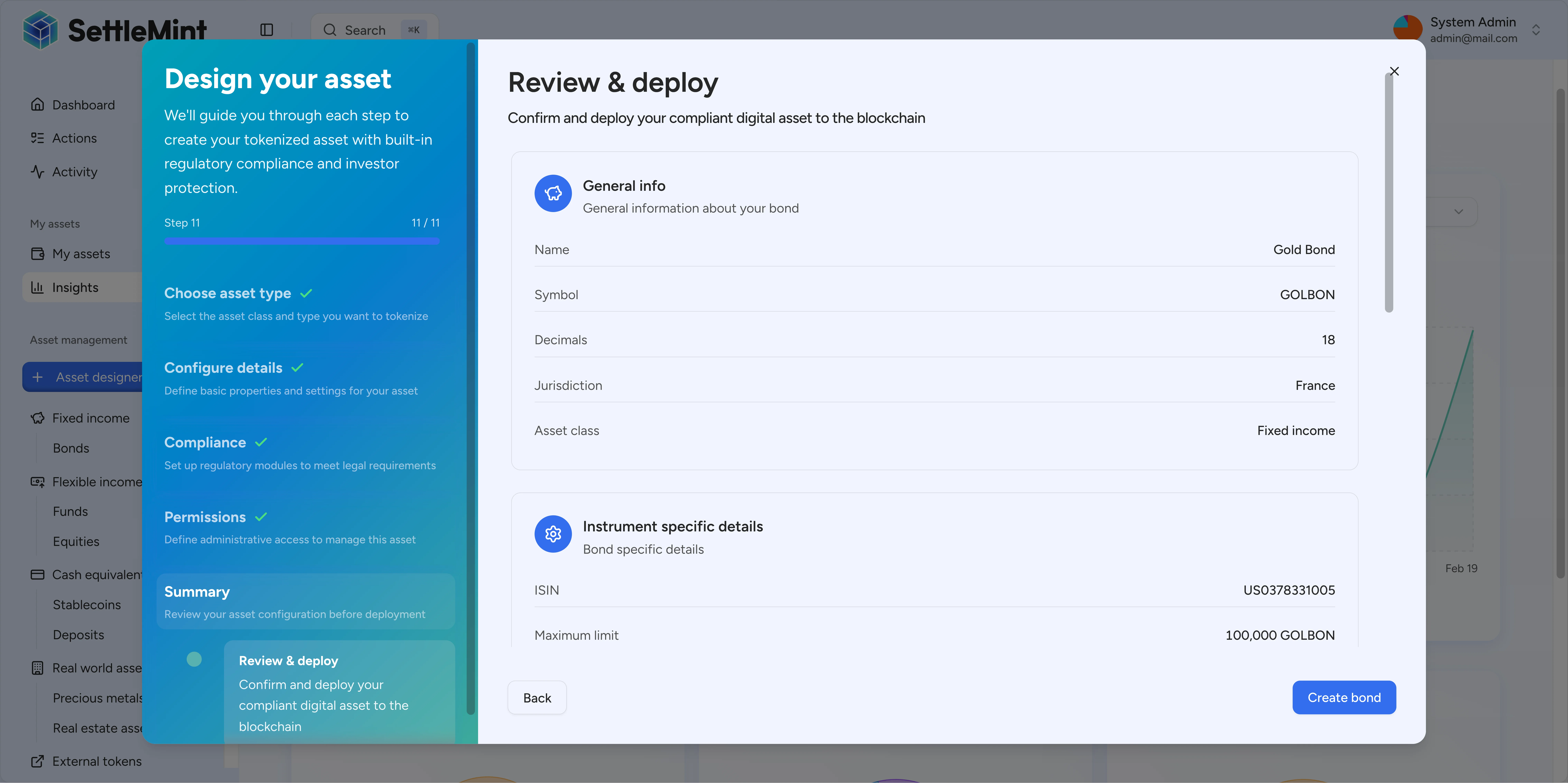
Asset Issuance Flow covers the deployment sequence, including pre-conditions, state transitions, indexer hooks, and UI flow.
Operational notes
- Treat a predicted address as a planning value until the deployment transaction succeeds and the indexer shows the asset.
- Keep the asset factory, network, asset type, and token configuration unchanged between prediction and deployment.
- Integrations that pre-allowlist a predicted token address should also wait for the deployment event before sending token operations.
- Asset implementation upgrades preserve the token address and token identity because the proxy delegates through the factory's current implementation.
Change impact
- New asset type: Adding a new preset does not change the factory pattern. The factory deploys any DALPAsset configuration through the same CREATE2 proxy flow.
- Asset implementation changes: Updating the token implementation on an installed factory changes where existing asset proxies delegate future calls. The deployment address and asset identity stay stable.
- Compliance module changes: Modifying compliance rules post-deployment does not require redeployment. The compliance engine is reconfigurable at runtime.
See also
- Asset Contracts - contract types, legacy-equivalent presets, common foundation
- Asset Issuance Flow - step-by-step deployment sequence
- Claims and identity - how wallets, OnchainID contracts, claim topics, and trusted issuers fit together
- RBAC - per-asset role model and separation-of-duties invariants
- Failure Modes - runtime operational failure modes
Per-asset RBAC
Per-asset role-based access control separates token governance, supply, custody, emergency, and sale operations. Roles are scoped to one asset contract and do not grant authority over other assets.
Overview
Token features attach fees, governance, lifecycle, yield, permit, and conversion behavior to DALPAsset tokens during issuance or later configuration.