

Verify KYC
Issue KYC verifications to registered users via API
Issue a KYC verification when an identity already has reviewed KYC data and the issuing account is trusted for the knowYourCustomer topic. The API flow writes a claim to the user's identity contract, so assets that require that verification topic can recognise the user as eligible.
For the web interface approach, see the user guide.
Prerequisites
- Platform URL, for example
https://your-platform.example.com. - API key from a user with the Claim Issuer (
claimIssuer) system role. See Getting Started for API key setup. - Wallet verification method enabled on your account, such as pincode or 2FA.
- The user is registered and has an identity contract.
- Your issuing account is configured as a trusted issuer for the KYC topic.
- The user's KYC data has been collected and reviewed according to your operating policy.
What this API flow changes
A KYC verification is a signed claim on the user's identity contract. DALP can then evaluate that claim when an asset or platform policy requires the knowYourCustomer topic.
The flow separates three records:
| Record | What it is used for |
|---|---|
| User account | Finds the participant and wallet address that belongs to the platform user. |
| KYC profile | Stores the reviewed KYC data and produces the content hash used as claim data. |
| Identity claim | Records the trusted issuer's signed verification on the user's identity contract. |
KYC is not required for every user by default. DALP enforces KYC when the platform-level or asset-level Identity verification compliance module requires the KYC topic.
Some assets may require a different topic, no KYC topic, or additional topics based on the asset's compliance configuration. For the broader verification model, see Compliance Overview.
Issuing KYC verifications
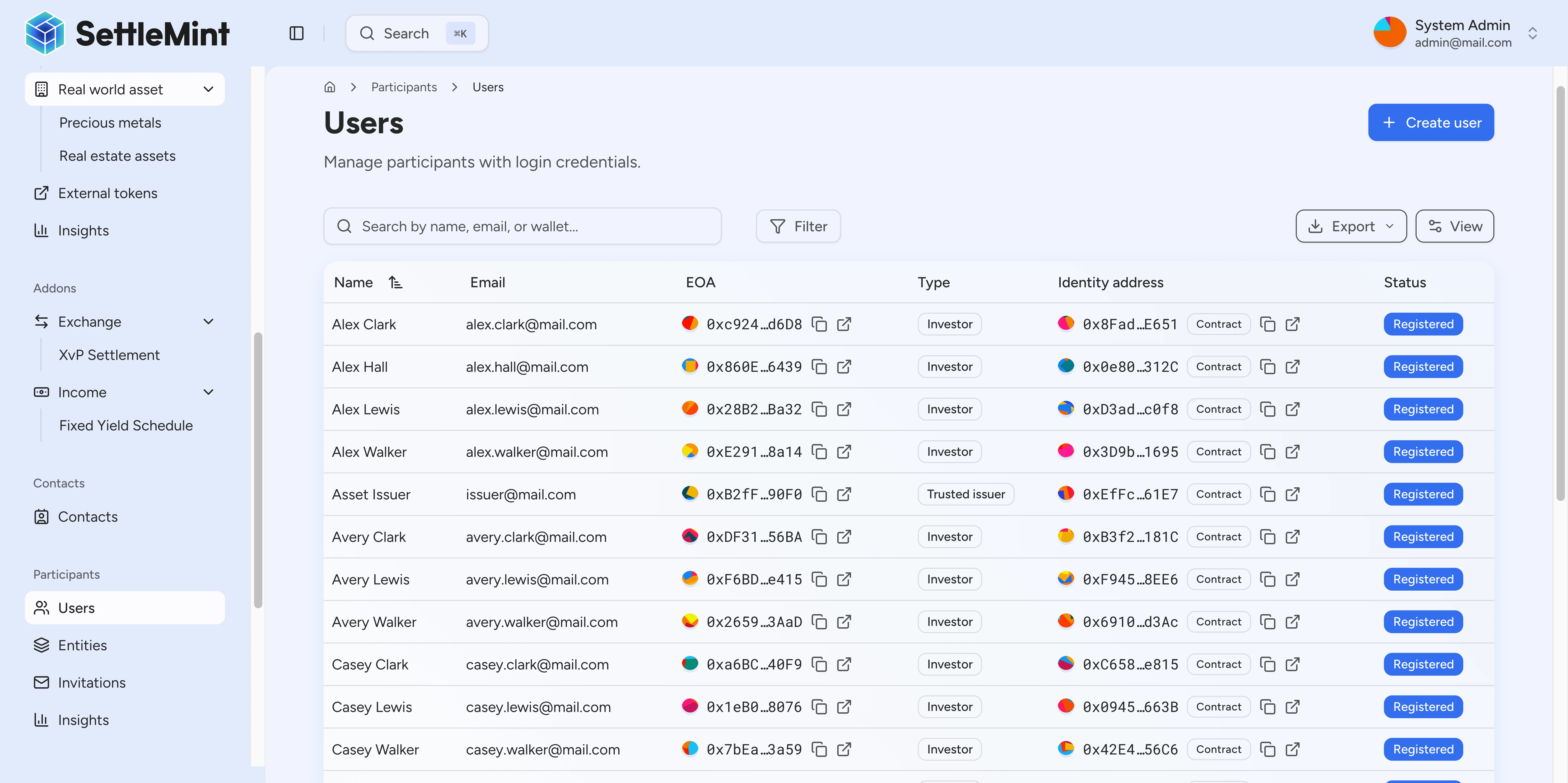
Identify user to verify
You need the user's wallet address and userId to issue verification. If you don't have them, search by email or name:
curl -X GET "https://your-platform.example.com/api/user/[email protected]" \
  -H "X-Api-Key: YOUR_API_KEY"
Response:
[
  {
    "id": "usr_abc123",
    "name": "John Investor",
    "wallet": "0x742d35Cc6634C0532925a3b844Bc9e7595f0bEb",
    "role": "member"
  }
]
Save both the id (userId) and wallet address for subsequent steps.
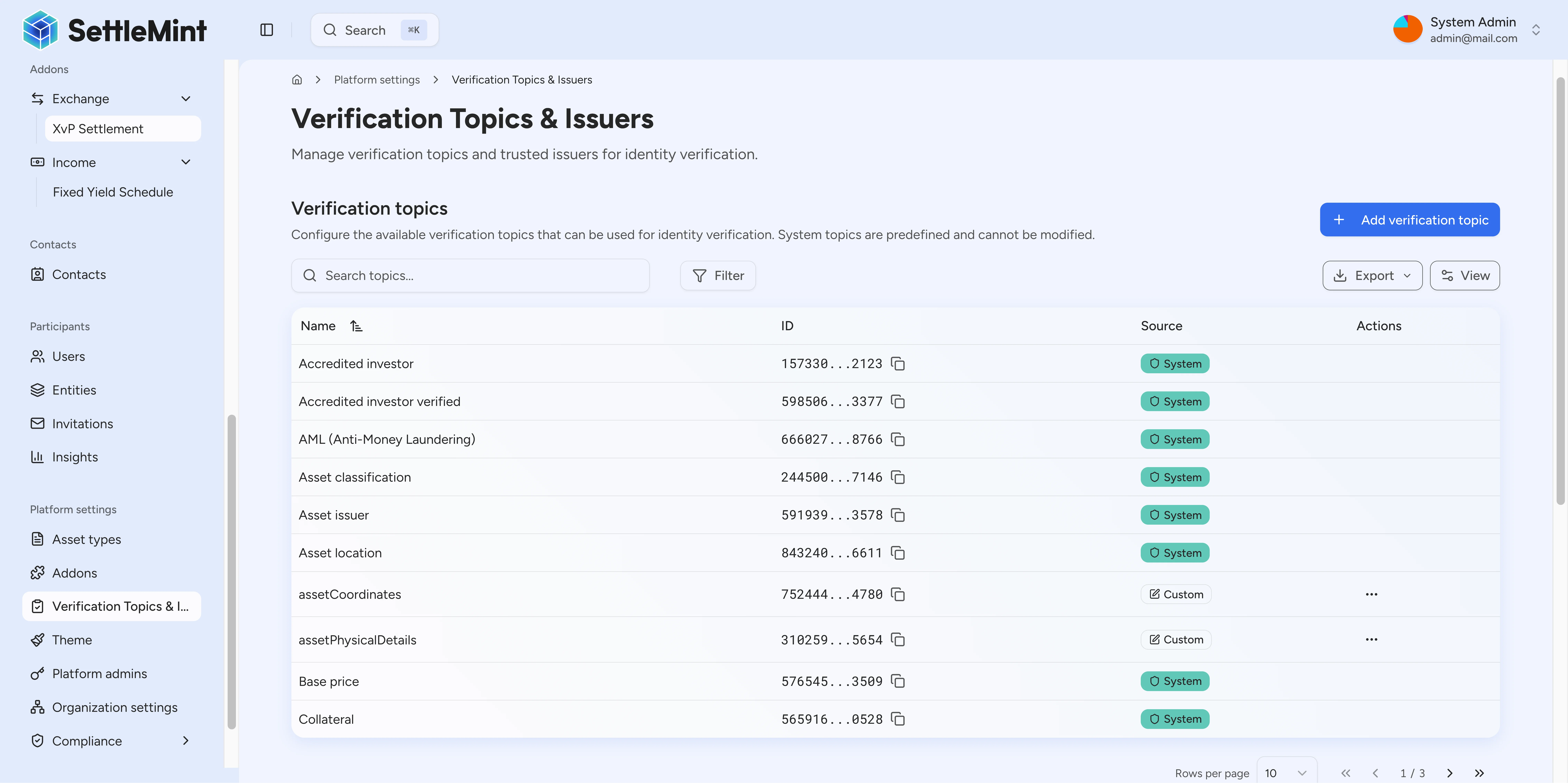
List available verification topics
Query the available claim topics to identify the KYC topic:
curl -X GET "https://your-platform.example.com/api/system/claim-topics" \
  -H "X-Api-Key: YOUR_API_KEY"
Response:
[
  {
    "id": "0x534b8f03c16c92c70d1da1d2fae43b98352bf3d7...",
    "topicId": "26984799302505749158794800959285050858086405868089409909048783980951278841746",
    "name": "knowYourCustomer",
    "signature": "string claim",
    "registry": {
      "id": "0x534b8f03c16c92c70d1da1d2fae43b98352bf3d7"
    }
  },
  {
    "id": "0x534b8f03c16c92c70d1da1d2fae43b98352bf3d7...",
    "topicId": "15733030998618876990024220391915773205162379317494393310546829862321881862123",
    "name": "accreditedInvestor",
    "signature": "string claim",
    "registry": {
      "id": "0x534b8f03c16c92c70d1da1d2fae43b98352bf3d7"
    }
  },
  {
    "id": "0x534b8f03c16c92c70d1da1d2fae43b98352bf3d7...",
    "topicId": "39526553109170329799339511574661256630735485618560740361645615581310848276505",
    "name": "qualifiedInstitutionalInvestor",
    "signature": "string claim",
    "registry": {
      "id": "0x534b8f03c16c92c70d1da1d2fae43b98352bf3d7"
    }
  }
  // ... additional topics available
]
The KYC topic has name: "knowYourCustomer". Use the name field when issuing the claim.
Create KYC profile
If the user doesn't have a KYC profile yet, create one with their personal information:
curl -X POST "https://your-platform.example.com/api/user/usr_abc123/kyc/upsert" \
  -H "X-Api-Key: YOUR_API_KEY" \
  -H "Content-Type: application/json" \
  -d '{
    "userId": "usr_abc123",
    "firstName": "John",
    "lastName": "Investor",
    "dob": "1985-03-15T00:00:00.000Z",
    "country": "BE",
    "residencyStatus": "resident",
    "nationalId": "123456789"
  }'
Response:
{
  "changed": true,
  "currentVersion": {
    "id": "ver_xyz789",
    "number": 1,
    "contentHash": "1e1329fc9216a119e9c596084cd353949f0754ddfa53014760ae6cc7ef8d1d35",
    "createdAt": "2024-01-15T10:00:00.000Z"
  },
  "profile": {
    "id": "kyc_abc123",
    "userId": "usr_abc123",
    "firstName": "John",
    "lastName": "Investor",
    "dob": "1985-03-15T00:00:00.000Z",
    "country": "BE",
    "residencyStatus": "resident",
    "nationalId": "123456789",
    "createdAt": "2024-01-15T10:00:00.000Z",
    "updatedAt": "2024-01-15T10:00:00.000Z"
  }
}
Save the contentHash from currentVersion - you'll use this as the claim value in the next steps.
Required fields:
userId- User ID from step 1- At least one of:
firstName,lastName,dob,country,residencyStatus, ornationalId
Field validation:
dob- User must be at least 18 years oldcountry- ISO 3166-1 alpha-2 country code (e.g., "BE", "US", "DE")residencyStatus- One of:"resident","non_resident","dual_resident","unknown"
Get claim value
Different verification topics require different claim values.
For knowYourCustomer topic:
If you just created the KYC profile in the previous step, use the contentHash from the response. Otherwise, fetch the user's existing KYC content hash:
curl -X GET "https://your-platform.example.com/api/user/usr_abc123/kyc/read" \
  -H "X-Api-Key: YOUR_API_KEY"
Response:
{
  "id": "kyc_xyz789",
  "userId": "usr_abc123",
  "firstName": "John",
  "lastName": "Investor",
  "dob": "1985-03-15T00:00:00.000Z",
  "country": "BE",
  "residencyStatus": "resident",
  "nationalId": "123456789",
  "contentHash": "1e1329fc9216a119e9c596084cd353949f0754ddfa53014760ae6cc7ef8d1d35",
  "createdAt": "2024-01-15T10:00:00.000Z",
  "updatedAt": "2024-01-15T10:00:00.000Z"
}
Use the contentHash value as the claim data (note: it's a hex string without the 0x prefix).
For boolean verification topics (skip this API call, use "true"):
The following topics use the literal string "true" as the claim value:
antiMoneyLaunderingaccreditedInvestoraccreditedInvestorVerifiedprofessionalInvestorqualifiedInstitutionalInvestorregulationS
Get user's identity address
Query the user's identity by wallet address to get their identity contract address:
curl -X GET "https://your-platform.example.com/api/system/identity/by-wallet/0x742d35Cc6634C0532925a3b844Bc9e7595f0bEb" \
  -H "X-Api-Key: YOUR_API_KEY"
Response:
{
  "id": "0x8e5F72f6E5b3B4D1234567890AbCdEf1234567890",
  "account": {
    "id": "0x742d35Cc6634C0532925a3b844Bc9e7595f0bEb",
    "contractName": null
  },
  "isContract": false,
  "hasIdentity": true,
  "registered": {
    "isRegistered": true,
    "country": "BE"
  },
  "claims": []
}
Important: Use the id field (identity CONTRACT address), not the account.id (wallet address).
Issue KYC verification
Issue the claim to the user's identity contract:
curl -X POST "https://your-platform.example.com/api/system/identity/claim/issue" \
  -H "X-Api-Key: YOUR_API_KEY" \
  -H "Content-Type: application/json" \
  -d '{
    "targetIdentityAddress": "0x8e5F72f6E5b3B4D1234567890AbCdEf1234567890",
    "claim": {
      "topic": "knowYourCustomer",
      "data": {
        "claim": "1e1329fc9216a119e9c596084cd353949f0754ddfa53014760ae6cc7ef8d1d35"
      }
    },
    "walletVerification": {
      "secretVerificationCode": "YOUR_PINCODE"
    }
  }'
Response:
{
  "txHash": "0x8d95bfd5381478d90992d3e2e64c73178e46bb18592bfcbffdf899f2407aee9b",
  "success": true,
  "claimTopic": "knowYourCustomer",
  "targetWallet": "0x8e5F72f6E5b3B4D1234567890AbCdEf1234567890"
}
Response field naming
The targetWallet field in the response contains the identity contract address (matching the targetIdentityAddress
from the request), not the wallet address.
Verify completion
Query the identity again to confirm the claim was issued:
curl -X GET "https://your-platform.example.com/api/system/identity/by-wallet/0x742d35Cc6634C0532925a3b844Bc9e7595f0bEb" \
  -H "X-Api-Key: YOUR_API_KEY"
Response when verified:
{
  "id": "0x8e5F72f6E5b3B4D1234567890AbCdEf1234567890",
  "account": {
    "id": "0x742d35Cc6634C0532925a3b844Bc9e7595f0bEb",
    "contractName": null
  },
  "isContract": false,
  "hasIdentity": true,
  "registered": {
    "isRegistered": true,
    "country": "BE"
  },
  "claims": [
    {
      "id": "0xc057fb9c66650cfaf24192baa697f463b0ddf81eb8b764c460cd1841967742a63551c161fda0528a93030bdcc6efb139f05b3a912053c839655f0147e7370e77bff1df5c5b637964",
      "name": "knowYourCustomer",
      "signature": "0xfe5b3c723b68a482c5cfd4fc38c384a217e748b5375340d2b05e8684f5d0558c0eabb331636cb5182d424e478cd6ba3db6f6efca452b570e6d6516d1b8bd24cf1b",
      "revoked": false,
      "issuer": {
        "id": "0xD3c16123446a6fe39635adD185574e7c6DC617Fe"
      },
      "values": [
        {
          "key": "claim",
          "value": "1e1329fc9216a119e9c596084cd353949f0754ddfa53014760ae6cc7ef8d1d35"
        }
      ],
      "isTrusted": true
    }
  ]
}
Key fields to verify:
claimsarray contains the new KYC claimclaims[].name="knowYourCustomer"(the claim topic)claims[].signature= cryptographic signature proving the claim was signed by the issuerclaims[].values= array with the contentHash claim dataclaims[].issuer.id= identity address of the claim issuerclaims[].isTrusted=true(confirms you're a trusted issuer for this topic)claims[].revoked=false(claim is active)
The user can now receive assets requiring KYC verification.
Request parameters
User search
| Parameter | Type | Required | Description |
|---|---|---|---|
query | string | Yes | Email, name, or wallet to search by |
Claim issue
| Parameter | Type | Required | Description |
|---|---|---|---|
targetIdentityAddress | string | Yes | Identity contract address (0x...) from identity lookup |
claim.topic | string | Yes | Claim topic name (e.g., "knowYourCustomer") |
claim.data.claim | string | Yes | Claim value (contentHash for KYC, "true" for booleans) |
walletVerification | object | Yes | Your wallet verification (pincode or totp) |
Identity address required
The targetIdentityAddress must be the identity contract address (for example identity.id from the identity
lookup). Do not send the user's wallet address.
Wallet verification object
| Field | Type | Description |
|---|---|---|
secretVerificationCode | string | 6-digit pincode or TOTP code |
verificationType | string | "PINCODE" (default), "SECRET_CODES", or "OTP" |
Claim issue response fields
| Field | Type | Description |
|---|---|---|
txHash | string | Transaction hash for the claim issuance |
success | bool | Whether the claim issuance succeeded |
claimTopic | string | Topic name that was issued |
targetWallet | string | Identity contract address that received the claim |
Common claim topics
| Topic ID | Name | Claim Value | Description |
|---|---|---|---|
| 1 | knowYourCustomer | KYC contentHash | Basic identity verification |
| 2 | accreditedInvestor | "true" | US qualified investor status |
| 3 | qualifiedInstitutionalInvestor | "true" | EU institutional investor rules |
| 4 | antiMoneyLaundering | "true" | Source of funds verification |
| 5 | professionalInvestor | "true" | MiFID professional classification |
| 6 | accreditedInvestorVerified | "true" | Verified accredited investor |
| 7 | regulationS | "true" | Regulation S compliance |
Best practices
Verification standards
- Follow your written KYC policy consistently
- Maintain evidence of verification decisions
- Document verification rationale for audit
- Use consistent verification data formats
Data privacy
- Store minimal personal data on-chain
- Use hashes for sensitive information references
- Maintain secure off-chain document storage
- Follow applicable data protection regulations
Verification quality
- Verify document authenticity
- Cross-check information sources
- Monitor for suspicious patterns
- Maintain verification standards
Troubleshooting
| Issue | Solution |
|---|---|
401 Unauthorized | API key is invalid, expired, or disabled |
403 USER_NOT_AUTHORIZED | Ensure your account has claimIssuer system role |
Not a trusted issuer | Configure yourself as trusted issuer for KYC topic first |
Identity not found | User must be registered first; see Register User |
Claim already exists | User already has this verification |
No KYC data | User must have a KYC profile; see Create KYC profile step above |
Related guides
- Register User - Register users before verification
- Create Users - Create user accounts with wallet and identity
- Configure Trusted Issuers - Set up verification permissions
- Compliance Overview - Complete compliance reference
- Verify KYC (User Guide) - Web interface approach
Configure trusted issuers
Configure system and token trusted issuers by API, including claim-topic updates, token overrides, and issuer removal.
Smart identity verification
Configure the identity verification compliance module to require verified OnchainID claims for all asset transfers. Build logical expressions combining multiple claim requirements.