

Publish a feed update
Submit a signed value to an issuer-signed scalar data feed.
Publishing a feed update submits a new signed value to an existing data feed. The value is signed using EIP-712 and stored on-chain by the feed adapter contract.
Prerequisites
- A registered data feed exists (see Create a feed)
- Your identity is registered as a trusted issuer for the feed's verification topic (see Configure trusted issuers)
Trusted issuer required
Publishing does not require a specific platform role, but your on-chain identity must be registered as a trusted issuer for the feed's topic. Without this, the feed adapter contract will reject the submission.
Registering as a trusted issuer
Before you can publish, ensure the publishing identity is set up as a trusted issuer:
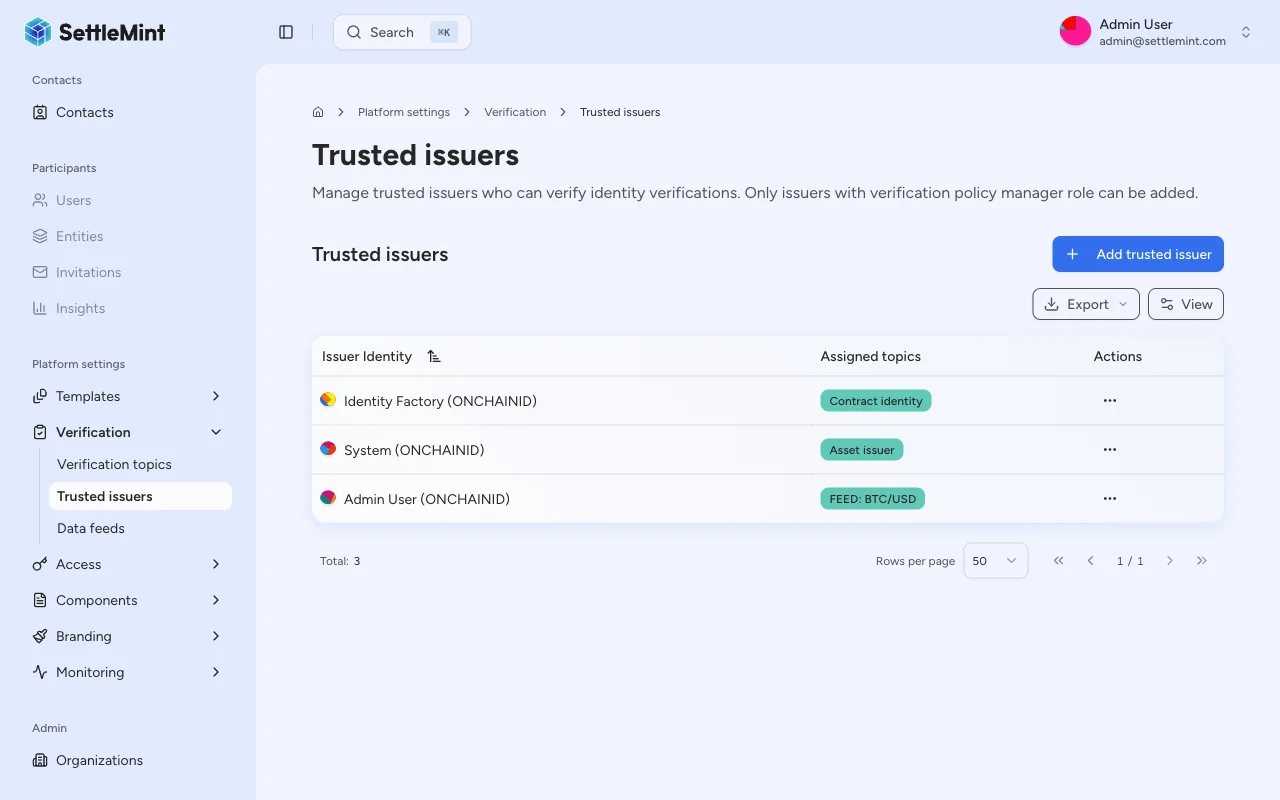
Add the publishing identity
Click Add trusted issuer, select the identity that will publish feed updates, and assign the scalar feed topic used by the feed.
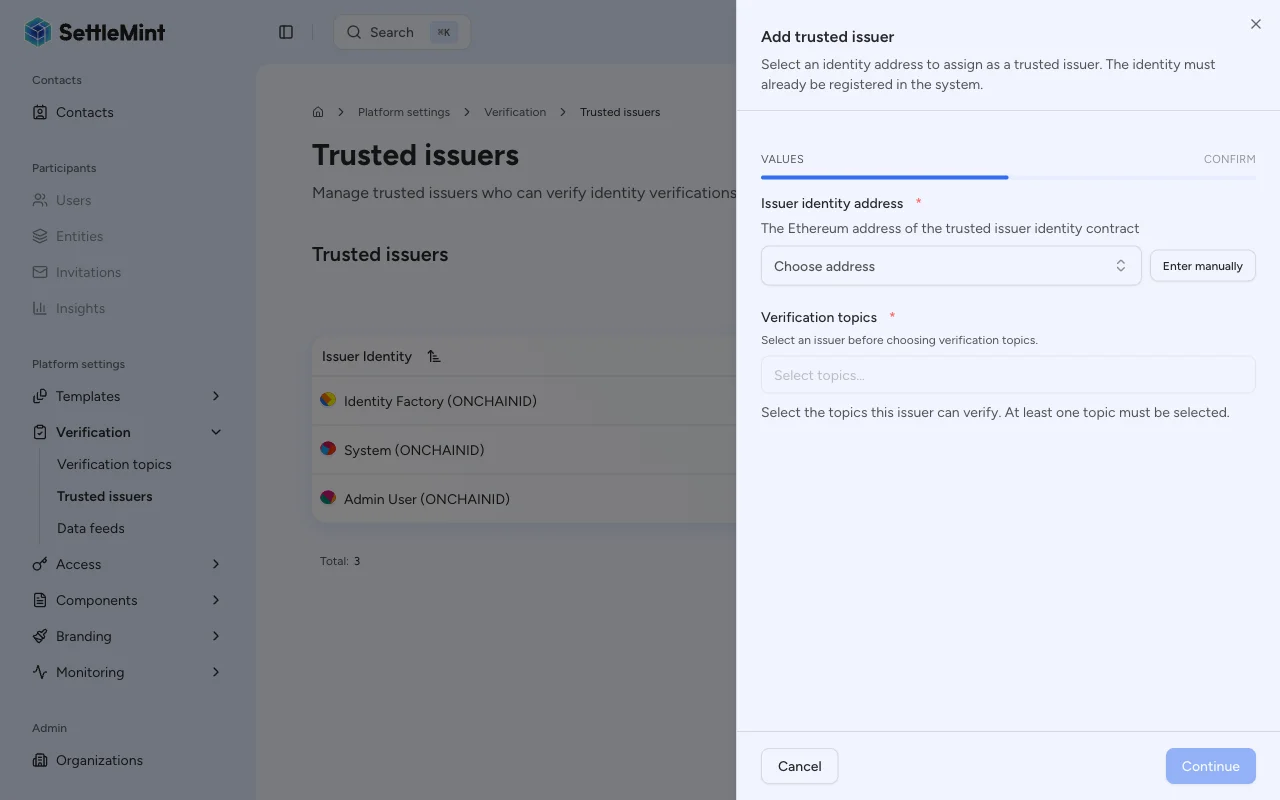
For detailed instructions, see Configure trusted issuers.
Publishing a value
Navigate to the feed
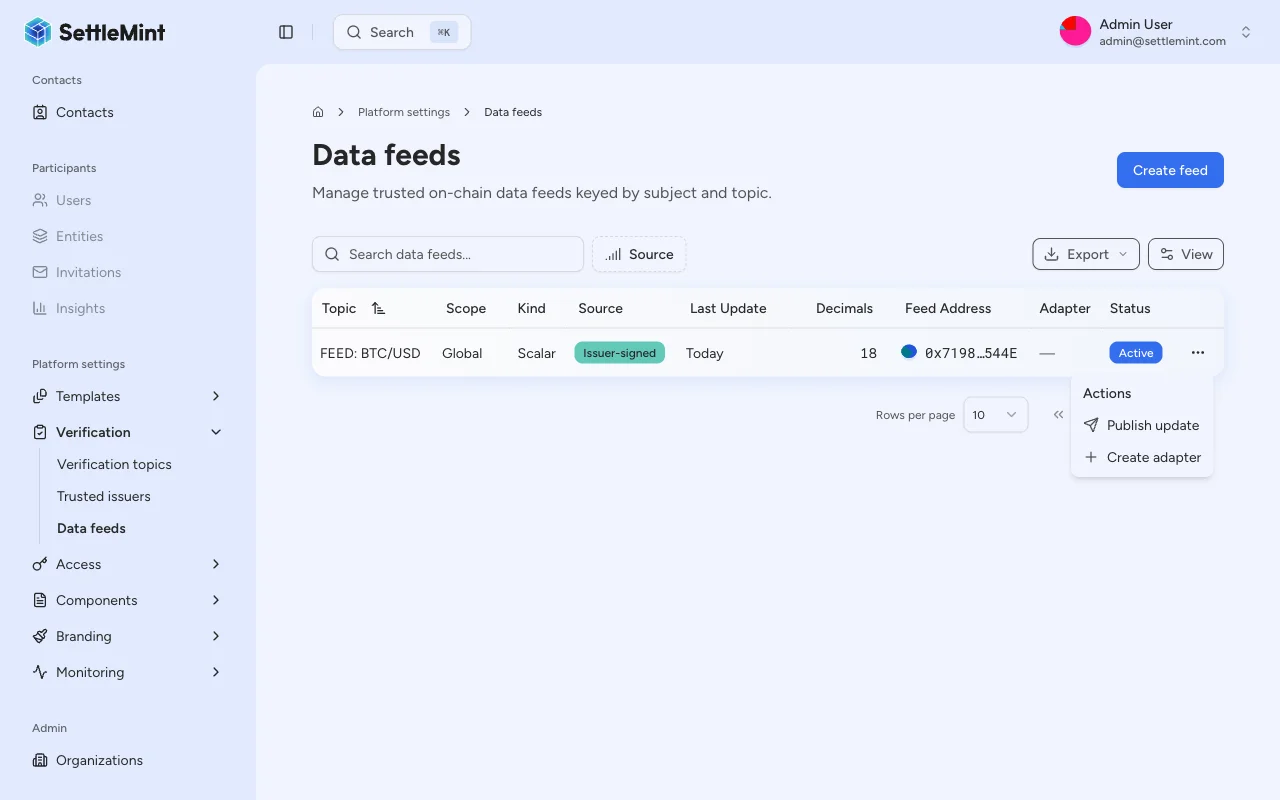
Go to Platform Settings > Data Feeds and find the feed you want to update.
Open the publish action
You can publish from two places:
- From the table - Click the three-dot menu (...) on the feed's row and select Publish update.
- From the feed detail page - Open a feed, then click the three-dot menu in the top-right corner and select Publish update.
If you are not a trusted issuer for the feed's topic, the publish option appears disabled with a tooltip explaining the requirement.
Enter the feed value
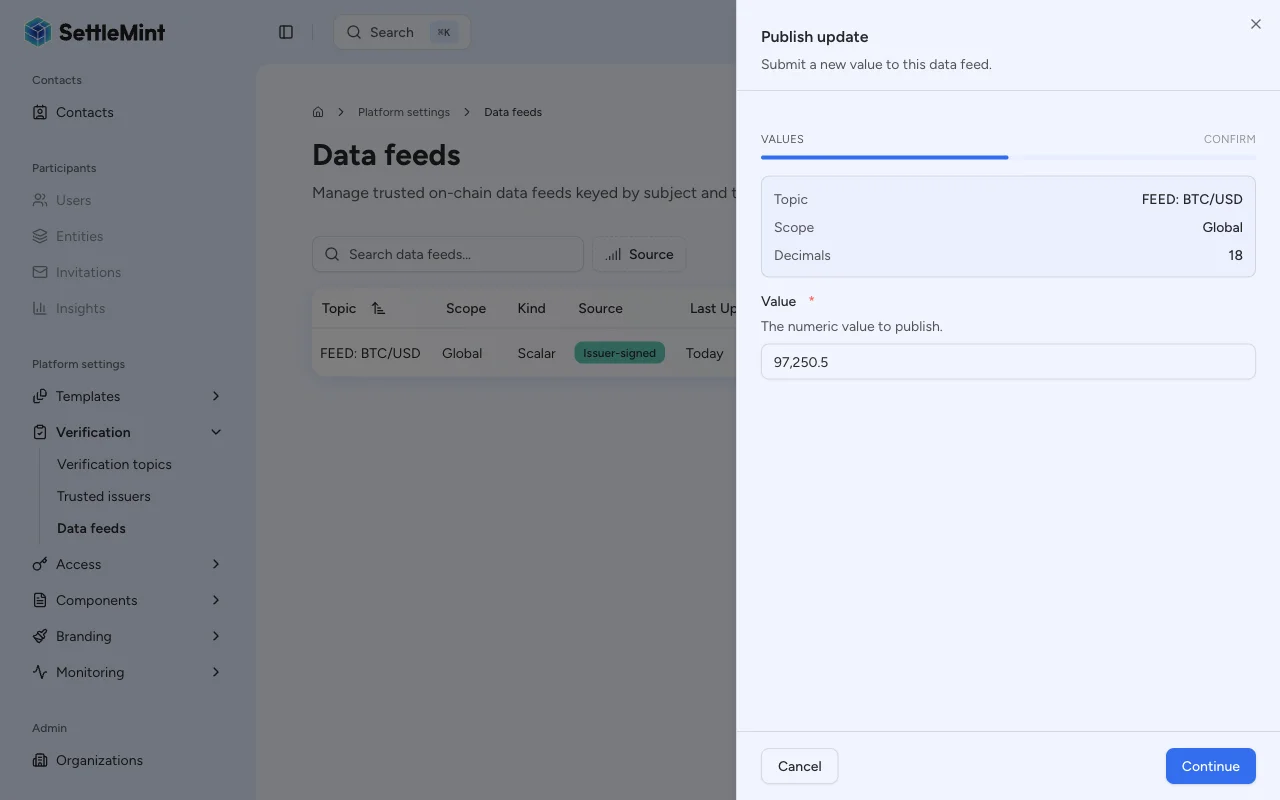
Fill in the publish form:
- Value - The numeric value to submit. Enter the value in its human-readable form (e.g.,
67500for $67,500.00). The platform automatically encodes it using the feed's decimal precision before submitting.
The observation timestamp is automatically set to the current time at submission.
On-chain encoding
The value is stored as an int256 on-chain. The platform handles decimal encoding automatically: a value of 1.50 on
a feed with 8 decimals is stored as 150000000 (1.50 * 10^8).
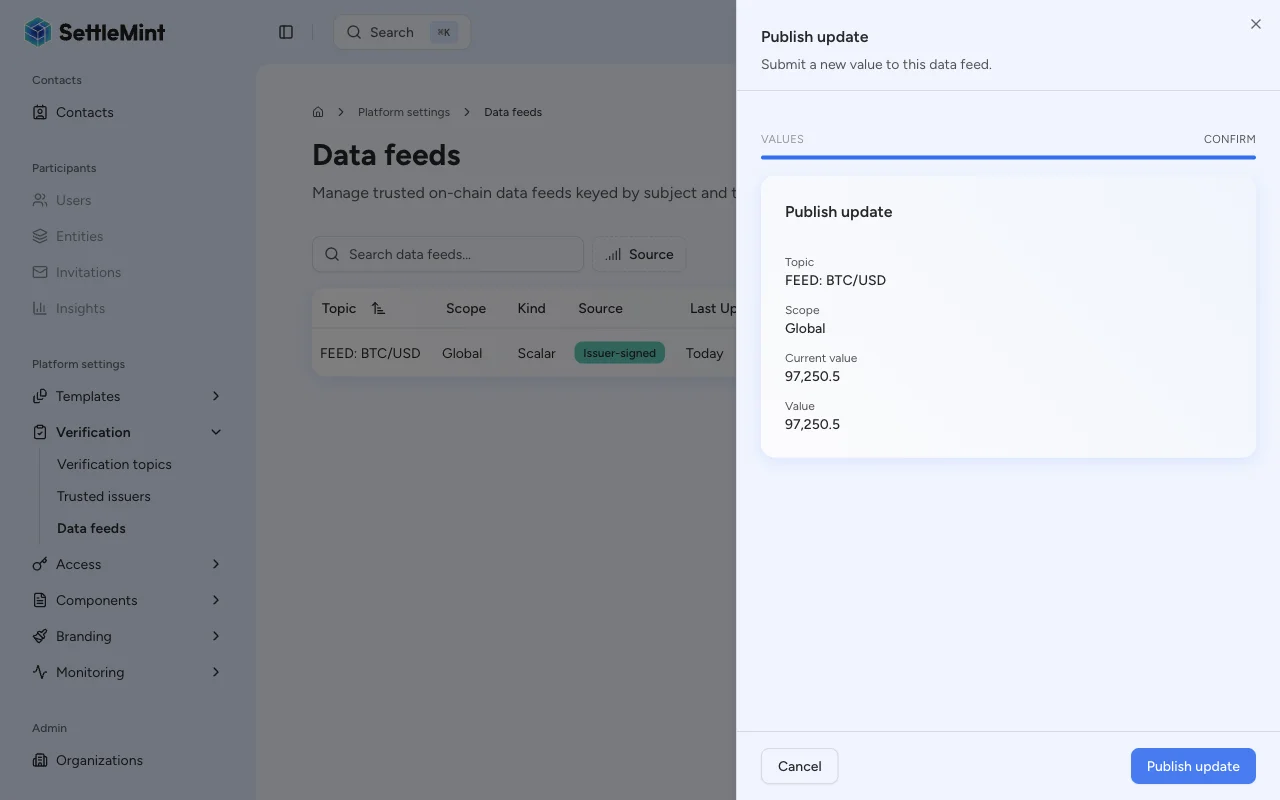
Confirm the transaction
Click Continue to review, then click Submit and enter your PIN to sign and submit the EIP-712 transaction.
Verify the update
After the transaction confirms, the feed's latest value is updated. You can verify by:
- Checking the Latest value column on the Data Feeds list page
- Opening the feed detail page to see the full value history (if history mode is Bounded or Full)
Understanding feed validation
The feed adapter contract validates each submission against the feed's configuration:
| Validation | Triggered when | Rejection reason |
|---|---|---|
| Trusted issuer check | Always | Submitting identity is not a trusted issuer for the feed's topic |
| Positive value check | requirePositive is enabled | Submitted value is zero or negative |
| Drift check | driftAllowance > 0 | Difference between observedAt and block timestamp exceeds allowance |
| Signature verification | Always | EIP-712 signature is invalid or signer does not match |
Troubleshooting
| Issue | Solution |
|---|---|
| Publish option not visible in row menu | You may not be a trusted issuer for the feed's topic. Check the trusted issuers list. |
| Transaction reverts | Verify: (1) identity is trusted issuer for topic, (2) value meets requirePositive constraint, (3) observedAt is within drift allowance |
| Value appears incorrect on detail page | Check decimal encoding. The displayed value applies the feed's decimal precision. |
| "Not a trusted issuer" error | Navigate to Verification Topics & Issuers and add your identity as a trusted issuer for the feed's topic |
Related guides
- Data feeds overview - Architecture and property reference
- Create a feed - Register a new feed
- Configure trusted issuers - Authorize issuers for topics