

Create a topic
Register a scalar feed verification topic to define the data schema for your data feeds.
A data feed needs a verification topic before operators can register or publish values. Scalar feed topics use the fixed int256 value schema and live on the Verification topics and issuers page.
Prerequisites
- Verification policy manager role (
claimPolicyManager) assigned on the System Access Manager - Issuer-Signed Scalar Feed addon installed (see Install addons)
Topic kinds
The topic form separates identity verification topics from data feed topics:
| Kind | Signature | Purpose |
|---|---|---|
| Verification | Custom ABI fields, such as string or uint256 | Identity and compliance verification topics such as KYC or accreditation |
| Scalar feed | int256 value (fixed) | Numeric data feeds for prices, rates, and metrics |
| Bytes feed | Disabled in the topic form | Not selectable for the data feed setup workflow |
Only Scalar feed topics are selectable when creating scalar data feeds. The disabled Bytes feed option cannot be used in this workflow.
Steps
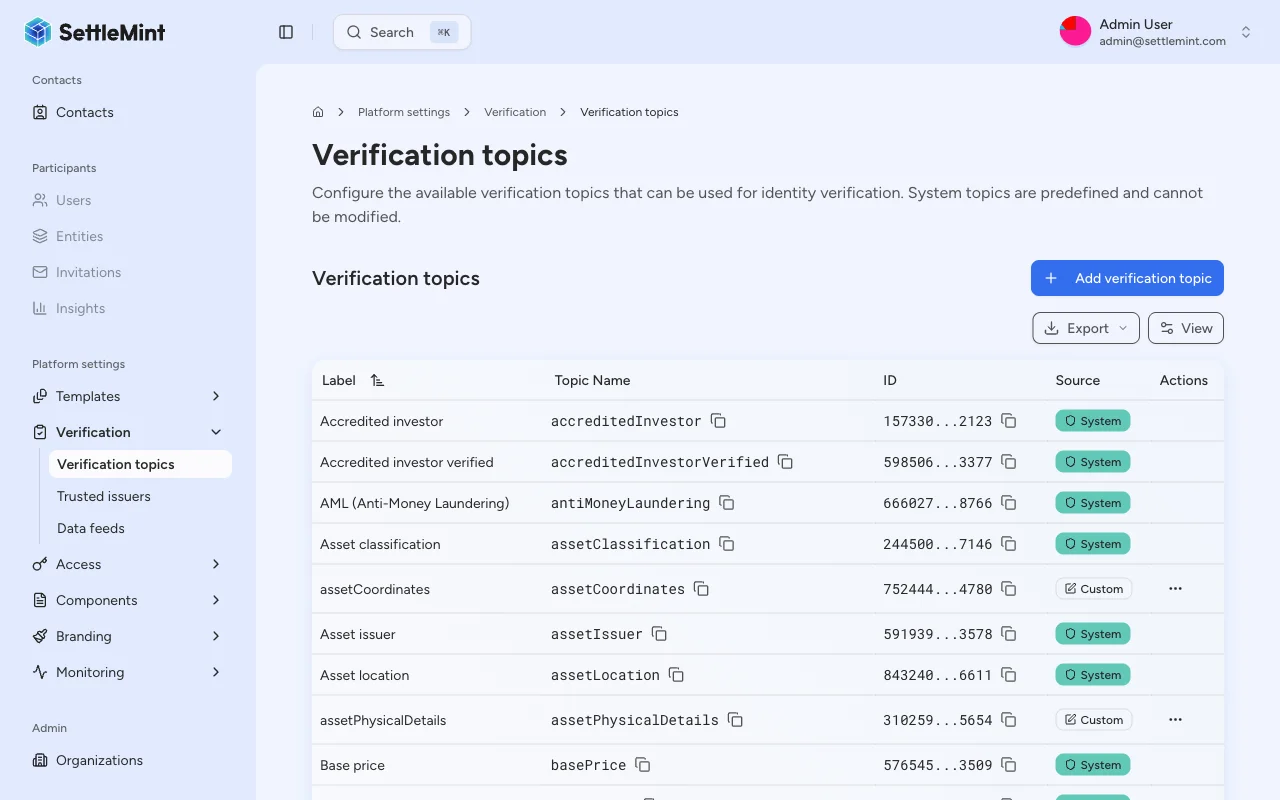
Navigate to verification topics and issuers
Go to Platform Settings > Verification topics and issuers in the sidebar. This page lists registered topics and trusted issuers.
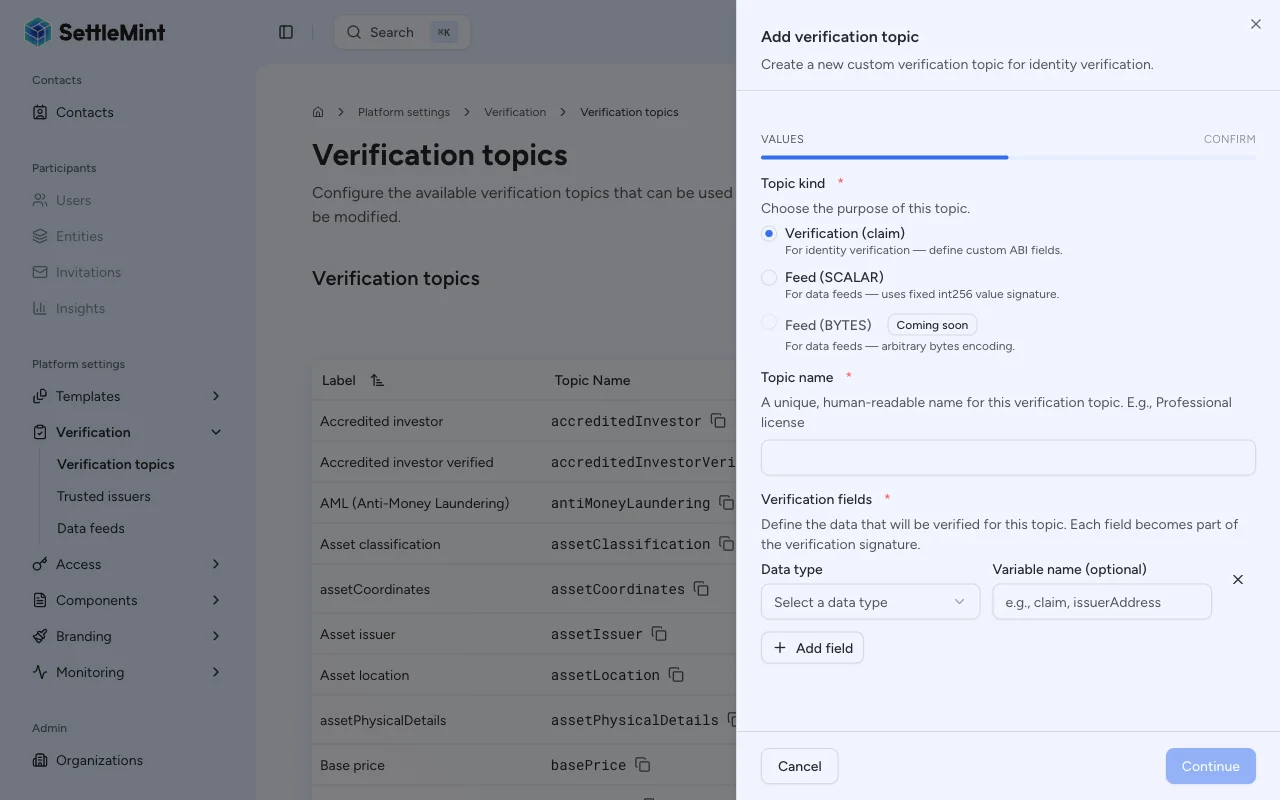
Select the Scalar feed kind
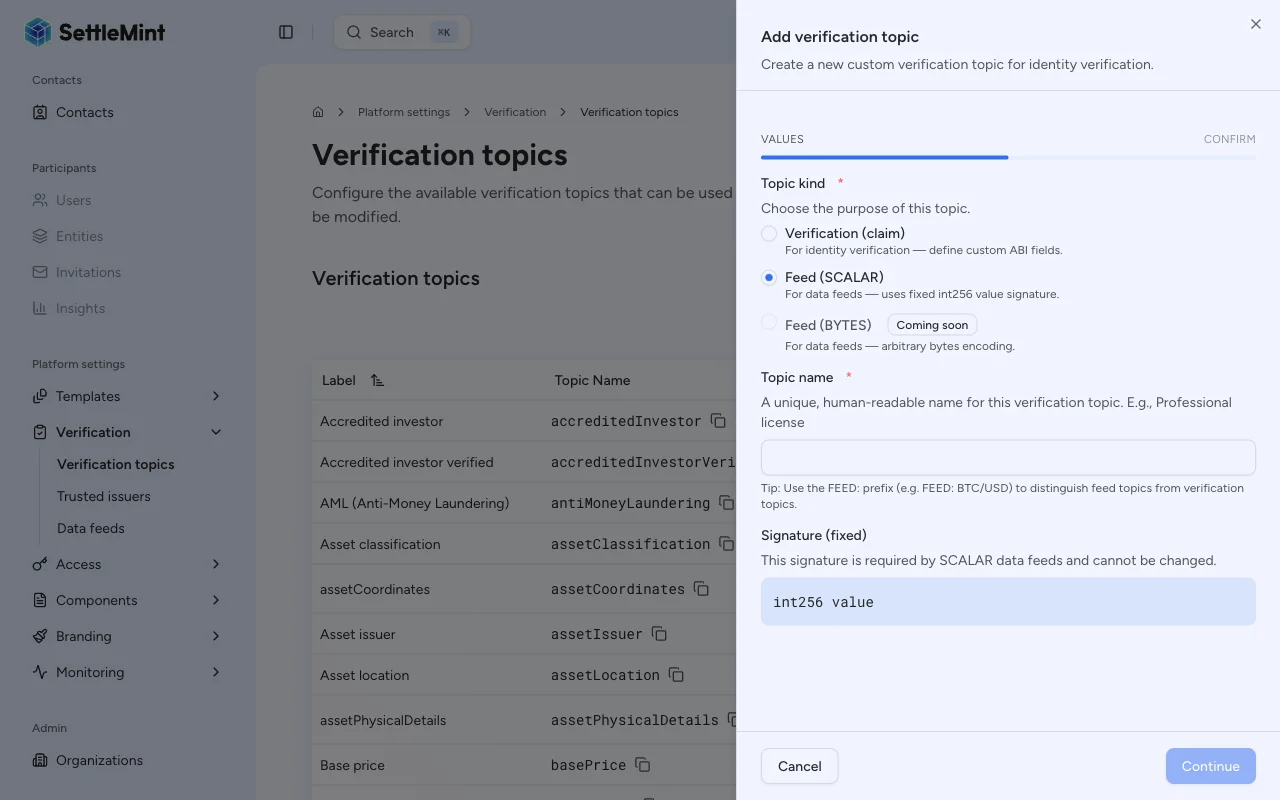
Choose Feed (SCALAR) as the topic kind. The signature field locks to int256 value and cannot be edited.
Enter a descriptive Topic name that identifies what data this topic represents, such as "FEED: BTC/USD" or "FEED: Interest Rate".
Naming convention
While there is no enforced naming convention, prefixing feed topic names with "FEED:" helps distinguish them from compliance verification topics in dropdown lists.
Confirm the transaction
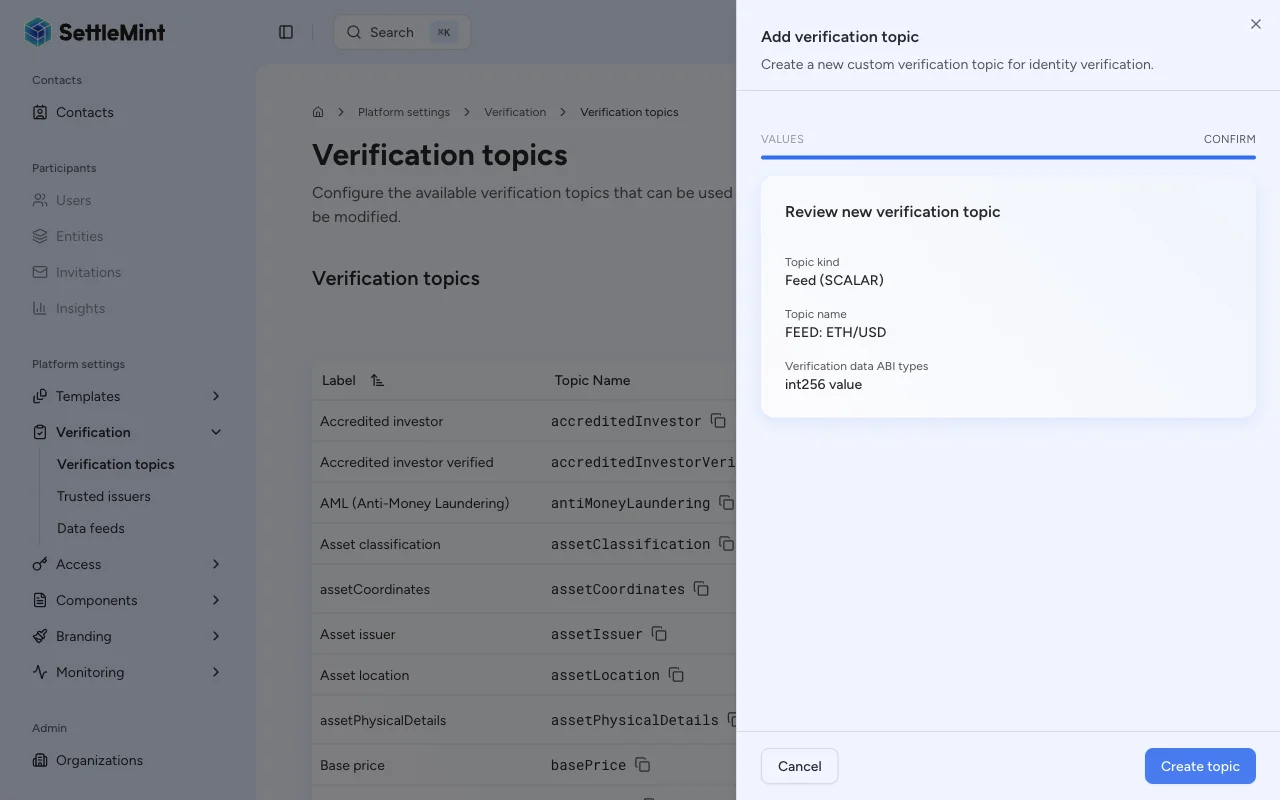
Click Continue to review the topic kind, topic name, and fixed signature. Then click Create topic and complete the wallet verification step.
Verify the topic was created
After the transaction confirms, the new topic appears in the verification topics list. It can then be assigned to a trusted issuer and selected when creating scalar data feeds.
Next steps
After creating a topic:
- Add a trusted issuer for this topic so that an identity can publish feed updates. See Configure trusted issuers.
- Create a feed that uses this topic. See Create a feed.
Troubleshooting
| Issue | Solution |
|---|---|
| Add verification topic is hidden | Verify you have the Verification policy manager role on the System Access Manager |
| Feed (SCALAR) is unavailable | Ensure the Issuer-Signed Scalar Feed addon is installed |
| Feed (BYTES) cannot be selected | Use Feed (SCALAR) for this workflow; bytes feed topics are not selectable |
| Topic name already exists | Choose a unique name; the create transaction rejects duplicate topic names |
| Transaction fails | Check that your wallet can complete the verification step and has enough gas for the call |