

User onboarding
Understanding the new user experience when joining the platform.
Users join the platform through an invitation flow or an administrator-created account. The path determines how the user sets a password, secures a wallet, creates an on-chain identity, and completes profile or KYC data.
User onboarding paths
There are two main ways users join an existing platform:
1. Invited users (invitation flow)
- Receive invitation link via email or direct sharing
- Complete guided onboarding process
- Join existing organization or create their own
2. Created users (admin-created)
- Accounts created directly by administrators
- Simplified onboarding - only need to set up wallet security
- Must use "Forgot password" to access platform first
First administrator setup
The first administrator follows a different process covered in First Admin Setup. This guide focuses on standard user onboarding flows.
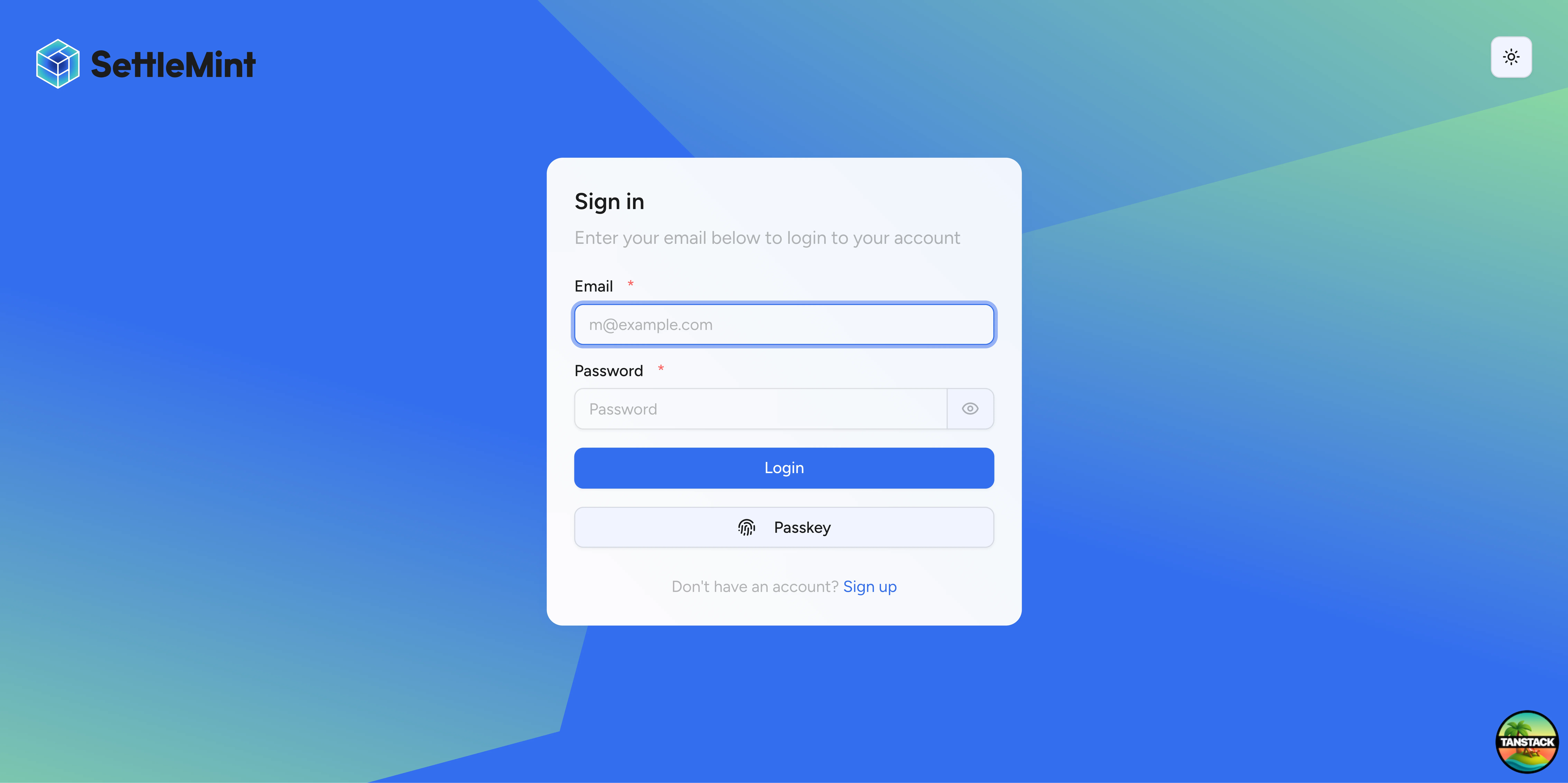
Complete onboarding flow (invited users)
This is the full onboarding experience for users who receive invitations.
Receive invitation
Users receive an invitation via email with a secure link or a direct link shared by an administrator. The invitation contains platform welcome information and organization details.
Sign up
Clicking the invitation link takes users to the signup form where they enter their email address (must match the invitation) and choose a strong password.
Accept invitation
After signing up, users see the organization they're joining and can confirm acceptance to proceed.
Wallet creation
The platform automatically generates a blockchain wallet with a unique address. Users see their wallet address (0x...) and an explanation of its purpose.
Security setup
Users must secure their wallet by entering a 6-digit PIN and confirming it. This PIN is used for all blockchain transactions.
Security reminder
Users must remember their chosen security method. This cannot be easily reset without backup codes.
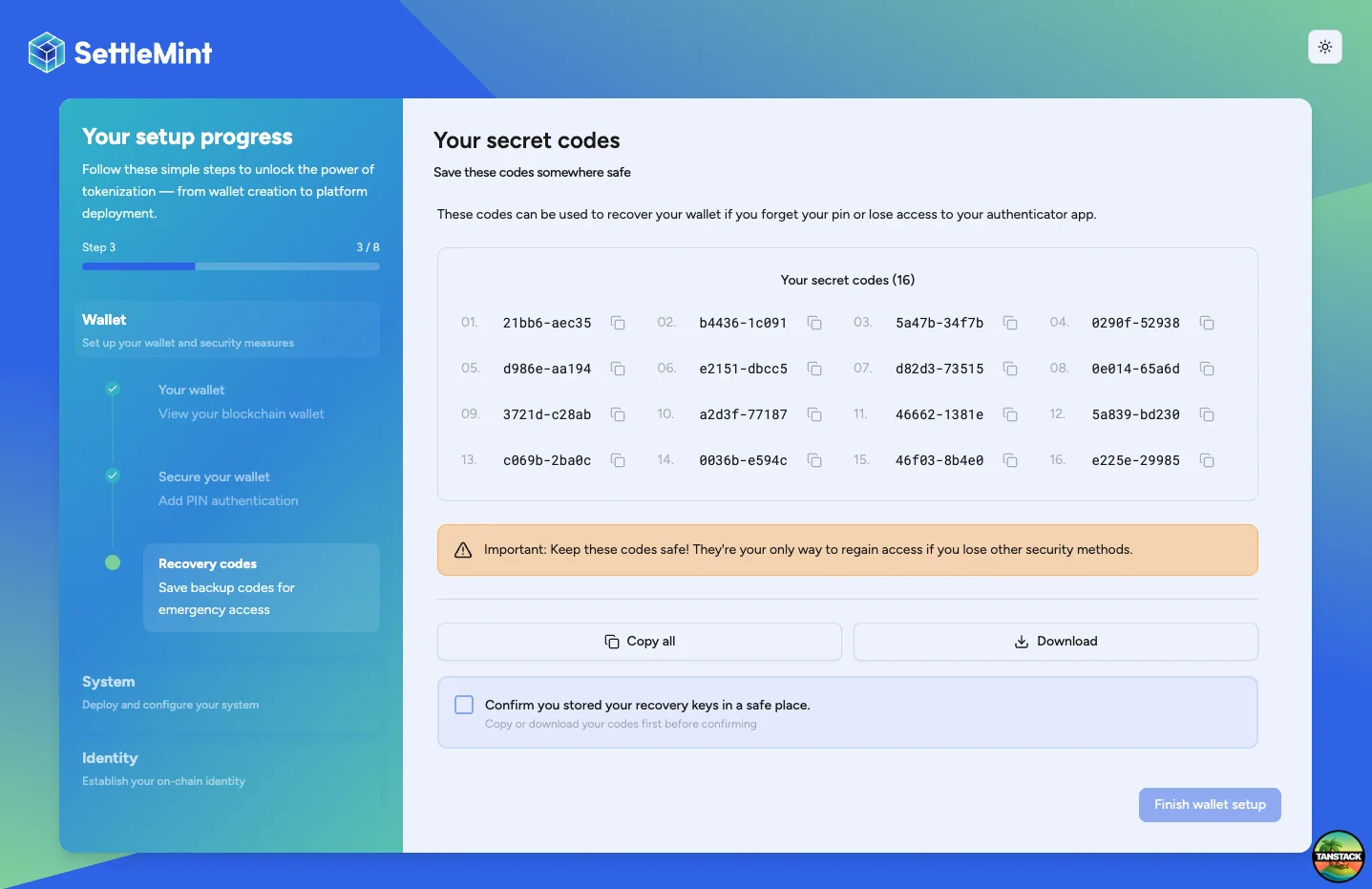
Backup codes
The system generates recovery codes that users must save securely. These are the only way to recover wallet access if the PIN is lost.
On-chain identity
Users click Create my on-chain ID, enter their PIN, and wait for transaction confirmation. The transaction deploys an identity contract linked to the user's wallet so trusted issuers can add verifications.
Profile completion
Users can optionally add KYC profile information (name, date of birth, country of residence, residency status, national ID) or skip and complete later.
Simplified onboarding (created users)
Users created directly by administrators have a much simpler experience:
Access platform
Navigate to the platform URL provided by the administrator and click "Forgot password" (since passwords are randomly generated). Enter the email address used during creation, check email for the reset link, and set a new password.
Set up wallet security
After logging in, users set a 6-digit PIN and save the backup codes. Store the recovery codes offline because wallet recovery requires them.
That's it! Created users are immediately ready to use the platform since their account, wallet, and identity were pre-configured by the administrator.
Post-onboarding access
After onboarding, DALP shows a home page based on the user's platform permissions and identity status.
Administrative users
Users with platform roles see the administration dashboard and the pages their roles permit. If their identity is registered and their wallet holds assets, the home page also shows portfolio context before the administration tiles.
Grant administrative roles only when the user needs to operate the platform, manage participants, configure compliance, deploy assets, or perform another privileged task.
In demo environments, the system administrator account uses this pattern. A fresh demo opens with representative portfolio holdings visible alongside the administration dashboard.
- Joined organization ✓
- Wallet and identity created ✓
- May hold assets - Portfolio information appears when the administrator's wallet has holdings
- Need role assignment - Must be granted administrative roles to perform duties
- Cannot access admin functions until permissions are granted
- See Add Administrators for role assignment
Investors and asset holders
Investors use the investor-facing portal without platform administrator roles. Invite or create the user as a member. Leave the account without system access-control roles unless the same person also operates the platform.
DALP shows the investor experience when an account has no administrator role. The home page shows identity progress until identity registration finishes. After registration, the home page shows portfolio cards, allocation charts, performance charts, and next steps.
- Joined organization ✓
- Wallet and identity created ✓
- Need identity and KYC completion - Must finish profile and verification steps required by your operating model
- Cannot receive restricted assets until the required identity claims or KYC checks are complete
- See Verify KYC for the verification process
Wallet binding after onboarding
After onboarding, the investor's wallet address is bound to the on-chain identity used for regulated asset activity. The identity registry records the wallet-to-identity relationship, and restricted asset flows rely on that registered identity and its trusted-issuer claims before allowing the holder to receive or move assets.
A user cannot replace that registered wallet address through a normal profile edit. If a wallet is lost or compromised, an Identity manager must use the identity recovery workflow. Recovery previews the selected user, wallet, current identity status, and token balances for the wallet being reviewed.
Execution creates a replacement wallet path, links the replacement identity path, and marks registered lost wallets through the recovery flow. The workflow also resets active sessions and wallet verification methods. When a personal EOA has a paired smart wallet, execution can recover balances from both wallets, so review the user's EOA and personal smart-wallet holdings before approval.
Wallet changes require renewed compliance review
Recovery does not migrate KYC, accreditation, sanctions, AML, or other trusted-issuer claims from the old identity. If your operating model requires dual approval, a cooling-off period, or sanctions and AML screening before a wallet change takes effect, enforce those controls in your internal approval and compliance-provider workflow before issuing fresh claims on the recovered identity.
Use Recover a user's identity when wallet access cannot be restored. Use Verify KYC to issue the claims that let the recovered identity resume regulated activity.
Troubleshooting
| Issue | Solution |
|---|---|
| "Email already exists" | • User may have existing account • Check for previous invitations • Try password reset |
| "Invalid invitation" | • Send fresh invitation • Check link integrity • Verify invitation was created correctly |
| "Transaction failed" during wallet/identity setup | • Insufficient gas (public chains) • Network connectivity issues • Browser compatibility |
| "Lost PIN" | • Use backup codes • Contact administrator • Use identity recovery when wallet access cannot be restored |
| "Cannot create identity" | • System contracts must be deployed • Check user completed wallet setup • Verify network status |
Next steps after onboarding
For administrators:
- Add Administrators - Assign roles
- Verify KYC - Issue KYC verifications
For new users:
- Complete profile information
- Await role assignments
- Review platform documentation
- Begin platform activities
Related guides
- Invite Users - Sending invitations
- Create Users - Direct user creation (bypasses onboarding)
- Recover a user's identity - Operator workflow for lost or compromised wallet access
- Provide KYC Data - Complete KYC profile after onboarding
- Register User - Register users in identity registry (next step after onboarding)
- First Admin Setup - Platform initialization
- Add Administrators - Role assignment
Account security
Manage password, two-factor authentication, passkeys, active sessions, PIN, and recovery codes from the DALP account security page.
Recover a user's identity
Recover a user who lost wallet access, review the console preview, confirm recovery, and re-issue claims on the replacement identity.