

Burn assets
Permanently remove units of a security from circulation.
Burning permanently removes units from circulation and reduces total supply. This is the on-chain equivalent of share cancellation or bond redemption.
Common use cases:
- Redemptions - Cancelling units when investors exit a fund or redeem bonds at maturity
- Buybacks - Retiring shares after a repurchase program
- Regulatory enforcement - Removing assets from non-compliant holders
- Error correction - Reversing erroneous issuances (with proper authorization)
Irreversible action
Burning is permanent and cannot be undone.
Prerequisites
SUPPLY_MANAGEMENT_ROLEfor the asset (check Permissions tab)- Target addresses must hold sufficient unfrozen balance
- If the asset charges an external transaction fee and you burn from your connected wallet, that wallet must hold enough fee token and approve the external fee feature for the burn fee.
Steps
Open burn dialog
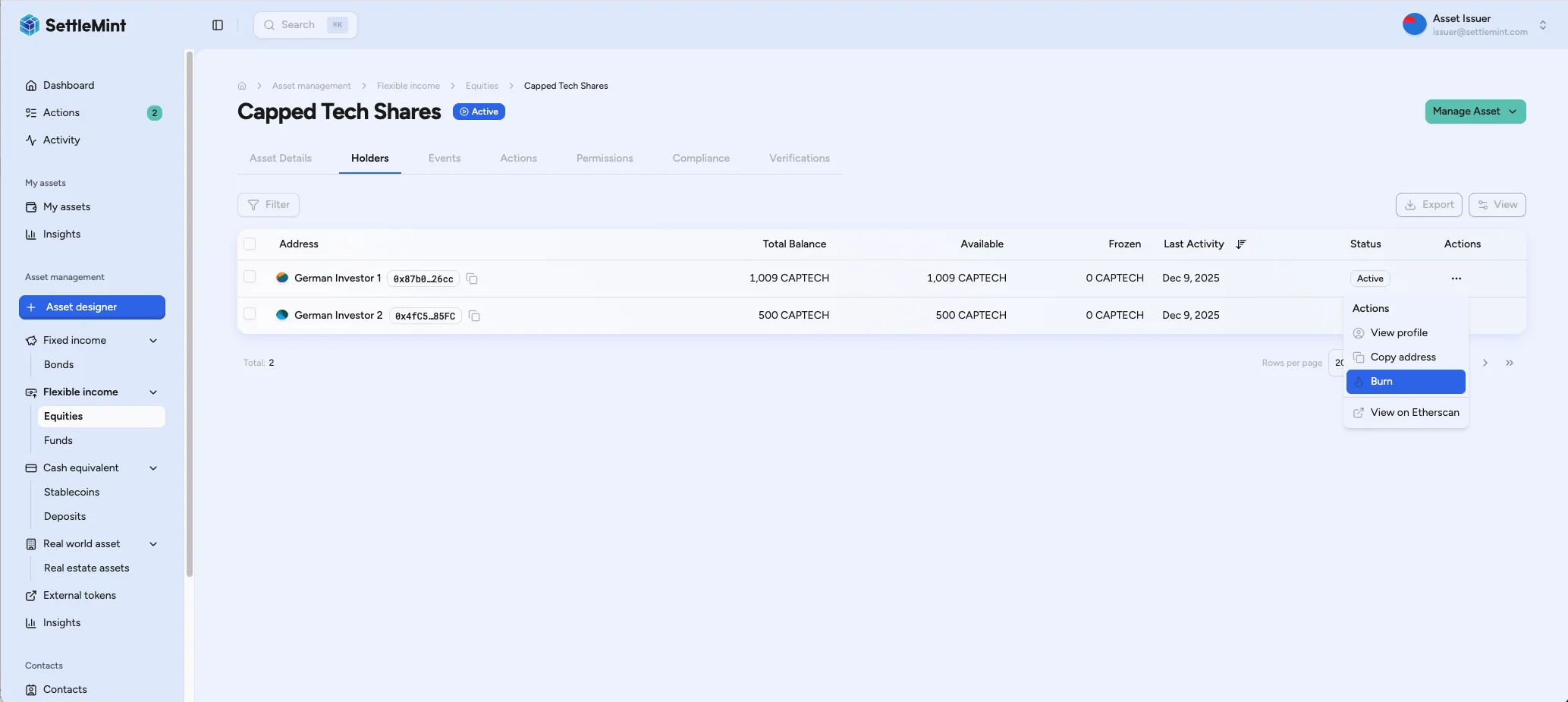
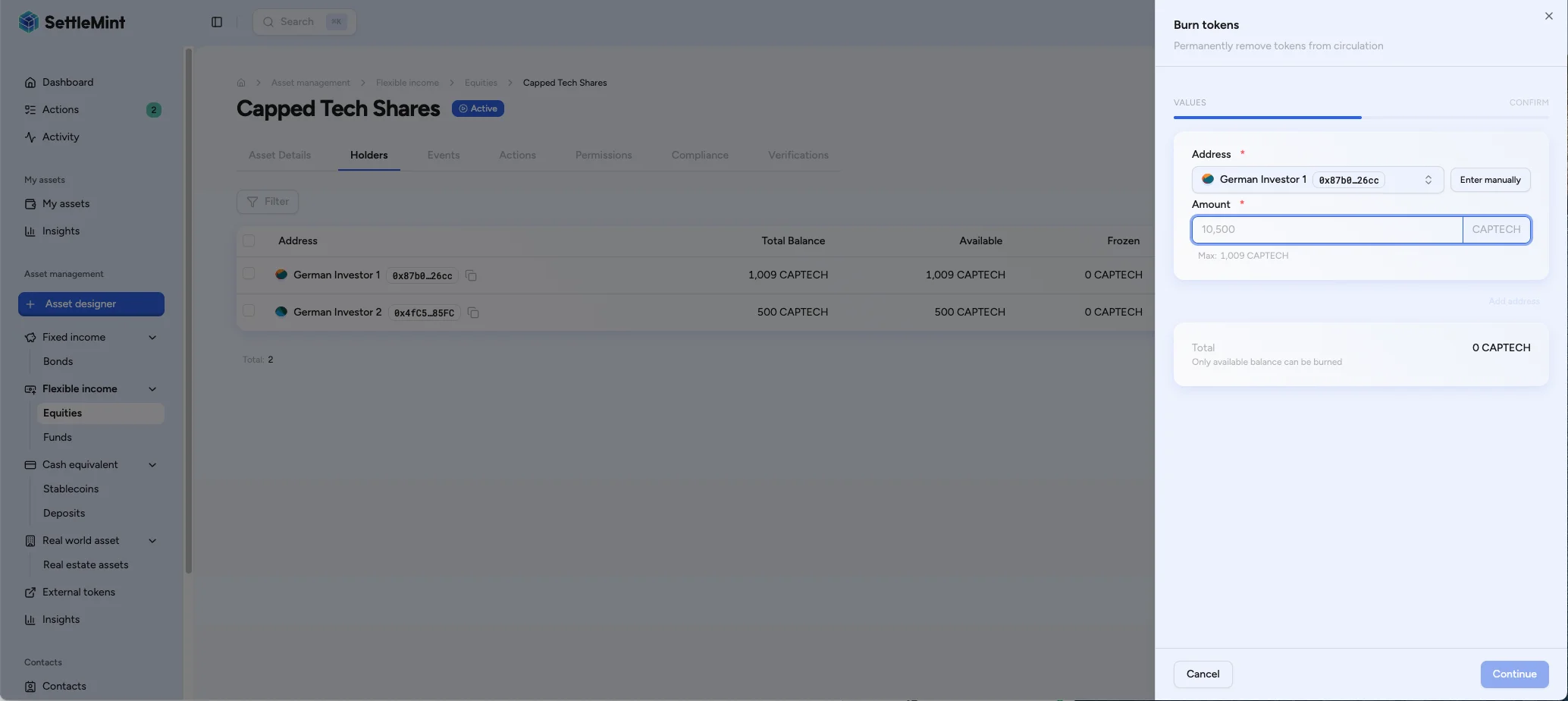
Navigate to the asset page and open the Holders tab. Click the ... (actions) dropdown on the holder row you want to burn from, then select Burn.
Confirm
Review the supply change and authenticate with PIN/OTP.
If you are burning from your connected wallet and the asset charges an external transaction fee, the confirmation screen checks your fee-token balance and allowance before you submit.
If the balance is sufficient but the allowance is too low, use Approve fee allowance from the confirmation screen, then return to the burn confirmation.
If you burn from another holder, confirm that holder's fee-token balance and allowance before submitting because third-party wallets are not checked in the confirmation screen.
Verify totals
Return to the Asset details tab to confirm Total burned reflects the cumulative amount burned for the asset. The totals update from indexed supply history, so allow a short refresh if needed.
Troubleshooting
| Issue | Solution |
|---|---|
| Burn button disabled | Verify SUPPLY_MANAGEMENT_ROLE assignment |
| Insufficient balance | Check holder's available (unfrozen) balance |
| Amount exceeds available | Some assets may be frozen by custodian |
| External fee warning | Fund the connected wallet with the fee token, or approve the external fee feature to collect the burn fee. |