

Change asset admin roles
Modify administrator roles and permissions for specific assets.
This guide explains how to change administrator roles for specific assets, allowing you to assign or modify permissions for asset management functions.
Prerequisites
- Permission manager role on the asset (permission management)
- Access to the asset you want to modify
- Understanding of role responsibilities
About asset admin roles
Each asset has its own set of administrators with specific roles:
| Role | Description | Key Permissions |
|---|---|---|
| Permission manager | Permission management | Manage other administrators' roles and permissions |
| Custodian | Compliance enforcement | Freeze addresses and force transfers for legal orders, sanctions compliance, dispute resolution |
| Emergency | Emergency operations | Pause/unpause asset operations |
| Supply Management | Asset supply control | Mint and burn tokens |
| Governance | Asset configuration | Update asset metadata and settings |
Changing asset admin roles
Access asset management
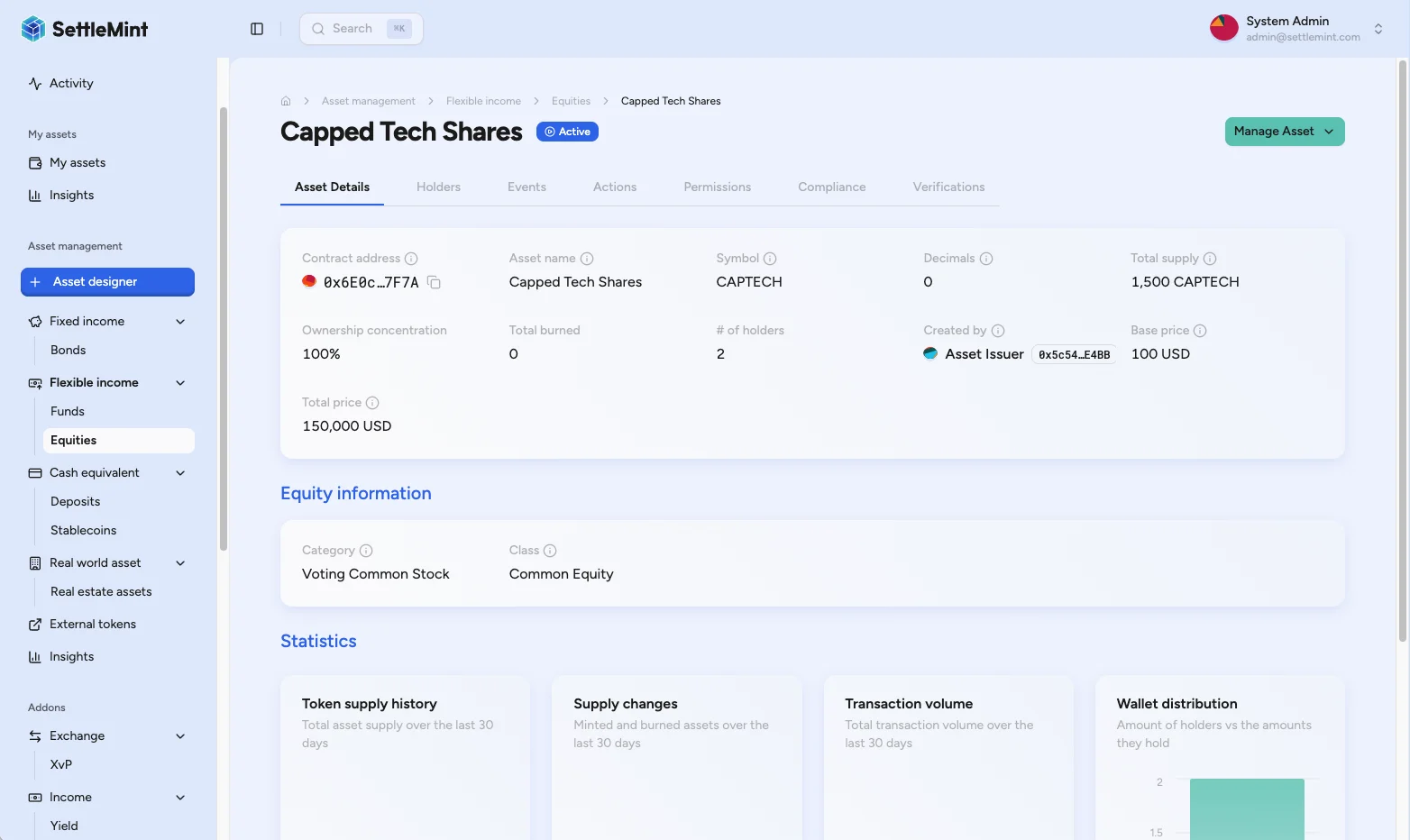
Navigate to Asset Management > [Asset Type] (e.g., Equity, Bond, Fund) and click on the asset you want to modify.
Access permissions
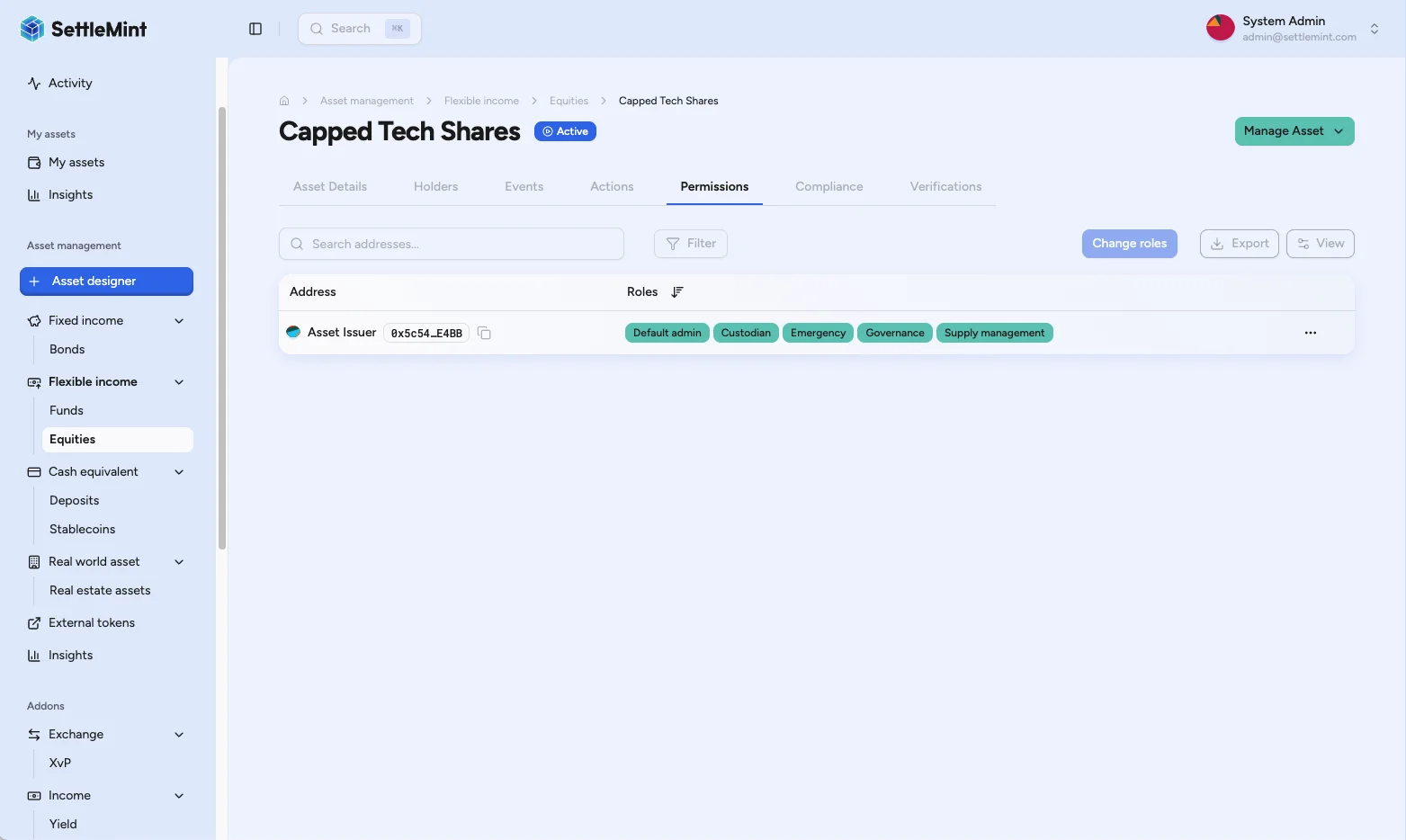
Click on the Permissions tab to view asset administrators. This displays administrator addresses, current role assignments, and an actions menu.
Initiate role change
Find the administrator whose roles you want to modify and click the three dots (...) in the Actions column. Select Change roles from the dropdown to open the role management sheet. To add a new administrator, use the Add admin button in the toolbar above the permissions table.
Configure roles
Toggle on/off the roles needed for this administrator based on their responsibilities: Permission manager, Custodian, Emergency, Supply Management, or Governance.
Review and authenticate
Click Continue to review the role change summary, then click Save. Enter your PIN when prompted to authenticate the blockchain transaction. The administrator's roles are updated immediately after confirmation.
Best practices
Role assignment
- Follow principle of least privilege
- Assign only necessary roles for specific functions
- Document role assignment decisions
- Regular review of role assignments
Security considerations
- Limit Permission manager role to trusted individuals
- Separate operational roles from governance roles
- Maintain backup administrators for critical roles
Operational efficiency
- Assign Supply Management to token operators
- Give Emergency role to operations team
- Separate Custodian role for transfer management
- Reserve Governance for strategic decisions
Troubleshooting
| Issue | Solution |
|---|---|
| Cannot see Permissions tab | • Verify you have Permission manager role on asset • Check you're viewing correct asset • Ensure asset is fully deployed |
| Change roles option missing | • Confirm you have Permission manager permissions • Verify administrator is part of asset • Check your own role permissions |
| Role changes not taking effect | • Wait for blockchain confirmation • Refresh the page • Check transaction was successful |
| Cannot assign specific role | • Verify role compatibility • Check platform role requirements • Ensure administrator has necessary platform roles |
Related guides
- Add Administrators - Adding new asset administrators
- Platform Setup Overview - Understanding platform vs asset roles
- Create Asset - Initial asset setup with administrators
Review address book contacts
Open a saved contact in DALP, confirm its wallet address and timestamps, then edit or delete the contact when the local address book entry is wrong.
Operate stablecoins after issuance
Run the post-issuance stablecoin lifecycle across holder eligibility, reserve and collateral updates, controlled minting, transfers, burns, and reconciliation.