

Forced transfer
Execute custodial transfers without holder consent for regulatory compliance.
A forced transfer moves assets between accounts without the holder's consent or signature. This replicates the authority that traditional custodians and transfer agents have to move securities under specific legal circumstances.
Forced transfers are day-two operations. Limit them to governed exception cases, execute them with the correct asset role, and link them to supporting evidence for audit review.
Common use cases:
- Court-ordered seizures - Complying with judgments for fraud, divorce settlements, or creditor claims
- Estate transfers - Moving assets from deceased holders to beneficiaries per probate orders
- Sanctions compliance - Freezing or transferring assets of sanctioned entities to blocked accounts
- Lost access recovery - Restoring assets to verified owners who lost wallet access
- Bankruptcy proceedings - Transferring assets to court-appointed trustees
Custodian-only exception workflow
Forced transfers bypass holder authorization, normal transfer initiation, and configured compliance-module transfer checks. They do not bypass the registered-recipient boundary. Use them only when legally required, run them through an operator with the Custodian role, send assets only to recipients you have verified, and keep detailed records for audit purposes.
Prerequisites
CUSTODIAN_ROLEfor the asset (check Permissions tab)- Source address must hold sufficient balance
- Legal documentation justifying the transfer (court order, death certificate, etc.)
Steps
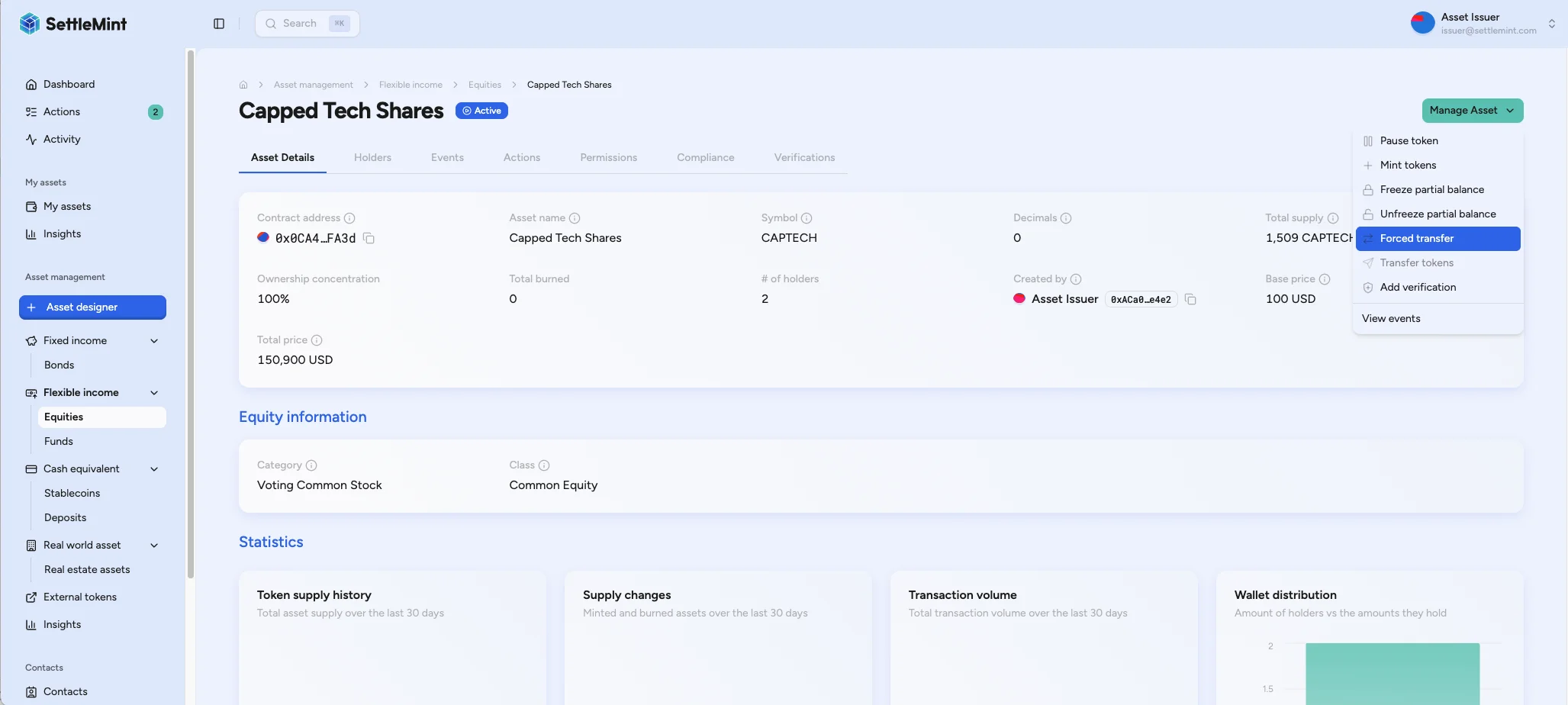
Open forced transfer dialog
Navigate to Asset Management, select the asset, click Manage Asset > Forced transfer.
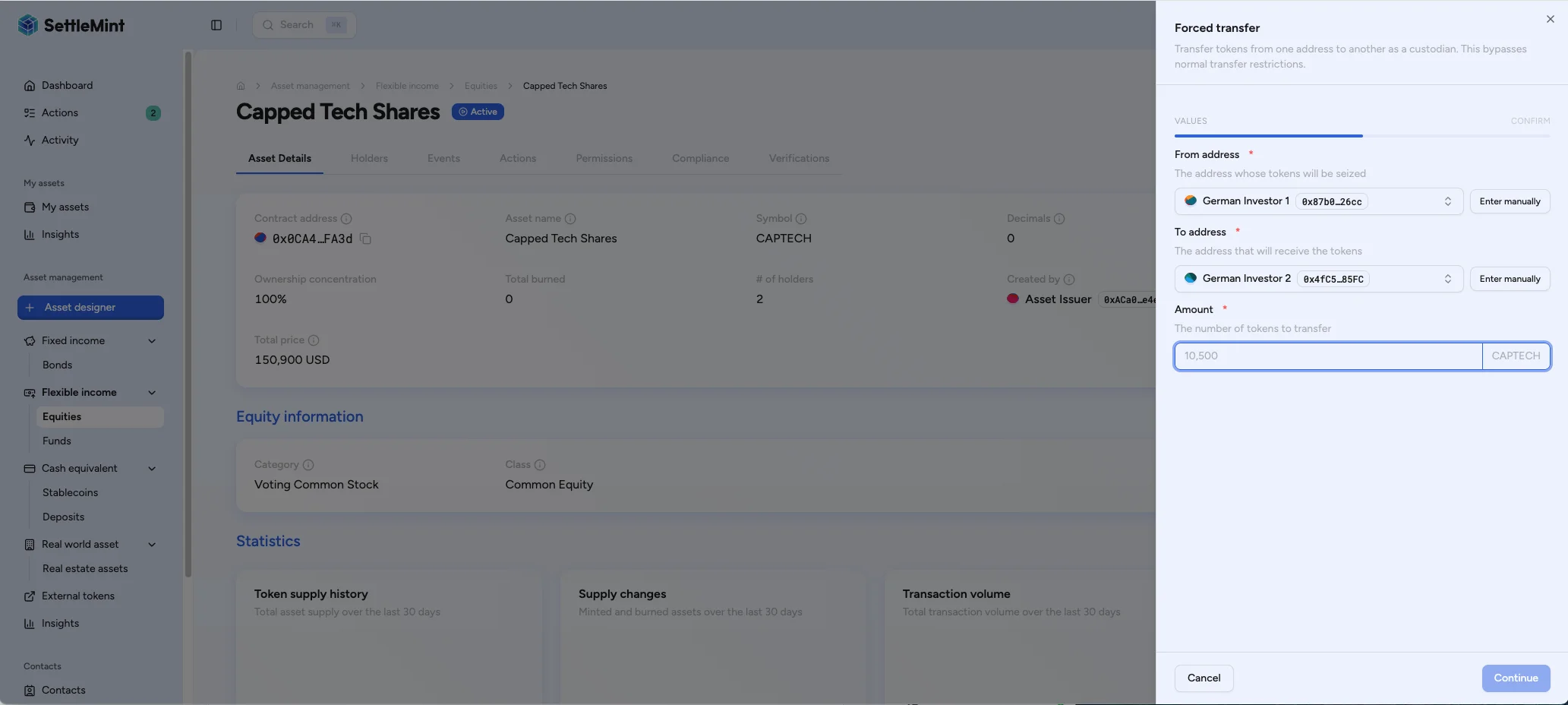
Enter details
- From address - Account losing assets
- To address - Recipient (trustee, beneficiary, blocked account)
- Amount - Units to transfer
Document the evidence
Record the transaction hash, the approving operator, the reason for the exception, and the supporting legal documentation.
Troubleshooting
| Issue | Solution |
|---|---|
| Option not visible | Verify CUSTODIAN_ROLE assignment |
| Insufficient balance | Check source address balance on Holders tab |
| Transaction reverts | Verify contract not paused, sufficient gas |
Related operations
The CUSTODIAN_ROLE also enables freeze/unfreeze and wallet recovery operations.
See Per-Asset RBAC for the full permission matrix.